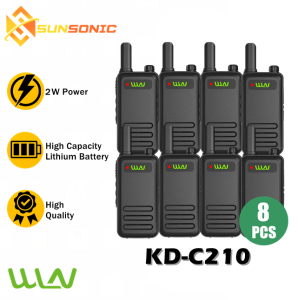
WLN KD-C210 KD-C1 Upgraded UHF 400-470MHz 2W Two Way Radio UHF Transceiver Walkie Talkie Radio - SET OF 8
WLN KD-C210 KD-C1 Upgraded UHF 400-470MHz 2W Two Way Radio UHF Transceiver Walkie Talkie Radio - SET OF 8
Overview of WLN KD-C210 UHF Transceiver
The WLN KD-C210 is a highly advanced, portable UHF communication device designed specifically for businesses and organizations that require reliable and efficient communication. This UHF transceiver operates within the 400-470MHz frequency range, providing excellent coverage and signal strength. The SET OF 8 transceivers comes with everything you need to get started, including 8 x WLN KD-C210 two-way walkie talkies, 8 x Type-C chargers, 8 x belt clips, 8 x batteries, and 8 x user manuals.
Key Features of WLN KD-C210 Two Way Radio
- High-Quality Audio: Enjoy crystal-clear audio with minimal background noise thanks to the advanced digital signal processing technology used in the WLN KD-C210.
- Long Battery Life: The rechargeable battery provides up to 16 hours of talk time and up to 300 hours of standby time, ensuring that you stay connected throughout the day.
- Waterproof and Dustproof: The WLN KD-C210 is IP54 certified, making it resistant to water splashes and dust, ideal for use in harsh environments.
- Emergency Features: The radio features an emergency button that allows users to quickly send distress signals in case of emergencies.
Comparison with Previous Model: Upgraded KD-C210 Radio
Compared to its predecessor, the KD-C1, the upgraded KD-C210 offers significant improvements in terms of audio quality, battery life, and durability. The new design also includes additional features such as a larger display screen, improved ergonomics, and enhanced emergency features.
Setting Up Your WLN KD-C210 UHF 2W Two Way Radio
Setting up your WLN KD-C210 UHF transceiver is easy and straightforward. Follow these steps to get started:
Step-by-Step Installation Guide
- Charge the batteries using the included Type-C charger until they reach 100% capacity.
- Insert the charged battery into the radio, ensuring that it is securely locked in place.
- Attach the belt clip to the radio for convenient carrying.
- Read through the user manual to familiarize yourself with the various features and functions of the WLN KD-C210.
Charging and Battery Management
To maintain optimal performance, it is essential to manage your WLN KD-C210's battery properly. Here are some tips:
- Charge the battery fully before first use: To ensure maximum battery life, charge the batteries fully before using them for the first time.
- Avoid overcharging: Overcharging can damage the battery and reduce its lifespan. Unplug the charger once the battery reaches 100% capacity.
- Store batteries properly: When not in use, store the batteries in a cool, dry place away from direct sunlight and heat sources.
Enhancing Communication with WLN KD-C210 Walkie Talkie
To get the most out of your WLN KD-C210 UHF transceiver, it's important to optimize its range and ensure interference-free usage. Here are some best practices:
Optimizing Range and Interference-Free Usage
- Position the radio strategically: Place the radio in an open area with minimal obstructions to maximize range and signal strength.
- Use the correct frequency: Ensure that all radios are set to the same frequency to avoid interference and dropped calls.
- Keep the radio away from metal objects: Metal objects can interfere with the radio's signal, so keep it at least a few inches away from any metal surfaces.
Best Practices for Group Communication
- Establish clear communication protocols: Before using the radios, establish clear communication protocols to avoid confusion and ensure that everyone knows how to use the radios effectively.
- Use group codes: Assign group codes to different teams or departments to facilitate efficient communication within large organizations.
- Monitor battery levels: Keep track of battery levels and charge the radios as needed to ensure that they remain operational throughout the day.
Frequently Asked Questions About WLN KD-C210 UHF Transceiver
Troubleshooting Common Issues
- Radio won't turn on: Check that the battery is fully charged and properly inserted into the radio. If the issue persists, contact customer support for assistance.
- Poor audio quality: Adjust the volume settings and ensure that the radio is positioned correctly to avoid interference.
- Interference or dropped calls: Check that all radios are set to the correct frequency and position them strategically to minimize interference.
Additional Resources and Support
For more information about the WLN KD-C210 UHF transceiver, please refer to the user manual or visit our website. If you have any questions or concerns, don't hesitate to contact our customer support team for assistance.

Sunsonic Official Store
Review

You May Also Like
BT30 PRO TWS Bluetooth Earbuds: Transparent Design & LED Digital Display
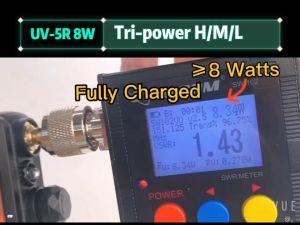
Baofeng UV-5R Walkie Talkie Long Range Dual Band UHF/VHF Two Way Radio Radio 8W High Power 128CH Walkie Talkies Original COD
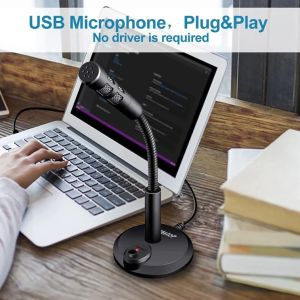
3.5mm/USB Condenser Microphone for Computer PC Desktop Laptop Notebook Sound Recording Gaming Podcasting Microphones USB Wired Microphone
S10 Crack Design Rechargeable Mini Portable Wireless Bluetooth Speaker Subwoofer support TF card LED Colorful Lights X1
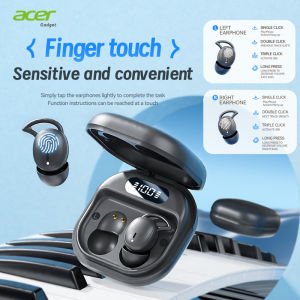
Acer Ohr507 Bluetooth Wireless Headphones Sleep Headphones In-Ear Design Comfortable to Wear Sports Running Fitness Compatible with Mobile Phones Tablets Laptops Devices Lover Gift Recommendation
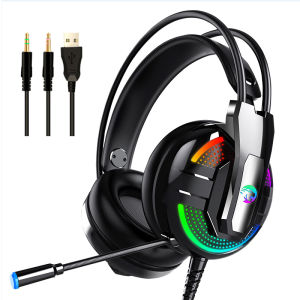
Top Picks: Gaming Headset with Microphone & Noise Cancellation Headphones
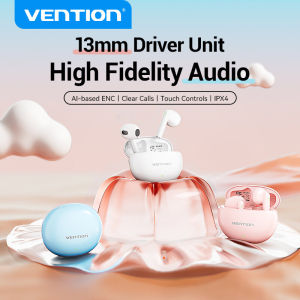
Vention Elf E06 Bluetooth Earphone 5.3: A True Wireless HiFi Sports Headphone
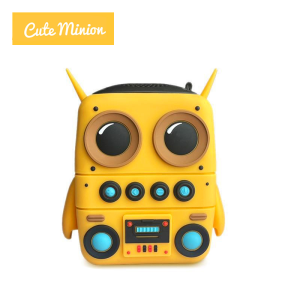
Bluetooth Speaker Minion Wireless Bluetooth Speaker Portable Mini Outdoor Speaker Bluetooth 5.0 Powerful Bass Long Battery Life Ip65 Waterproof and Dustproof with Hifi Stereo Microphone Support TF Card
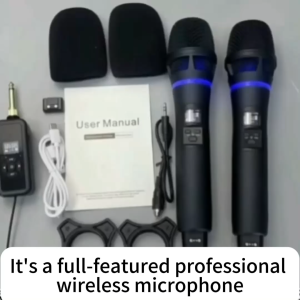
Wireless Microphone UHF Metal Dual Dynamic System with Rechargeable Receiver 12 Hour Use Handheld Karaoke Mic IR Linking Auto Connect for Karaoke Meeting Party Church DJ Wedding Home KTV
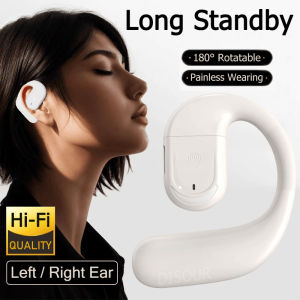
Rotatable Wireless Single Earphone: Bluetooth 5.4 & HD Mic Ear Hook Headphones
GTS -2072 Wireless Bluetooth Portable Speaker 2-inch USB TF FM Colorful Big Sound 6 Colors