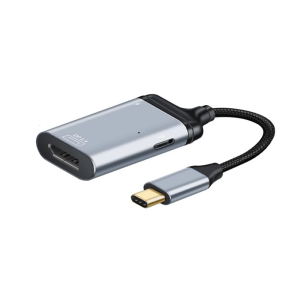
ACASIS Thunderbolt3 40Gbps NVME M.2 SSD Enclosure 8TB Aluminum Type-C with 40Gbps Thunderbolt3 C to C Cable For Mac laptop
ACASIS Thunderbolt3 40Gbps NVME M.2 SSD Enclosure 8TB Aluminum Type-C with 40Gbps Thunderbolt3 C to C Cable For Mac laptop
Overview of ACASIS Thunderbolt3 SSD Enclosure
The ACASIS Thunderbolt3 SSD Enclosure is a high-performance storage solution designed specifically for Mac laptops and iPad Pro devices. This sleek aluminum enclosure supports NVME M.2 SSDs with a maximum capacity of 8TB, providing ample storage space for users who demand top-notch performance and reliability.
Key Features & Benefits
- Up to 40Gbps transfer speed: The ACASIS Thunderbolt3 SSD Enclosure offers lightning-fast data transfer rates, allowing you to quickly access and store large files.
- Plug & Play functionality: Simply connect the enclosure to your device using the included 1.64FT Thunderbolt 4 data cable, and enjoy instant access to your stored files.
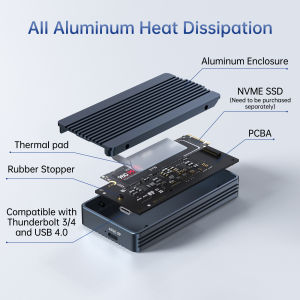
- Multiple heat dissipation: The aluminum enclosure ensures optimal heat dissipation, keeping your device cool during extended use.
- Compatibility with Thunderbolt 4/3 and USB4.0: Although this enclosure is designed for Thunderbolt 3 devices, it is also compatible with Thunderbolt 4 and USB4.0 ports.
Compatibility & Requirements
To ensure optimal performance, the ACASIS Thunderbolt3 SSD Enclosure requires a device with a Thunderbolt 3 port. It is compatible with Mac laptops and iPad Pro devices, as well as any other device supporting Thunderbolt 3, Thunderbolt 4, or USB4.0.
Setting Up Your ACASIS Thunderbolt3 SSD Enclosure
Setting up the ACASIS Thunderbolt3 SSD Enclosure is a breeze. Follow these simple steps to get started:
- Insert your NVME M.2 SSD into the enclosure.
- Connect the included 1.64FT Thunderbolt 4 data cable to the enclosure and your device.
- Power on your device, and enjoy instant access to your stored files.
Connecting to Mac Laptop
Connecting the ACASIS Thunderbolt3 SSD Enclosure to your Mac laptop is effortless. Simply connect the included data cable to the enclosure and your device's Thunderbolt 3 port, and your SSD will be recognized instantly.
Connecting to iPad Pro
The ACASIS Thunderbolt3 SSD Enclosure can also be connected to your iPad Pro using the included data cable. This allows you to access your stored files and applications directly from your iPad Pro device.
Using ACASIS Thunderbolt3 SSD Enclosure
Once set up, using the ACASIS Thunderbolt3 SSD Enclosure is straightforward. Its plug & play functionality ensures that your stored files are always accessible, allowing you to work efficiently and seamlessly.
Plug & Play Functionality
The ACASIS Thunderbolt3 SSD Enclosure is designed for ease of use. Simply connect the enclosure to your device, and your stored files will be instantly available. No additional setup or configuration is required.
Heat Dissipation Mechanism
To maintain optimal performance, the ACASIS Thunderbolt3 SSD Enclosure features multiple heat dissipation mechanisms. Its aluminum construction ensures efficient heat dissipation, keeping your device cool during extended use.
Frequently Asked Questions (FAQ)
What is the maximum capacity?
The ACASIS Thunderbolt3 SSD Enclosure supports NVME M.2 SSDs with a maximum capacity of 8TB.
Is it compatible with USB4.0?
Yes, the ACASIS Thunderbolt3 SSD Enclosure is compatible with USB4.0 ports, although it is primarily designed for Thunderbolt 3 devices.
Can I use it with other devices?
Yes, the ACASIS Thunderbolt3 SSD Enclosure is compatible with any device supporting Thunderbolt 3, Thunderbolt 4, or USB4.0 ports. Simply connect the enclosure using the included data cable, and enjoy instant access to your stored files.

ACASIS official store
Review
You May Also Like
SSD1306 I2C IIC SPI Serial 0.96" OLEDs Display Module for Creative DIY Projects and Gadgets
Portable 500GB-16TB Slim USB 3.1/Type-C External Hard Drive
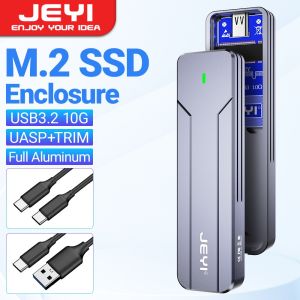
JEYI M.2 NVMe NGFF SSD Enclosure Full Aluminum USB 3.2 Gen 2 10Gbps PCIe Or SATA 6Gbps M-Key B- Key M.2 Case Support Trim UASP
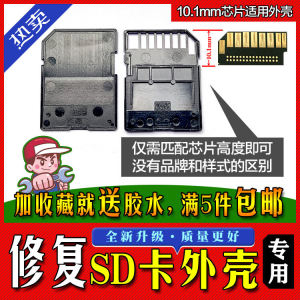
SD Card Housing Repair Universal for Various Brands Inner Storage Card Shell Digital Accessories Simple Style Other World Computing

Seagate External Hard Disk: 1TB & 2TB One Touch Hard Drive with Password & USB 3.0
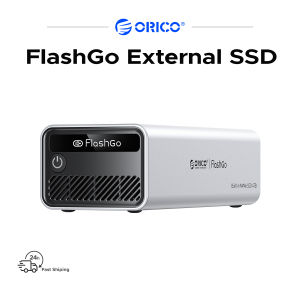
ORICO 3200MB/S 8TB/4TB FlashGo External SSD Up To 40Gbps Transfer Rate RAID 0/1/5 4K/8K HD Video Compatible With Windows Linux/macos Android
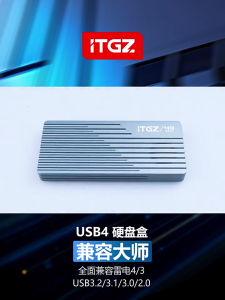
Aluminum Case ASM2464 USB4 NVMe SSDs Enclosure 40Gbps Silents Fan for Thunderbolt4

External USB Hard Disk Drive 500GB 1TB with Games Batocera Bootable 2.5inch 3.5inch
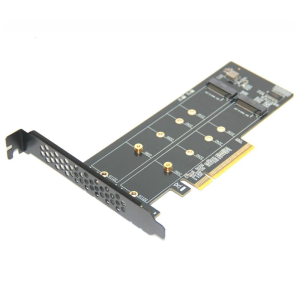
PCIe version X16 To Double NVMe METER.2 SSD Link With Gold Veneered Couplings For Strengthened Execution

Lenovo Micro SD Card 100Mb/s 128GB 32GB 64GB SD/TF Flash Memory Card Grade Class 10 32 64 128 GB High Speed MicroSD

Single Cell LR14 C Enclosure Constructed With Wear Resistant Plastic Material For Extended Device Compatibility