ACASIS Dual Bay M.2 NVME SSD Enclosure: A Comprehensive Guide
ACASIS Dual Bay M.2 NVME SSD Enclosure: A Comprehensive Guide
What is the ACASIS M.2 NVME SSD Enclosure?
The ACASIS Dual Bay M.2 NVME SSD Enclosure is a high-performance, versatile storage solution designed specifically for M.2 NVME PCIe SSDs. This innovative device offers support for up to 8TB NVME SSDs, making it an ideal choice for professionals who require fast data transfer speeds and reliable storage capacity. With its USB C 3.1 Gen2 10Gbps interface, the ACASIS M.2 NVME SSD Enclosure ensures smooth, seamless data transfer between your NVME SSD and your computer.
Key Features
- One-click offline clone functionality
- Support for M.2 NVME PCIe SSDs with M Key and M/B Key interfaces
- Compatible with NVME SSDs in 2230, 2242, 2260, and 2280 form factors
- LED indicator light to monitor cloning progress
Supported NVME SSD Types
The ACASIS M.2 NVME SSD Enclosure supports a wide range of NVME SSD types, including those with M Key and M/B Key interfaces. It is compatible with NVME SSDs in 2230, 2242, 2260, and 2280 form factors, making it an excellent choice for users who require a versatile storage solution.
How to Choose the Right ACASIS M.2 NVME SSD Enclosure
When selecting the appropriate ACASIS M.2 NVME SSD Enclosure for your needs, consider the following factors:
- NVME SSD form factor (2230, 2242, 2260, or 2280)
- NVME SSD interface type (M Key or M/B Key)
- Storage capacity requirements (up to 8TB)
Benefits of Using the ACASIS M.2 NVME SSD Enclosure
The ACASIS M.2 NVME SSD Enclosure offers numerous benefits for users who require fast data transfer speeds, reliable storage capacity, and ease of use.
Fast Data Transfer Speeds
With its USB C 3.1 Gen2 10Gbps interface, the ACASIS M.2 NVME SSD Enclosure ensures smooth, seamless data transfer between your NVME SSD and your computer. This high-speed interface allows for quick and efficient data transfer, making it ideal for professionals who require fast data transfer speeds.
Easy-to-Use Design
The ACASIS M.2 NVME SSD Enclosure features a one-click offline clone functionality, making it easy to clone your NVME SSD without the need for complex software or technical knowledge. Its intuitive design and user-friendly interface make it accessible to users of all skill levels.
Compatibility with Multiple NVME SSD Types
The ACASIS M.2 NVME SSD Enclosure supports a wide range of NVME SSD types, including those with M Key and M/B Key interfaces. It is compatible with NVME SSDs in 2230, 2242, 2260, and 2280 form factors, making it an excellent choice for users who require a versatile storage solution.
How to Use the ACASIS M.2 NVME SSD Enclosure
Using the ACASIS M.2 NVME SSD Enclosure is simple and straightforward. Follow these steps to set up and use your new storage solution:
Setting Up the ACASIS M.2 NVME SSD Enclosure
- Connect the ACASIS M.2 NVME SSD Enclosure to your computer using the included USB C cable.
- Insert your NVME SSD into the appropriate bay on the enclosure.
- Power on your computer and wait for it to recognize the connected NVME SSD.
Connecting Your NVME SSD
To connect your NVME SSD to the ACASIS M.2 NVME SSD Enclosure, simply insert it into the appropriate bay on the enclosure. Make sure to align the NVME SSD correctly with the bay before inserting it.
Performing an Offline Clone
To perform an offline clone using the ACASIS M.2 NVME SSD Enclosure, follow these steps:
- Insert both the source and destination NVME SSDs into the appropriate bays on the enclosure.
- Press the clone button on the enclosure to initiate the cloning process.
- Monitor the LED indicator light to track the progress of the cloning process.
Troubleshooting Common Issues
If you encounter any issues while using the ACASIS M.2 NVME SSD Enclosure, refer to the following troubleshooting tips:
Troubleshooting Tips for Slow Data Transfer
- Ensure that your computer's USB C port is functioning properly.
- Try connecting the enclosure to a different USB C port on your computer.
- Check that your NVME SSD is compatible with the ACASIS M.2 NVME SSD Enclosure.
Troubleshooting Tips for Incompatible NVME SSDs
- Verify that your NVME SSD is compatible with the ACASIS M.2 NVME SSD Enclosure by checking its form factor and interface type.
- Ensure that your NVME SSD is properly inserted into the appropriate bay on the enclosure.
Troubleshooting Tips for LED Indicator Light Issues
- Check that the LED indicator light is functioning properly by monitoring its behavior during the cloning process.
- If the LED indicator light does not respond, try restarting your computer and the ACASIS M.2 NVME SSD Enclosure.

ACASIS official store
![ACASIS Dual Bay M.2 NVME SSD Enclosure Offline Clone USB C 3.1 Gen2 10Gbps For M Key & M/B Key NVME PCIe SSD Hard Drive Reader [Support 8TB]](https://img.lazcdn.com/g/p/90e59fbc8a5000185fae47691f0e1a04.jpg_300x300q80.jpg)
You May Also Like
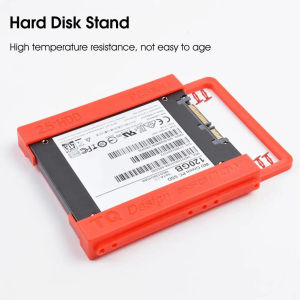
2.5 Inch - 3.5 Inch Hard Disk Stand SSD Holder Anti-cracking Professional SSD Adapter Bracket for Desktop
JASTER Red Wood USB 3.0 Flash Drives: Customizable Storage Solutions

Magnetic hard drive box Magnetic Mobile External Solid State Drive Case
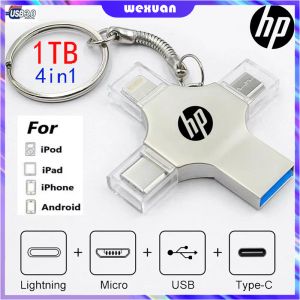
HP 4in1 OTG USB Flash Drive 1TB 512GB 32GB Pendrive Type-C USB Stick Memory Stick For iPhone Android PC FOR IOS
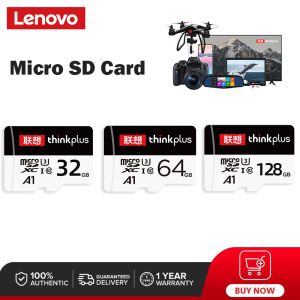
Lenovo Micro SD Card: High-Speed Storage for Your Devices
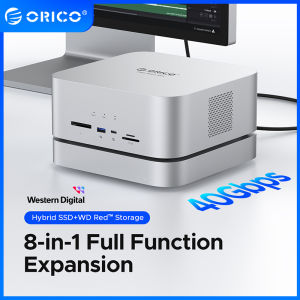
ORICO Data Matrix 40Gbps Enclosure: The Ultimate Docking Solution
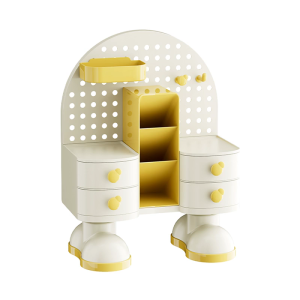
Office Supplies Storage System With PP Trays Multi-Functional Desktop Organizer For Documents And Accessories
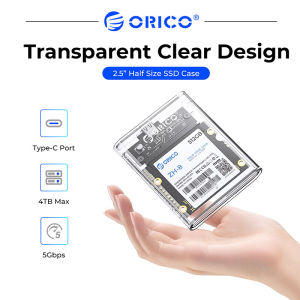
ORICO 2.5" HDD/SSD Enclosure USB 3.1 5Gbps SATA to Type C SSD ard Drive Enclosure HDD Adapter SATA SSD Box for 2.5" Half Size SATA III SSD (TC8-25)
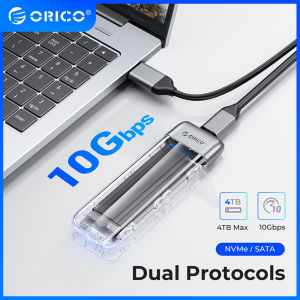
ORICO New Metal M.2 SSD Case Dual Protocol NVME SATA SSD Enclosure Tool Free 10Gbps M.2 to USB Type C Transparent External Adapter Portable
KINGSTON USB Flash Drive 128GB

PS4 Games depende sa laro Preloved 500 GB Hdd external Pkg format with bd jb