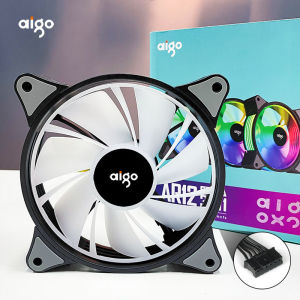
Aigo AR12 120mm PC Gamer Computer Case Fan RGB 12v Heatsink Aura Sync Cooler Argb Silent Controller Kit Fan Cooling Ventilador
Aigo AR12 120mm PC Gamer Computer Case Fan RGB 12v Heatsink Aura Sync Cooler Argb Silent Controller Kit Fan Cooling Ventilador
Introduction to Aigo AR12 120mm RGB Fan
The Aigo AR12 120mm RGB fan is a top-of-the-line gaming computer case fan designed to enhance your gaming experience. This silent 12V heatsink fan comes equipped with an RGB controller kit that allows you to customize the lighting to match your gaming setup. It is compatible with Aura Sync cooler RGB technology, making it easy to integrate with other components in your system.
Key Features & Specifications
- Silent operation with a maximum noise level of 28 dBA
- 120mm diameter with a thickness of 25mm
- PWM control for optimal performance
- RGB LED lighting with a wide range of colors and effects
- Compatible with Aura Sync cooler RGB technology
- 12V DC power supply
Why Choose Aigo AR12 120mm RGB Fan
If you're looking for a high-performance gaming computer case fan that offers both cooling and aesthetics, the Aigo AR12 120mm RGB fan is the perfect choice. Its silent operation ensures that you won't be disturbed by any unwanted noise while gaming, while its RGB lighting customization options allow you to create a unique gaming environment. Plus, its compatibility with Aura Sync cooler RGB technology makes it easy to integrate with other components in your system.
Installation & Setup Guide
Installing the Aigo AR12 120mm RGB fan is simple and straightforward. Follow these steps to get started:
Required Tools & Components
- Screwdriver
- Aigo AR12 120mm RGB fan
- RGB controller kit
- Power supply cable
Step-by-Step Installation Process
- Locate the mounting holes on your computer case.
- Align the fan with the mounting holes and secure it in place using screws.
- Connect the power supply cable to the fan and plug it into a compatible power source.
- Install the RGB controller kit and connect it to the fan using the included cable.
- Power on your system and adjust the lighting settings to your liking.
Connecting the Controller Kit
To connect the RGB controller kit to the Aigo AR12 120mm RGB fan, simply plug the included cable into the fan and the controller. Then, power on your system and use the controller to adjust the lighting settings.
Enhancing Your Gaming Experience
The Aigo AR12 120mm RGB fan offers several features that can enhance your gaming experience:
RGB Lighting Customization
With its wide range of colors and effects, you can customize the RGB lighting to match your gaming setup. Plus, its compatibility with Aura Sync cooler RGB technology makes it easy to integrate with other components in your system.
Silent Operation & Heat Management
The Aigo AR12 120mm RGB fan is designed to operate silently, with a maximum noise level of 28 dBA. Its PWM control ensures optimal performance, while its 12V DC power supply provides reliable cooling.
Compatibility with Aura Sync Cooler
The Aigo AR12 120mm RGB fan is compatible with Aura Sync cooler RGB technology, making it easy to integrate with other components in your system.
Maintenance & Troubleshooting
Regular maintenance and troubleshooting can help ensure the Aigo AR12 120mm RGB fan continues to perform at its best:
Regular Cleaning & Maintenance
To keep the Aigo AR12 120mm RGB fan running smoothly, it's important to clean it regularly. Use a soft cloth to wipe away any dust or debris that may have accumulated on the fan blades.
Common Issues & Solutions
If you're experiencing issues with the Aigo AR12 120mm RGB fan, here are some common solutions:
- Fan not spinning: Check that the power supply cable is securely connected to the fan and the power source.
- Fan making noise: Clean the fan blades to remove any dust or debris that may be causing the noise.
- RGB lighting not working: Check that the RGB controller kit is properly connected to the fan and the power source.
Warranty & Customer Support
The Aigo AR12 120mm RGB fan comes with a limited warranty and customer support to ensure you have a positive experience with the product. If you have any issues or concerns, contact Aigo's customer support team for assistance.

Global Merch Park
You May Also Like
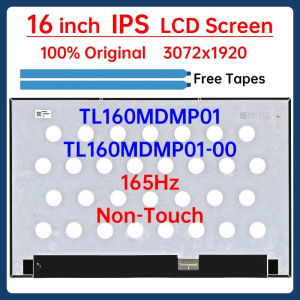
16 Inch 165Hz Laptop LCD Screen TL160MDMP01 TL160MDMP01-00 Display Matrix Panel Replacement 3072x1920 Non-Touch
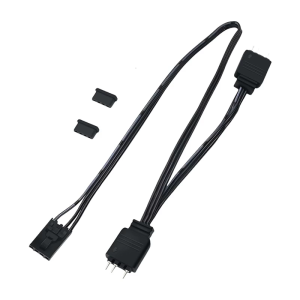
4Pin to 5V 3Pin ARGB Splitter Cable for ARGB Hub and Fan Lighting Control For HDLL120 Splitter Extension Cord
GMKtec M6 Ultra Mini PC AMD Ryzne 5 7640H R5 6600H Gaming Mini PC DDR5 32GB 1TB M.2 2280 SSD Win11 Pro Dual 2.5G wifi6E BT5.2 Desktop Office Gaming Computer
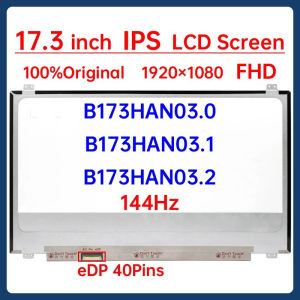
17.3" 144Hz Laptop LCD Screen B173HAN03.0 B173HAN03.1 B173HAN03.2 Gaming Display Matrix Panel Replacement 1920x1080 eDP 40 Pins
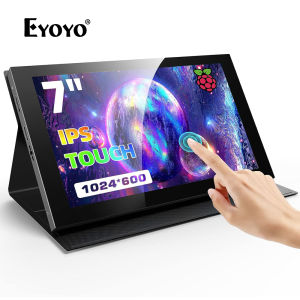
Eyoyo 7 Inch Portable HDMI Monitor: A Comprehensive Guide
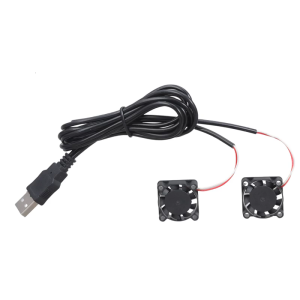
DC5V Electronic Cooling Fan 0.85W 95cm USB Cable Compatible With 3D Printers Computer Chassis Communication Devices
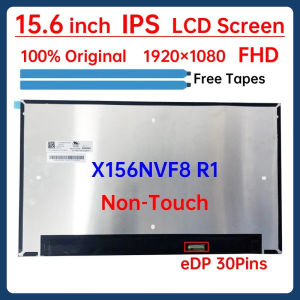
15.6" Laptop LCD Screen X156NVF8 R1 For HP Elitebook 850 G7 G8 Display Matrix Panel 1920x1080 eDP 30 Pins Non-Touch M08134-ND1
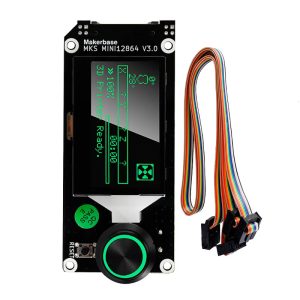
MINI12864 V3.0 Insert Side LCD for Smart Display Screen 3D Printer Parts for VORON Mini 12864
![Lenovo Thinkpad P1 Gen 4 Intel Core i7 11th Gen 11850H 8-Core NVIDIA RTX A3000 6GB GDDR6 32GB 1TB 4K OLED 16" [PRELOVED]](https://img.lazcdn.com/collect/social-img/79e7b62542234bab93b99bb854d5b3af_2370a4a2c72c46d1bd88d5898b991c04.png_300x300q80.png)
Lenovo Thinkpad P1 Gen 4 Intel Core i7 11th Gen 11850H 8-Core NVIDIA RTX A3000 6GB GDDR6 32GB 1TB 4K OLED 16" [PRELOVED]
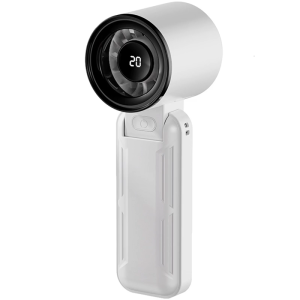
Portable Handheld High Speed Cooling Fan Speed Adjustable Mini Cooling Fan Rechargeable Folding Fan for Camping

100Pcs Resealable ESD Anti-Static Shielding Bag Anti Static Pack Bag Ziplock Bags For Motherboard