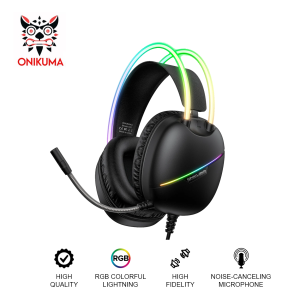
Onikuma X33 RGB Wired Over-ear Gaming Headset with RGB Lighting Noise Cancelling Microphone
Onikuma X33 RGB Wired Over-ear Gaming Headset with RGB Lighting Noise Cancelling Microphone
What is the Onikuma X33 RGB Wired Over-ear Gaming Headset?
The Onikuma X33 RGB Wired Over-ear Gaming Headset is a top-of-the-line gaming headset designed to provide an immersive audio experience for gamers. With its sleek design, RGB lighting, noise-cancelling microphone, and high-quality sound, this headset offers a perfect blend of style and functionality. It is suitable for both gaming consoles and PCs, making it a versatile choice for gamers.
Key Features
-
RGB Lighting: The Onikuma X33 features customizable RGB lighting, allowing users to personalize their gaming experience with vibrant colors and dynamic effects.
-
Noise Cancelling Microphone: This headset comes equipped with a noise-cancelling microphone that provides clear voice communication during online gaming sessions.
-
Wired Connection: The Onikuma X33 is a wired gaming headset, offering a stable and reliable connection with no latency issues.
-
Over-ear Design: The over-ear design ensures a comfortable fit and excellent sound isolation, making it perfect for long gaming sessions.
Comparison with Other Gaming Headsets
When compared to other gaming headsets, the Onikuma X33 stands out due to its combination of RGB lighting, noise-cancelling microphone, and over-ear design. While some headsets may offer similar features individually, the Onikuma X33 brings them all together in one package, providing a superior gaming experience.
How to Use the Onikuma X33 RGB Wired Over-ear Gaming Headset
Using the Onikuma X33 RGB Wired Over-ear Gaming Headset is simple and straightforward. Follow these steps to get started:
Connecting to Your Gaming Console or PC
-
Plug the headset's audio jack into the appropriate port on your gaming console or PC.
-
Adjust the volume using the control on the headset or through your device's settings.
-
Test the microphone by speaking into it and listening to the audio playback.
Customizing RGB Lighting and Sound Settings
To customize the RGB lighting and sound settings, refer to the user manual that comes with the Onikuma X33. Follow the instructions to adjust the lighting effects and sound settings to suit your preferences.
How to Care for Your Onikuma X33 RGB Wired Over-ear Gaming Headset
Proper care and maintenance will help extend the life of your Onikuma X33 RGB Wired Over-ear Gaming Headset. Follow these tips to keep it in good condition:
Cleaning and Maintenance Tips
-
Clean the ear cups: Gently wipe the ear cups with a soft cloth to remove dirt and grime.
-
Inspect the cables: Check the cables for any signs of wear or damage. Replace if necessary.
-
Store properly: When not in use, store the headset in a cool, dry place away from direct sunlight.
Troubleshooting Common Issues
If you encounter any issues with your Onikuma X33, refer to the troubleshooting guide in the user manual. Some common problems include:
-
No sound: Check the audio connection and adjust the volume settings.
-
Microphone not working: Ensure the microphone is properly connected and check the device's settings.
-
RGB lighting not working: Refer to the user manual for troubleshooting steps related to RGB lighting.
Conclusion
The Onikuma X33 RGB Wired Over-ear Gaming Headset is a top choice for gamers looking for a combination of style, comfort, and high-quality audio. With its RGB lighting, noise-cancelling microphone, and over-ear design, this headset offers a superior gaming experience. By following the usage, care, and troubleshooting tips outlined in this article, you can enjoy your Onikuma X33 for years to come.

TechTime_PH
Review
You May Also Like
Lenovo XT60 Wireless Sport Earphone Bluetooth 5.3 TWS Waterproof HiFi With Noise Cancelling Microphone For LED Dispaly

WLN KD-C210 KD-C1 Upgraded UHF 400-470MHz 2W Two Way Radio UHF Transceiver Walkie Talkie Radio-SET OF 4
Edifier X3 Pro Bluetooth V5.4 Earbuds: Active Noise Cancellation & 23H Playback
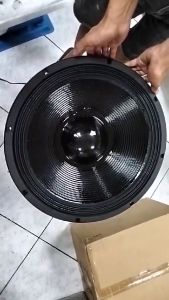
Live Storm Surge 18 at 70K 18inch 7000W RMS 6 inches Voice Coil Triple Magnet Speaker
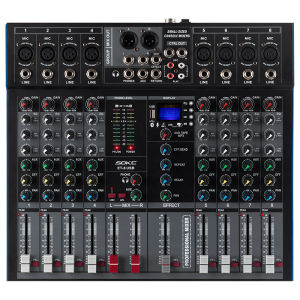
SOKC Mixing Console: 8/12 Channel Mixer for Live Performances
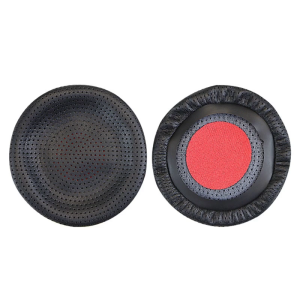
Soft Protein Earpads Ear Pads for Blackwire C3225 C3215 Earphone Memory Foam Earcups Easily Replaced Ear Cushions

Disney Wireless Earbuds Bluetooth Mickey Earphones HIFI Stereo in-ear Sports Waterproof Headsets Noise Reduction Long Standby Q7
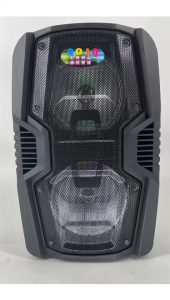
FT-Star 12\" LED Party Speaker with Bluetooth Micro SDFM and Wireless Mic and Remote FPA-8808
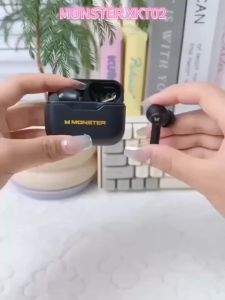
Monster XKT02 Wireless Earbuds TWS BT5.1 Earphones With Microphone HIFI Surround Sound Low Latency Noise Reduction Bluetooth Headphones For Phones & Tablet
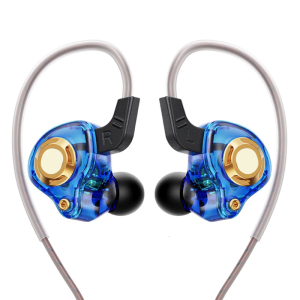
Bass Boosting Earphones 3.5mm Wire Earbuds With Silione Ear Tip For Audiophiles Comfortable In Ear Design Headsets
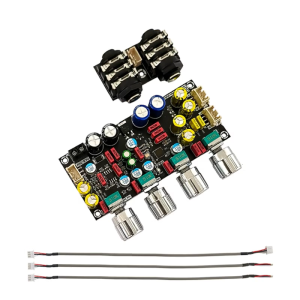
Microphone Plate Reverberation Board KTV- Microphone Preamplifier Board DC8V-26V