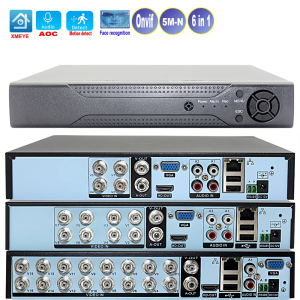
Xmeye Smart Dvr Nvr 4/8/16 Channels 5MP-N 1080P Video Surveillance Recorder Audio Over Coaxial Motion Detect For CCTV Cameras
Please note:1.please use at least 12V2A power adapter connect this board,power adapter is very important,make sure your power adapter is in good quality. if you connect with 3T or 4T HDD,please better connect with DC12V3A or 12V5A power adapter.2.the DVR display resolution is default 19201080P.If you use a monitor to connect this device, please make sure it can withstand 19201080P resolution input. or the monitor will show black screen after it display first time the Boot logo(will show "out of range" or "input not supported")3.You need to ensure that your monitor resolution can support my device resolution output or support adaptive mode, or you can try to not adapt to the monitor, directly connect to the network, and then use CMS or APP: xmeye to search for the device and use it. You can also tell us the resolution of your monitor before you make order, and we will adjust the resolution output for you.4. Please be careful during operation and take anti-static measures to avoid damage to the circuit. For each product, we will test and shoot a video before shipping, confirm that there is no problem before shipping. We are not liable for damages deemed to be caused by improper operation.What is Audio over coaxial function1.it is a function that the coaxial audio camera connect to coaxial DVR only by BNC cable,then can transfer sound and can hear sound from smartphone.No need add sound pick up device.2.you can add one speaker,or add a HDMI monitor which built in speaker,then you can hear sound,3.you can add a microphone or use smartphone,connect App of the DVR and talk.4.must make sure your camera support Coaxial audio and must work for Xmeye coaxial audio dvr,some brand coaxial audio camera not work for this DVR,The DVR support Wireless connect internet,but must connect with suitable wifi adapter,if you need wifi adapter,you can buy from US by click the below picture.Parcel include:1DVR1Mouse112V2A Power adapter.for 16CH DVR we provide DC12V2.5A or DC12V3A power adapter (If you connect with 3T or 4T HDD,please better connect with DC12V3A or 12V5A power adapter.)1screw bag for hard disk Hard disk is optional,only when you choose DVR With Hard disk will can send dvr with hard disk The Dvr Retail Box is General packaging box, the contents of the box may not be completely consistent with this product, if you mind the box, please do not buy,we not accept any dispute about it.Channel type4CH 5M-N 8CH 5M-N 16CH 5M-N Language Main display4CH8CH16CHDisplay resolutionbe sure your monitor displayer support the resolution,we default 12801024,if lower to 12801024.will can not display and show out of range.you need ask US switch to lowest resolution. Features:Support H.265+ coding technology, ultra-low bit rate, fully compatible with H.264 matching;Support HDMI high-definition output display;Support ONVIF protocol to connect to third-party equipment (network mode);Support multiple cloud technologies, realize network penetration, front-end and back-end docking, push alarm information to mobile phones and other functions;Supporting Web, CMS, central platform management software MYEYE,Support various types of mobile phone monitoring (Iphone, Android);Remote access, with its own domain name service function (ARSP), remote monitoring is enabled with one key;Standard coaxial control, easy to realize back-end control and front-end;Support XVI/AHD/TVI/CVI/CVBS/IP signal six-in-one access;Support intelligent analysis: face detection(limited to local channels,for IP mode not support ) and other functions Technical Parameters:4CHSystem Main processor: Industrial-grade embedded chip NT98321Interface Screen display: 1/4/8/9 screen (take the coaxial input mode as an example, others depend on the channel mode)Image codec: H.265+Monitoring quality: VGA (up to 1080P)not include vga connector; HDMI (up to 2K); CVBSPreview capability: 45M@12fps(6 in 1)/ 44M@15fps(6 in 1)/ 43M@18fps(6 in 1)/41080P(Xvi camera connect), default 5M-NEncoding capability 45M@12fps(6 in 1)/ 44M@8fps(6 in 1)/ 43M@10fps(6 in 1)/41080P@18fps(Xvi camera connect) , default 5M-NDecoding capability 45M@12fps(6 in 1)/ 44M@8fps(6 in 1)/43M@10fps(6 in 1)/41080P@18fps(XVi Camera), default 5M-NChannel type:Local: 45M-NHybrid mode: 45M-N (coaxial) + 21080P (network)IP mode : 161080P; 85MMotion detection:192 (1612) detection areas can be set per screen; multi-level sensitivity can be set (limited to local channels)Audio compression: G.711ARecording mode: manual>alarm>motion detection>timingLocal playback: MAX 2 channels (under coaxial input mode)Video query: Time point search, calendar search, event search, channel searchVideo preservation: Local hard disk, networkBackup method: network backup, USB mobile hard disk, USB burning, SATA burningVideo input: 4 BNCVideo output: 1 HDMI,1 CVBS,1 VGANetwork interface: RJ45 10M/100M adaptive Ethernet portUSB interface: 2 USB interfacesHard disk interface: 1 SATA interfaces (each supports up to 14T)Wireless interface 3G, WIFI (expanded via USB)Power 12V/2A8CHSystem Main processor: Industrial-grade embedded chip NT98321Interface Screen display: 1/4/8/9 screen (take the coaxial input mode as an example, others depend on the channel mode)Image codec: H.265+Monitoring quality: VGA (up to 1080P); HDMI (up to 2K); CVBSPreview capability: 85M-N@12fps(6 in 1)/ 84M-N@15fps(6 in 1)/81080P@15fps (XVI front end), default 5M-NEncoding capability 85M-N@12fps(6 in 1)/ 84M-N@15fps(6 in 1)/81080P@15fps (XVI front end), default 5M-NDecoding capability 25M-N@12fps(6 in 1)/ 24M-N@15fps(6 in 1)/21080P@15fps (XVI front end), default 5M-NChannel type:Local: 85M-NHybrid mode: 85M-N (coaxial) + 41080P (network)IP mode : 161080P; 85MMotion detection:192 (1612) detection areas can be set per screen; multi-level sensitivity can be set (limited to local channels)Audio compression: G.711ARecording mode: manual>alarm>motion detection>timingLocal playback: 4 channels (under coaxial input mode)Video query: Time point search, calendar search, event search, channel searchVideo preservation: Local hard disk, networkBackup method: network backup, USB mobile hard disk, USB burning, SATA burningVideo input: 8 BNCVideo output: 1 VGA, 1 HDMI, CVBSNetwork interface: RJ45 10M/100M adaptive Ethernet portUSB interface: 2 USB interfacesHard disk interface: 1 SATA interfaces (each supports up to 14T)Wireless interface 3G, WIFI (expanded via USB)Power 12V/2A16CHMain processor: Industrial-grade embedded chip NT98312Screen display: 1/4/8/9/16 screen (take the coaxial input mode as an example, others depend on the channel mode)Image codec: H.265+Monitoring quality: VGA (up to 1080P); HDMI (up to 4K)Preview capability: 165M-N@12fps(6 in 1)/164M-N@15fps(6 in 1)/161080P@15fps(XVI front end), default 5M-NCoding capability: 165M-N@6fps(6 in 1)/164M-N@8fps(6 in 1)/161080P@8fps(XVI front end), default 5M-NDecoding ability: 85M-N@6fps(6 in 1)/164M-N@8fps(6 in 1)/161080P@8fps(XVI front end), default 5M-NMulti-mode input:Coaxial: 165M-NNetwork: 161080P; 45MMotion detection: 192 (1612) detection areas can be set for each screen; multi-level sensitivity can be set (limited to local channels)Questions and Answe for the DVR:Q:The Encoding capability is 1080P1080P@15fps,but why I connect 1080P camera show 1080N?A:because your camera is not Xvi camera,not Xmeye camera,your camera is other brand.you need buy Xvi camera can show 1080P Q:Why I can not hear sound when view record file?A:first.right click mouse and click System---XVI Audio set--choose Coaxial audiosecond:click System--Encode---Choose the channel camera---Video/Audio tick Q:Why I can't connect from the internetA:1.When the network cable is connected, you can observe whether the yellow and green lights on both sides of the DVR network cable port flicker.If so, continue to the next step,if not,change a new net cable.2.try power off then power on again your wifi router,then try test the internet of DVR,if not success,reset your wifi router. Q:How to set motion detection?A:1. First, in the video recording settings, select the channel where the mobile detection video is required. The video length is 60 minutes by default.Select the configuration of the video recording mode. At the same time, check the detection type.2. In motion detection, select the channel and enable it. The sensitivity can be adjusted according to the actual effect.You can set the motion detection area (default full screen). The time period is 0-24 hours by default.Check the corresponding channel in the video channel for video recording. Other operations and prompts can be set according to your own needs. Q:The DVR does not record the state of the hard disk and always reports an errorA:1.The quality of the power adapter is poor, the power supply is insufficient, or the continuous work for a long time leads to the attenuation of the power adapter. Replace it with a new quality power adapter. It is recommended to use 12V3A for 1T-2T and 12V5A for 3-4T2 The video recorder does not support hot plug when connected to the hard disk. When the video recorder is powered off, connect the hard disk and then power on to start the video recorder;3. It may be a compatibility problem between the hard disk and the device. Try to replace another hard disk, or contact Xiongmai Technology to confirm the supported hard disk model;It is recommended to use WD Western Digital enterprise level or monitoring level, Seagate monitoring level or enterprise level hard disk;4. The hard disk may be damaged and cannot be used normally. Connect it to the computer or other video recorder equipment and test whether the hard disk is damaged;Restore the VCR to its default configuration, and confirm that the program of the VCR has been updated to the latest version;After the above steps are confirmed, they still cannot be identified. You can contact Xiongmai Technology or after-sales service Q: what is the default IP address and port number of DVR?A: IP address: 192.168.1.10,HTTP port: 80 TCP port: 34567Note: When accessing the device for the first time, please change the IP and local PC into one network segment; In DVR/ADVR mixed mode, you must be aware of possible IP conflicts when connecting webcams;It is recommended to change the recorder to an IP address other than 10 when getting the device Q: When setting the IP address, you will always be prompted that the IP subnet mask gateway does not matchA:When setting the IP address, pay attention to whether the IP address and the default gateway are consistent (for example, IP: 192.168.1.9, default gateway: 192.168.1.1) Q:what is the DVR Onvif version and port numberA: 1 -- Port number 88992 -- Version: onvif 2.0Note: It is not recommended to modify the port value, which can be kept as the default. Other ports cannot be set to occupy How to see it by smartphone and by CMSplease use computer and enterwww.xmeye.netand then use serial number to enter(serial can find in this DVR and remember do not tell your serial number to anybody) How to see it by smartphone and by smartphoneDownload Xmeye APP--open it--choose log on locally--add device--input seriac number to loginIf you have any questions on how to use it,please contact us.About customs clearance: Dear buyers, this product may incur customs duties in the destination country.If you want this product and buy it, I hope you have the ability and willingness to cooperate with your country's customs staff to clear customs.Customs duties are borne by buyers, not by sellers.About damage: Dear buyer, I suggest that you open the parcel in front of the post office or the package delivery staff.If the package is damaged, please ask the post office staff to provide you with a damage certificate with the stamp of the post office,and then open parcel damaged dispute. Prove the certificate to me, and I will actively cooperate with you to claim.Because once the shipment leaves the post office, they may not admit it was damage due to shipping.Thanks for your support.

GlobalSuperBazaar
Review
You May Also Like
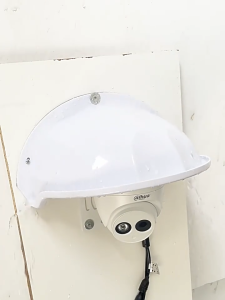
Outdoor Waterproof Sunproof Cover Surveillance Camera Protector Security Camera ABS Shield Rainproof Accessories

Dahua DH-HAC-B1A51N-U-S2 2.8mm 5MP HDCVI Bullet Camera with Mic | EJDalanon Enterprise
MEILUNMEIHUAN | Solar 4G/WiFi Outdoor Dual-Lens 360-Degree Remote Color Night Vision Dustproof Camera

EKLEVA Mini Camera Full HD 1080P Portable Pen Camera Wireless Micro Digital IP Camcorder Video Recorder
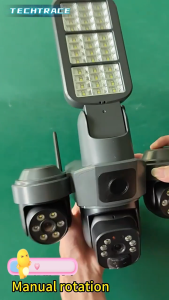
V380 Three Lens AI Solar CCTV Camera and Lighting 2in1 4G/WIFI Outdoor Waterproof IP Camera Full Color Night Vision Auto Tracking Alarm Solar Battery Powered Three PTZ CCTV Camera
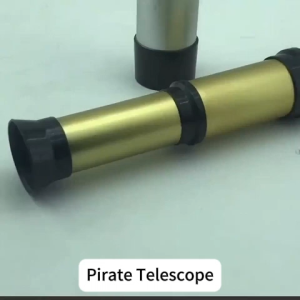
Pirate kids Monocular Telescope Toy Retractable Portable Handheld Telescopes Gold/Silver
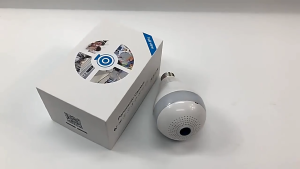
V380 PRO 1080P HD Light Bulb WI-FI CCTV Panoramic Security Camera easy install 360 panoramic camera fisheyes 1080P HD
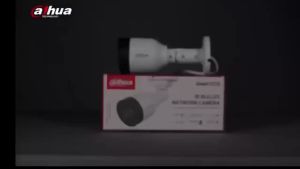
Dahua HD 2MP WDR IR Bullet Network Camera Wired Outdoor Intelligent Detection Night Vision IP Camera
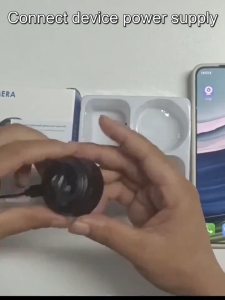
【Free memory card】AIkaid Mini Camera A9 CCTV Camera Original Genuine 1080P HD Wireless Wifi Night Vision Surveillance Connect To Cellphone Security Camera Motion Detection no need wifi with 360°panoramic Infrared
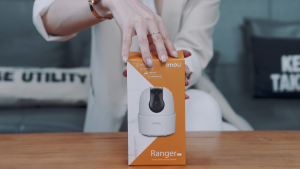
IMOU Ranger 2C 5MP + 64GB/128GB Storage CCTV Indoor Security Camera with Night Vision Two-Way Audio Human Detection
3MP WiFi Window Camera Through‑Window Full Color Night Vision Two‑Way Audio Indoor Home Security Wireless Surveillance Cam