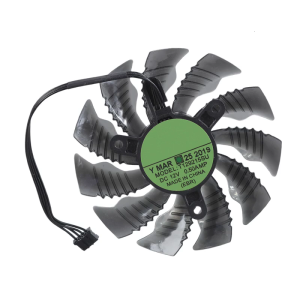
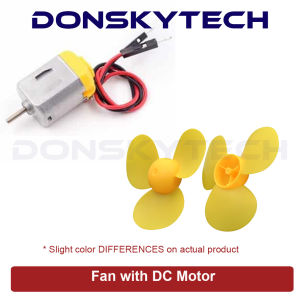
Fan with DC Motor for DIY Arduino Electronics Projects
Fan with DC Motor for DIY Arduino Electronics Projects
Introduction to Compact Fan Motor
What is a Compact Fan Motor?
A compact fan motor is a small, lightweight motor designed specifically for use in fans. These motors are typically made of high-quality materials that ensure durability and efficiency, making them ideal for DIY electronics projects.
How Does a Compact Fan Motor Work?
A compact fan motor works by converting electrical energy into mechanical energy through the use of a rotor and stator. When power is supplied to the motor, the rotor begins to spin, which causes the attached fan blades to rotate and produce airflow.
Benefits of Using a Compact Fan Motor
Using a compact fan motor in your DIY electronics projects offers several benefits, including:
- Low noise: Compact fan motors are designed to operate quietly, making them perfect for applications where noise is a concern.
- High efficiency: These motors are optimized for energy efficiency, resulting in lower power consumption and longer battery life.
- Compact size: With their small form factor, compact fan motors can be easily incorporated into a wide range of projects.
Building a Low Noise Fan with Arduino
Choosing the Right Components
To build a low noise fan using Arduino, you'll need the following components:
- Compact fan motor: Select a compact fan motor that meets your project requirements.
- Arduino board: Choose an appropriate Arduino board, such as the Arduino Uno or Arduino Nano.
- Power supply: Connect a power supply that provides the necessary voltage and current for your project.
- Fan control circuit: Design a simple circuit to control the speed and direction of the fan.
Assembling the Low Noise Fan
Once you have gathered all the required components, follow these steps to assemble your low noise fan:
- Connect the compact fan motor to the Arduino board using the appropriate wiring.
- Set up the power supply and connect it to the Arduino board.
- Build the fan control circuit according to your design specifications.
- Test the fan to ensure proper operation.
Programming the Arduino
To control the speed and direction of your low noise fan, you'll need to write a program for the Arduino board. Here's a simple example of how to achieve this using the Arduino IDE:
const int fanPin = 9; // Set the pin connected to the fan motor
void setup() {
  pinMode(fanPin, OUTPUT); // Set the fan pin as an output
}
void loop() {
  analogWrite(fanPin, 255); // Set the fan speed to maximum
  delay(1000); // Wait for 1 second
  analogWrite(fanPin, 0); // Stop the fan
  delay(1000); // Wait for 1 second
}
Exploring Versatile Electronic Components
Understanding Versatile Electronic Components
Versatile electronic components are those that can be used in a wide range of applications, making them ideal for DIY electronics projects. Some examples include resistors, capacitors, transistors, and integrated circuits.
Incorporating Versatile Electronic Components into Your Project
Incorporating versatile electronic components into your project can help you achieve better performance, efficiency, and reliability. Here are some tips for incorporating these components:
- Choose the right component: Select a component that meets your project requirements in terms of specifications, size, and cost.
- Design a robust circuit: Create a circuit that ensures proper operation and minimizes the risk of damage or failure.
- Test and troubleshoot: Test your project thoroughly and address any issues that arise during testing.
Enhancing Your DIY Electronics Projects with Versatile Electronic Components
By using versatile electronic components in your DIY electronics projects, you can take advantage of their unique properties to improve performance, efficiency, and reliability. Some examples of how to enhance your projects with these components include:
- Using capacitors to filter out noise: Capacitors can help reduce noise and interference in your circuits, resulting in cleaner signals and improved performance.
- Adding transistors to amplify signals: Transistors can amplify weak signals, allowing you to control larger loads or drive more powerful devices.
- Incorporating integrated circuits for complex functions: Integrated circuits can perform complex functions, such as signal processing or data analysis, which can enhance the capabilities of your project.

donskytech
Review

You May Also Like

NVISION IN27FGW 27\" CURVED 165HZ FHD WHITE GAMING MONITOR (PD)
10PCS/Lot CPU Cooler Holder Tower Heatsink Bracket Base Backplane for Intel LGA 2011/1366/1700/1200 Motherboard Computer Part
Blower Cooling Fan 220 Volts & 120x120mm: A Comprehensive Guide
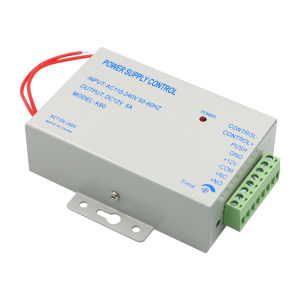
DC12V True 3A/5A Output 100-240V AC Access Control Power Supply Controller Switch Adapter For Door Locks Video Intercom System

ROOU AVR Automatic Voltage Regulator 220V SVR-2000VA/1500VA/1000VA/500VA Servo Type AVR Delayer

3.5 Inch LCD Monitor: A Secondary Display for Your PC

SOYO World Premiere X99 Gaming Motherboard C612 Chip Supports LGA2011-3 Dual Channel DDR4 NVME PCIE3.0 SATA3.0 for Desktop Host

14 Inch Laptop LCD Screen For Lenovo ThinkPad X1 Carbon 7th Gen Display Matrix Panel Replacement 1920x1080 2560x1440 3840x2160
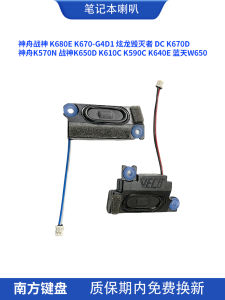
Hasee War God K680E K670 K570N K650D K610C K590C K640E 5W67C Laptop Speakers 4 Pack Digital Accessories Notebook Components
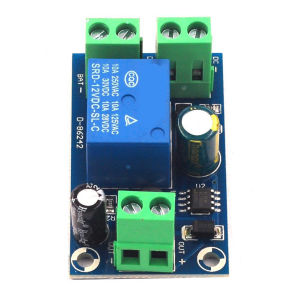
Automatic Switching Module DC 12V-48V Power Outage Automatic Switching Module Emergency Cut-off Battery Power Supply
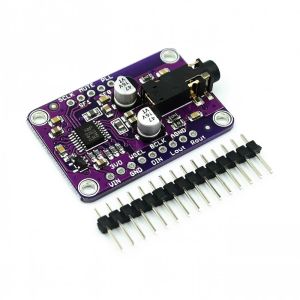
UDA1334A Decoding Board With Analog Line Level Output I2S Bus Wide Voltages Operation