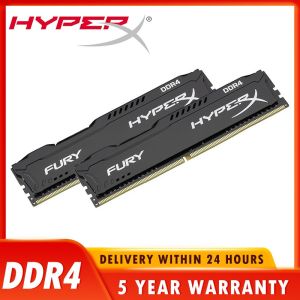
Comprehensive Guide to HyperX Fury DDR4 RAM: 8GB, 16GB & 32GB Options
Comprehensive Guide to HyperX Fury DDR4 RAM: 8GB, 16GB & 32GB Options
Understanding HyperX Fury DDR4 RAM
Key Features & Benefits
HyperX Fury DDR4 RAM is a popular choice among PC enthusiasts and professionals due to its excellent performance and reliability. Key features include:
- High-speed options: Available in 3600MHz, 3200MHz, 2666MHz, 2400MHz, and 2133MHz speeds, allowing users to choose the best fit for their system.
- CL18 & CL16 timing: Optimized for low latency, providing faster data access and improved overall performance.
- 1.35V voltage: Lower power consumption compared to standard 1.5V DDR4 modules, resulting in reduced heat generation and increased energy efficiency.
- 288pin design: Compatible with most modern motherboards, ensuring easy installation and seamless integration into existing systems.
RAM Speeds Explained: 3600MHz, 3200MHz, 2666MHz, 2400MHz & 2133MHz
RAM speed, measured in MHz, refers to the rate at which data can be transferred between the RAM and CPU. Higher speeds generally result in better performance, but may require specific motherboard and BIOS settings to achieve optimal results. Here's a breakdown of the available speeds:
- 3600MHz: Ideal for high-performance gaming and demanding applications such as video editing and 3D rendering.
- 3200MHz: A good balance between performance and compatibility, suitable for most gaming and productivity tasks.
- 2666MHz: A solid option for general-purpose computing and less demanding applications.
- 2400MHz: A reliable choice for older systems or those with limited budget.
- 2133MHz: The slowest option, best suited for entry-level systems or those prioritizing energy efficiency over performance.
CL18 & CL16 Timing Explained
CL (CAS Latency) refers to the number of clock cycles required to access data stored in RAM. Lower CL values result in faster data access and improved overall performance. HyperX Fury DDR4 RAM offers both CL18 and CL16 timing options, allowing users to choose the best fit for their system:
- CL18: A good balance between performance and compatibility, suitable for most gaming and productivity tasks.
- CL16: Optimized for low latency, providing faster data access and improved overall performance.
Choosing the Right HyperX Fury DDR4 RAM
8GB vs 16GB vs 32GB: Which is Right for You?
The amount of RAM you choose depends on your specific needs and budget. Here's a breakdown of the available options:
- 8GB: A solid option for general-purpose computing and less demanding applications.
- 16GB: Ideal for gaming and productivity tasks, providing a good balance between performance and cost.
- 32GB: Best suited for high-performance gaming and demanding applications such as video editing and 3D rendering.
1.35V Voltage: What Does It Mean?
Lower voltage RAM modules, such as the 1.35V HyperX Fury DDR4, consume less power compared to standard 1.5V modules. This results in reduced heat generation and increased energy efficiency, making them a popular choice among eco-conscious users and those looking to save on electricity costs.
288pin RAM: What You Need to Know
288pin RAM, also known as DDR4 SDRAM, is the most common type of RAM used in modern computers. It offers high-speed data transfer rates and low power consumption, making it ideal for a wide range of applications. Most modern motherboards support 288pin RAM, ensuring easy installation and seamless integration into existing systems.
Maximizing Performance with HyperX Fury DDR4 RAM
Optimizing BIOS Settings for Best Performance
To achieve optimal performance with your HyperX Fury DDR4 RAM, it's important to configure your BIOS settings correctly. Here are some tips to get you started:
- Set the correct RAM speed: Ensure your BIOS is set to the appropriate speed for your chosen RAM module.
- Adjust memory timings: Lowering CAS latency and other memory timings can improve performance, but may require careful testing to avoid system instability.
- Enable XMP profiles: Many motherboards offer pre-configured XMP (Extreme Memory Profile) settings that optimize RAM performance for specific modules.
Troubleshooting Common Issues
If you're experiencing issues with your HyperX Fury DDR4 RAM, here are some troubleshooting tips to help you resolve the problem:
- Check RAM compatibility: Ensure your chosen RAM module is compatible with your motherboard and CPU.
- Update BIOS: Check for any available BIOS updates that may improve RAM performance or stability.
- Run memory tests: Use tools such as MemTest86 to diagnose and resolve any issues with your RAM.
Upgrading Your System with HyperX Fury DDR4 RAM
Upgrading your system with HyperX Fury DDR4 RAM is a great way to boost performance and extend the life of your PC. Here are some tips to help you get started:
- Choose the right speed: Consider your system's needs and budget when selecting the appropriate RAM speed.
- Select the correct capacity: Determine how much RAM you need based on your intended usage.
- Install the RAM: Follow the manufacturer's instructions carefully to ensure proper installation and optimal performance.
In conclusion, HyperX Fury DDR4 RAM offers a wide range of options to suit your specific needs and budget. By understanding the key features and benefits, choosing the right configuration, and optimizing your system settings, you can maximize performance and enjoy a smoother computing experience.

Global Merch Park
You May Also Like
MGK UPS: Reliable Power Anytime Anywhere
OV Internal Sata 3 HD SSD Steam Deck 128GB 256GB 512GB 1TB Hard Drive Cheap SSD Disk Notebook PC Laptop DIY Computers Wholesale
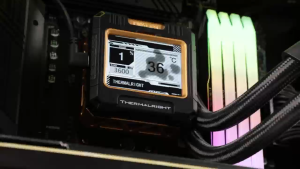
Thermalright Frozen Warframe 240 ARGB Black TL-P12-S CPU Liquid Cooler
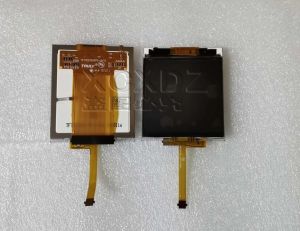
Original digitizer For Bosch Serie 8 oven steam oven Microwave oven HNG6764B6 HBE5452UC /45 lcd touch Display replacement
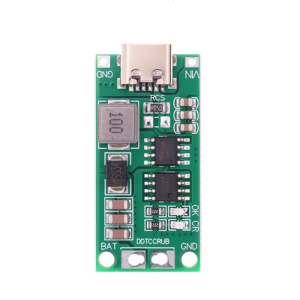
4s Charging Board Steps Up Charging Conversion Module Double Protections Mechanisms For Reliable Operations
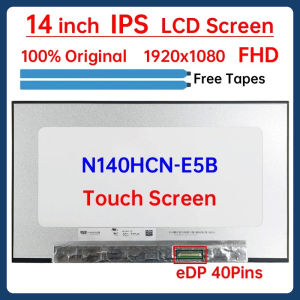
14" Laptop LCD Touch Screen N140HCN E5B N140HCN-E5B Display Matrix Panel Replacement 1920x1080 eDP 40 Pins L75255-J92 L75255-J93
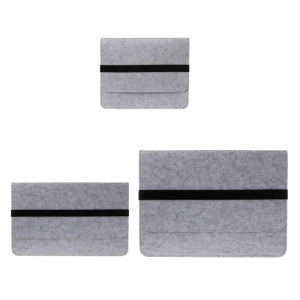
Felt Protective Bag for PTK670 PTK470 PTK870 Digital Graphics Drawing Tablets Protective Case Cover
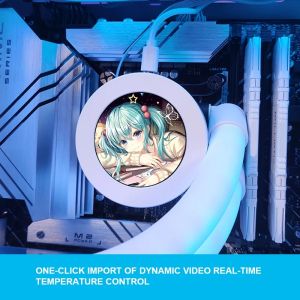
2.1 Inch IPS MINI PC CPU AIO Water Cooling Monitor 240/360DIY Dynamic Temperature DisplayMOD USB Cabinet Gamer Screen Aida64
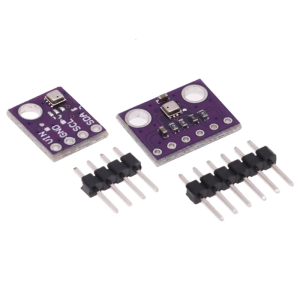
Compact Environmental Monitoring Sensors Module With IIC SPI Interfaces 1.7V-3.6V Compatible For Microcontrollers Projects
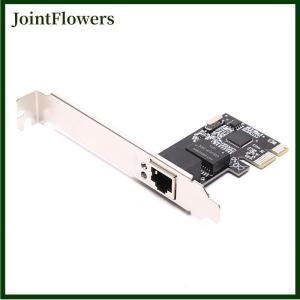
JointFlowers Gigabit Ethernet PCI Express PCI-E network card 10 100 1000Mbps LAN Adapter
8000mAh Desktop Fan Double Head Rechargable Camping Fan Multifunctional Cooling Fan Desk Fan for Outdoor Actvity