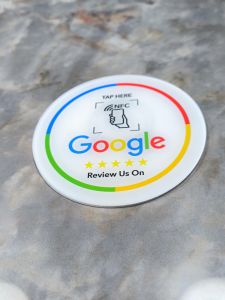
13.56Mhz Programmable Google Review Card NFC Station Table NFC Google Reviews Display Bending Card Standing Brand Bracket
13.56Mhz Programmable Google Review Card NFC Station Table NFC Google Reviews Display Bending Card Standing Brand Bracket
Understanding the Bending Card Display
The bending card display is a highly innovative and visually appealing solution for showcasing Google reviews. With its flexible design, the display can be easily adapted to fit various environments and spaces. This article will guide you through the key features, installation, and setup instructions for the bending card display.
Key Features of the Bending Card Display
- Flexible and customizable design
- High-resolution display for clear visibility
- Durable construction for long-lasting use
- Easy-to-install mounting options
Installation and Setup Instructions
- Unpack the bending card display and inspect all components for any damage.
- Identify the appropriate location for the display, taking into account factors such as lighting, visibility, and foot traffic.
- Mount the display using the included hardware and following the manufacturer's guidelines.
- Connect the display to the NFC station using the provided cable.
- Power on the display and ensure proper functionality.
Setting Up the NFC Station
The NFC station is a crucial component of the overall system, responsible for transmitting data to the bending card display. This section will cover the necessary steps to connect the NFC station to power and network, as well as configuring the settings.
Connecting the NFC Station to Power and Network
- Locate a suitable power outlet near the desired location for the NFC station.
- Connect the power adapter to the NFC station and plug it into the outlet.
- Connect the NFC station to the local network using an Ethernet cable or Wi-Fi.
Configuring the NFC Station Settings
- Access the NFC station's settings menu via the provided software or web interface.
- Configure the network settings, including IP address, subnet mask, and default gateway.
- Set up any necessary security settings, such as WPA2 encryption.
- Save the settings and exit the configuration menu.
Utilizing the Standing Brand Bracket
The standing brand bracket is a versatile mounting solution that allows for easy positioning and adjustment of the bending card display. This section will cover the steps to mount the bracket and position the display.
Mounting the Standing Brand Bracket
- Identify the appropriate location for the standing brand bracket, taking into account factors such as visibility and foot traffic.
- Securely attach the bracket to the desired surface using the included hardware and following the manufacturer's guidelines.
- Adjust the bracket's height and angle as needed.
Positioning the Bending Card Display on the Bracket
- Align the bending card display with the mounting holes on the standing brand bracket.
- Secure the display to the bracket using the provided hardware and following the manufacturer's guidelines.
- Adjust the display's position as needed for optimal visibility.
Maximizing the Potential of the Programmable Google Review Card
The programmable Google review card is a powerful tool for showcasing customer feedback and building trust with potential customers. This section will cover how to customize the content and track performance and analytics.
Customizing the Google Review Card Content
- Access the programmable Google review card's settings menu via the provided software or web interface.
- Customize the card's design, including color scheme, font, and layout.
- Select which Google reviews to display and in what order.
- Save the settings and exit the configuration menu.
Tracking Performance and Analytics
- Access the programmable Google review card's analytics dashboard via the provided software or web interface.
- Monitor key metrics such as views, clicks, and engagement.
- Use the data to optimize the card's content and improve performance.
Integrating the NFC Google Reviews Display
The final step in setting up the system is to integrate the NFC Google reviews display with the bending card display. This section will cover how to connect the two components and display Google reviews on the bending card display.
Connecting the Google Review Card to the NFC Station
- Connect the programmable Google review card to the NFC station using the provided cable.
- Power on both devices and ensure proper functionality.
- Configure any necessary settings via the software or web interface.
Displaying Google Reviews on the Bending Card Display
- Power on the bending card display and ensure it is connected to the NFC station.
- Access the programmable Google review card's settings menu via the provided software or web interface.
- Select the desired Google reviews to display on the bending card display.
- Save the settings and exit the configuration menu.

Global Merch Park
Review

You May Also Like
Case for VIVO Y36 4G vivo y27s VIVO Y36 5g 2023 phone casing Softcase Liquid Silicone Protector shockproof Cover new design aesthetic with Lanyard for girl YTSTXX01
3 in 1 100W Transparent Fast Charging Cable: A Comprehensive Guide
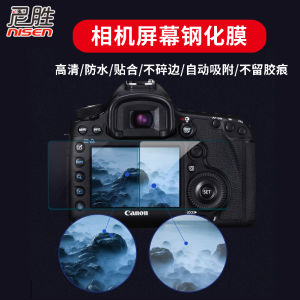
Tempered Film Suitable for Canon R5 R6 R8 R50 Sony ZV1 E10 ZV1-1F A7C A7s3 Nikon Z5 Z6 Z6 II Z7 Z72 Fuji XT200 Gfx100s/50s2
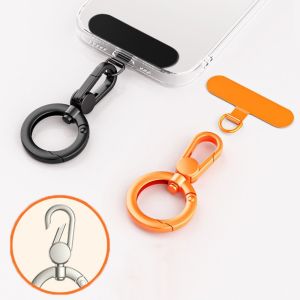
CRUSHES Stainless Steel Phone Lanyard Clip Patch Detachable 360° Rotatable Phone Case Hanging Rope Snap Universal Anti-lost Phone Tether Tab
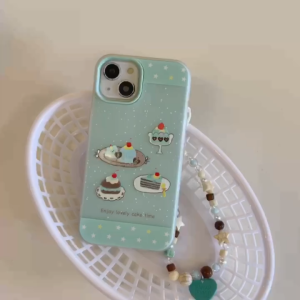
White Spot Pastry Pattern 2-in-1 Blue Hard Case for iPhone 11 12 13 14 15 16 17 Pro Max Plus casing F anti-fingerprint frosted jelly case for iPhone 17 case cover
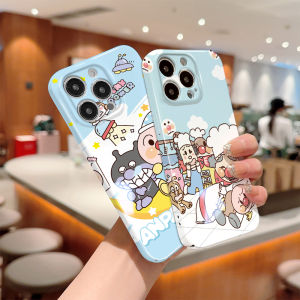
Hontinga All-inclusive Film Casing For Realme Narzo 50A Prime Narzo 50 Pro 5G Case Korean film Phone Case Cartoon Anpanman Back Casing lens Protector Design Hard Cases Shockproof Shell Full Cover Casing For Girls
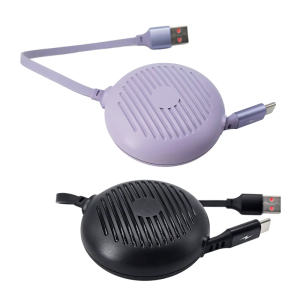
Auto Rewind USB C Charging Cable 60W Power Delivery With 480Mbps Data Transfer Speed For Mobile Devices Gaming Consoles
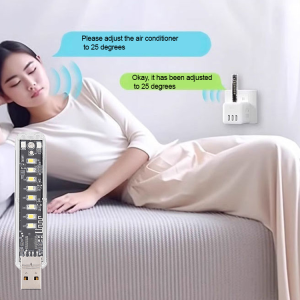
Air Conditioner Companion Intelligent Voice Control Voice Control Smart Light Warm Light Provide Light
Braided Solo Loop Strap: A Comprehensive Guide for Huawei & Samsung Smart Watches
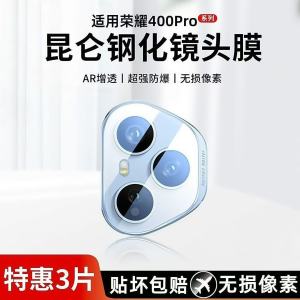
Honor 400 pro Huawei Quad Camera Glass Tempered Film Full Screen Coverage Rear Lens Sticker Full Protection No Loss of Pixels

Fashionable Short Scarf Elastic Wristband Pearl Camellia Pendant Outdoor Camera Chain New Model Mobile Phone Lanyard Elegant