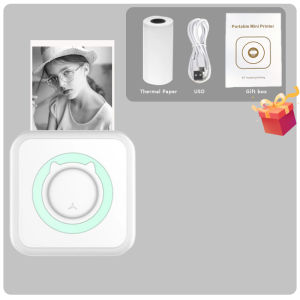
Portable Mini Thermal Printer: Wirelessly BT & USB Cable Printing
Portable Mini Thermal Printer: Wirelessly BT & USB Cable Printing
Introduction to Portable Mini Thermal Printers
What is a Portable Mini Thermal Printer?
A portable mini thermal printer is a compact, lightweight device designed for printing memos, labels, receipts, and other documents. It utilizes thermal printing technology, which generates images and text by heating a thermally sensitive paper. The printer can connect to a smartphone, tablet, or computer via Bluetooth or USB cable, making it versatile and convenient for various applications.
Key Features of Portable Mini Thermal Printers
Portable mini thermal printers come with several features that enhance their functionality and ease of use. Some notable features include:
-
Compact Design: Lightweight and portable, allowing for easy transportation and storage.
-
Wireless Connectivity: Connects to devices via Bluetooth, enabling wireless printing.
-
USB Cable Compatibility: Can be connected to computers using a USB cable for direct printing.
-
High Resolution: Prints at a resolution of 203 dpi, providing clear and sharp images and text.
-
Versatile Applications: Suitable for printing memos, labels, receipts, and other documents.
How to Choose the Right Portable Mini Thermal Printer
Considerations for Selecting a Portable Mini Thermal Printer
When choosing a portable mini thermal printer, consider the following factors:
-
Connectivity Options: Ensure the printer supports both Bluetooth and USB cable connectivity.
-
Resolution: Look for a printer with a minimum resolution of 203 dpi for clear and crisp prints.
-
Print Speed: Consider the print speed to ensure efficient and timely document production.
-
Battery Life: Check the battery life if the printer requires a power source.
-
Compatibility: Verify compatibility with your device(s) and operating system.
Comparing Wirelessly BT & USB Cable Printing Options
Both wireless Bluetooth and USB cable printing options have their advantages and disadvantages. Wireless Bluetooth printing offers convenience and portability, allowing you to print from any device within range. On the other hand, USB cable printing provides a stable and reliable connection, ideal for frequent and high-volume printing tasks.
Using Your Portable Mini Thermal Printer
Setting Up Your Portable Mini Thermal Printer
To set up your portable mini thermal printer, follow these steps:
-
Connect the printer to your device via Bluetooth or USB cable.
-
Install the necessary drivers and software on your device.
-
Load the thermal paper into the printer.
-
Configure the printer settings according to your preferences.
Printing Memos & Photo Labels with Wirelessly BT & USB Cable
Once your portable mini thermal printer is set up, you can start printing memos, photo labels, and other documents. Simply open the desired file or application on your device, select the printer, and initiate the print command. Both wireless Bluetooth and USB cable printing options work seamlessly, ensuring a smooth and hassle-free printing experience.
Maintaining Your Portable Mini Thermal Printer
Regular Maintenance Tips for Portable Mini Thermal Printers
To keep your portable mini thermal printer in optimal condition, follow these maintenance tips:
-
Clean the Printer: Regularly clean the printer's exterior and interior components to prevent dust and debris buildup.
-
Check the Paper Path: Ensure the paper path is free of obstructions and properly aligned.
-
Update Firmware: Keep the printer's firmware up-to-date for optimal performance.
-
Store Properly: Store the printer in a cool, dry place when not in use.
Troubleshooting Common Issues
If you encounter any issues with your portable mini thermal printer, refer to the troubleshooting guide below:
-
Printer Not Responding: Check the connection and ensure the printer is powered on.
-
Print Quality Issues: Clean the printer and check the paper path for any obstructions.
-
Error Messages: Refer to the user manual for specific error codes and solutions.
By following these guidelines, you can make the most out of your portable mini thermal printer and enjoy a seamless printing experience.

Global Merch Park
You May Also Like
Canon GI-790 High-Yield Four-Color Printer Ink for G1000/G2000/G3000/G4000/G1010/G2010/G3010/G4010
PU Leather Protector Scratch Resistant Name Label For Healthcare Clinical Doctors Nurses Favor Gift

Phomemo M02 Mini Bluetooth Thermal Label PrinterPortable Inkless Sticker Maker MachineGreat For PhotoBarcodeLogoStudy NotesDIY Stickers
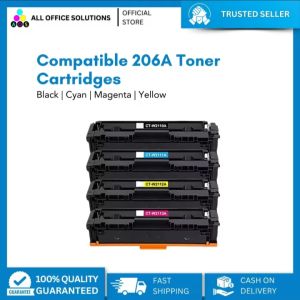
AOS Compatible Toner Cartridge Replacement for HP206A 206A 206X W2110A W2111A W2112A W2113A Color Laserjet Pro M255dw MFP M283fdw M283cdw M283 M255 Printer Ink (Black Cyan Yellow Magenta
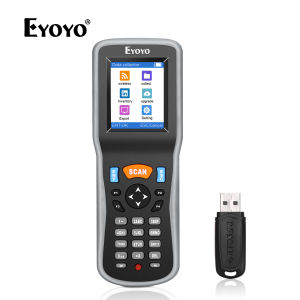
Eyoyo 1D Wireless Barcode Scanner: A Portable Bar Code Reader with 2.2 Inch TFT Color LCD Screen
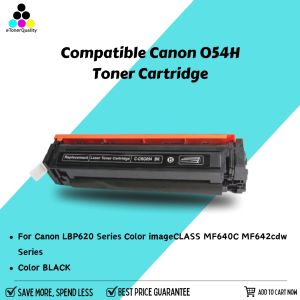
eTONER Compatible Canon 054H CRG054H CRG-054H Toner Cartridge: A Comprehensive Guide
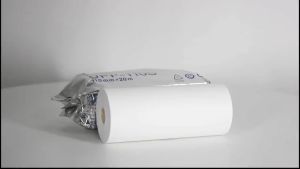
110mm*20m Ultrasound Thermal Paper For Sony Mitsubishi Printers Ultrasound Paper Type 1
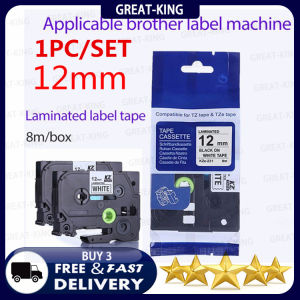
1PC/Pack TZe-231 Label Tapes Compatible for Brother P-Touch Machines Standard Laminated Adhesive Cassette tz231 Black on White 12mm x 8m tze-231
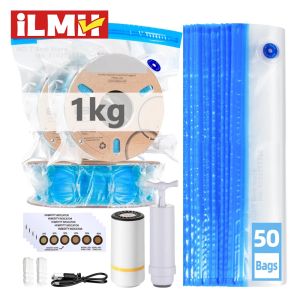
3D Printer Filament Vacuum Bag with USB Rechargeable Electric Air Pump Vacuum Sealing for PLA ABS PETG Filament Storage
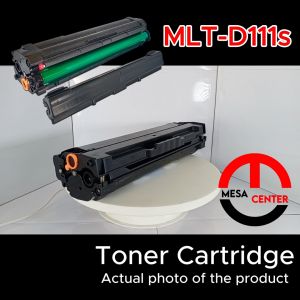
Samsung D111s T111s Compatible Black Toner Cartridge (MLT D111s) for 2020 2022w 2070w
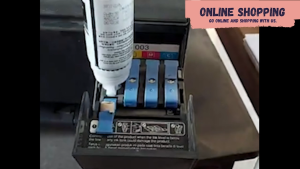
Epson 003 Ink Bottle – Your Reliable Printing Solution for Home or Office