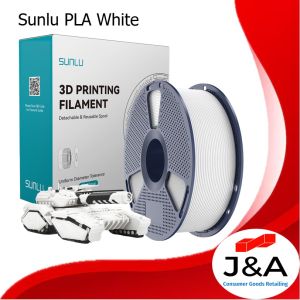
Sunlu PLA Filament 1.75mm for 3D Printing (1kg per spool)
Sunlu PLA Filament 1.75mm for 3D Printing (1kg per spool)
Understanding Sunlu PLA Filament 1.75mm
Sunlu PLA filament is a high-quality, versatile 3D printing filament that has gained popularity among hobbyists and professionals alike. This 1kg spool of 1.75mm filament offers a wide range of applications and benefits, making it an excellent choice for your 3D printing projects.
Key Features of Sunlu PLA Filament
-
High-Quality PLA Material: Sunlu PLA filament is made from premium-grade polylactic acid (PLA), which is a biodegradable thermoplastic derived from renewable resources such as corn starch and sugarcane. This eco-friendly material is easy to print with and produces minimal odor.
-
Versatile 3D Printing Filament: Sunlu PLA filament is compatible with a wide range of 3D printers and can be used for various applications, including prototyping, education, and small-scale manufacturing.
-
Wide Range of Colors: Sunlu PLA filament is available in a variety of colors, allowing you to bring your designs to life with vibrant hues and shades.
Applications of Sunlu PLA Filament
Sunlu PLA filament is suitable for a wide range of 3D printing applications, including:
-
Prototyping: Create functional prototypes for testing and validation.
-
Education: Teach students about 3D printing and design principles.
-
Small-scale Manufacturing: Produce small batches of customized products.
-
Hobbyist Projects: Print unique and personalized items for personal use.
Choosing the Right 3D Printer for Sunlu PLA Filament
Selecting the right 3D printer is crucial for achieving optimal results with Sunlu PLA filament. Consider the following factors when choosing a 3D printer:
-
Compatibility: Ensure that the 3D printer you choose is compatible with 1.75mm filament and has a sufficient build volume for your projects.
-
Print Quality: Look for a printer with high-resolution capabilities and a stable print bed to achieve consistent results.
-
Ease of Use: Opt for a printer with user-friendly software and straightforward setup instructions to minimize learning curves.
Sunlu PLA Filament Compatibility with Popular 3D Printers
Sunlu PLA filament is compatible with a wide range of popular 3D printers, including:
- MakerBot Replicator series
- Prusa i3 series
- Ultimaker 2 series
- Monoprice Select Mini V2
Preparing Your 3D Printer for Sunlu PLA Filament
To ensure optimal results when printing with Sunlu PLA filament, follow these cleaning and maintenance tips:
-
Clean the Print Bed: Regularly clean the print bed with isopropyl alcohol to remove any residue or debris that could interfere with adhesion.
-
Maintain the Extruder: Lubricate the extruder gears and nozzle regularly to prevent clogs and ensure smooth filament flow.
-
Calibrate the Printer: Calibrate the printer's settings, including bed leveling and filament diameter, to achieve consistent results.
Loading Sunlu PLA Filament into Your 3D Printer
To load Sunlu PLA filament into your 3D printer, follow these steps:
- Preheat the extruder to the recommended temperature for PLA (around 190-220°C).
- Insert the filament into the extruder and push it gently until it reaches the hot end.
- Use the printer's control panel to extrude a small amount of filament to ensure proper feeding.
Mastering the Art of 3D Printing with Sunlu PLA Filament
To achieve optimal results when printing with Sunlu PLA filament, optimize your print settings and troubleshoot common issues:
Optimizing Print Settings for Sunlu PLA Filament
Adjust the following print settings to achieve optimal results:
-
Layer Height: Set the layer height to 0.2-0.3mm for a balance between print speed and quality.
-
Infill Density: Adjust the infill density based on the desired strength and weight of the printed object.
-
Support Material: Enable support material for complex geometries and overhangs to prevent warping and sagging.
Troubleshooting Common Issues
Address common issues that may arise during printing with Sunlu PLA filament:
-
Clogs: If the extruder becomes clogged, preheat the nozzle to the recommended temperature and use a cleaning tool to clear the blockage.
-
Warping: To minimize warping, ensure the print bed is level and use a heated bed or adhesive tape to improve adhesion.
-
Uneven Layers: Adjust the layer height and print speed settings to achieve consistent layer thickness and smooth surfaces.
Expanding Your 3D Printing Skills with Sunlu PLA Filament
To take your 3D printing skills to the next level, explore advanced techniques and resources:
Exploring Advanced Techniques
Try these advanced techniques to enhance your 3D printing capabilities:
-
Dual Extrusion: Print objects with multiple colors or materials by using a dual-extrusion printer.
-
Slicing Software: Experiment with different slicing software to optimize print settings and achieve unique effects.
-
Post-processing: Enhance the appearance and durability of printed objects through post-processing techniques such as sanding, painting, and finishing.
Resources for Learning More
Expand your knowledge of 3D printing by exploring these resources:
-
Online Tutorials: Watch video tutorials on platforms such as YouTube and Vimeo to learn new techniques and tips.
-
Community Forums: Join online forums and communities dedicated to 3D printing to connect with other enthusiasts and share knowledge.
-
Books and Guides: Read books and guides on 3D printing to deepen your understanding of the technology and its applications.
With Sunlu PLA filament, you can unlock a world of possibilities in 3D printing. From prototyping to education, small-scale manufacturing, and hobbyist projects, this versatile filament offers endless opportunities for creativity and innovation. By following the guidelines provided in this article, you can achieve optimal results and expand your 3D printing skills with Sunlu PLA filament.

J&A Consumer Goods Retailing
You May Also Like
Peripage A4 Thermal Printer Tattoo Stencil Transfer Printer Machine: Features & Benefits

Choosing the Right Attendance Clock Ribbon: Comix MT-6100 & F3503 Ribbon Solutions

YUYIN4 50PCS CISS Hollow Plug Transparent Ink Rubber Plug Empty Connector for

HP Color Toner Powder For Use and Compatible with Color Copier and Printer
Synthetic Belt Assembly Quick Assembly Flexible Open Drive Belt Replacement for Plus 3D Printer Accessories
Epson Surecolor P20070 Light Cyan 700ml C13T809500
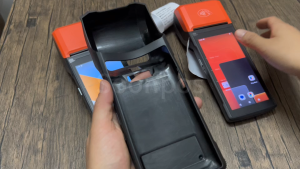
Soonpos Silicone Case Protective Cover For Android 13 & 14 Handheld POS Printer Terminal H10
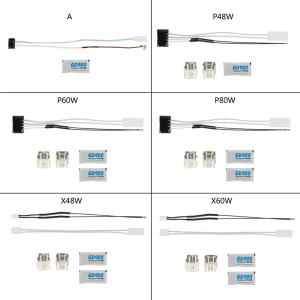
Ceramic Heater and Thermistor for P1P P1S/X1C 3D Printer Accessories 48W/60W Ceramic Heater Fixing Clip Accessories
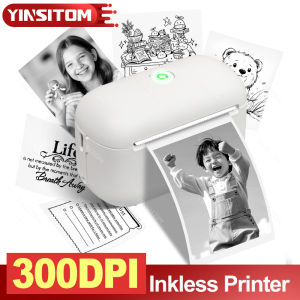
F2 HD 300dpi Mini Thermal Label Printer 15mm Inkless Portable Sticker Compatible IOS Android Wireless Photo Machine Labeller
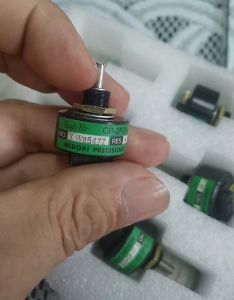
Mitsubishi Printing Machine CP-2FCW Ink Bucket Motor 5K Potentiometer
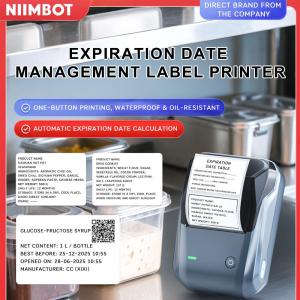
NIIMBOT B1 Inkless Label Printer Direct Thermal 203dpi 20-50mm/s Print Speed Bluetooth USB Connectivity Portable Medical Food Label Maker 1500mAh Battery 132.2 x 91.2 x 61.6mm