Thermalright TL-C12RW-S V2 Chassis Fan: A Comprehensive Guide
Thermalright TL-C12RW-S V2 Chassis Fan: A Comprehensive Guide
Introduction to Thermalright TL-C12RW-S V2
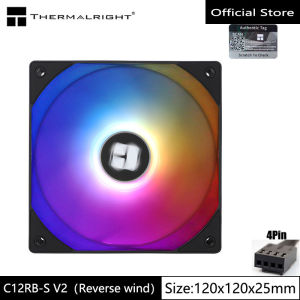
The Thermalright TL-C12RW-S V2 is a top-tier 12cm ARGB fan designed to provide a comprehensive thermal cooling solution for your PC. With its advanced features and sleek design, this fan stands out among other chassis fans on the market. In this guide, we'll delve into the key features, specifications, and benefits of using the Thermalright TL-C12RW-S V2.
Key Features & Specifications
- Size: 12cm
- Technology: ARGB (Addressable RGB)
- Pin Configuration: 4-pin PWM
- Reverse Wind Functionality: Yes
Benefits of Using This Fan
By incorporating the Thermalright TL-C12RW-S V2 into your system, you'll enjoy improved airflow, enhanced cooling performance, and a visually appealing setup. Its reverse wind functionality ensures that dust accumulation is minimized, while the ARGB technology allows you to customize the lighting to match your personal style.
Understanding the 12cm ARGB Fan
Importance of ARGB Technology
Addressable RGB (ARGB) technology allows users to control individual LED lights on their hardware components, providing a more immersive and customizable experience. By integrating ARGB fans like the Thermalright TL-C12RW-S V2 into your system, you can create a stunning visual display that complements your PC's aesthetics.
Colorful Heat Dissipation Explained
The colorful heat dissipation feature of the Thermalright TL-C12RW-S V2 enables users to monitor their system's temperature by adjusting the fan's color output. This provides an intuitive way to gauge the overall performance of your PC and helps identify potential issues before they become critical.
Thermal Cooling Solution & Chassis Fan Accessory
How This Fan Enhances Your System's Cooling
As a high-performance chassis fan, the Thermalright TL-C12RW-S V2 significantly improves airflow within your PC, ensuring that components stay cool and operate efficiently. By dissipating heat effectively, this fan helps prevent thermal throttling and extends the lifespan of your hardware.
Additional Features: PWM Reverse Wind
The PWM reverse wind feature of the Thermalright TL-C12RW-S V2 allows users to control the fan's direction and speed, optimizing airflow for their specific setup. This functionality reduces dust accumulation and ensures that your system remains clean and efficient.
Installation & Usage Guide
Step-by-Step Installation Process
- Unpack the Thermalright TL-C12RW-S V2 fan and locate the mounting bracket included in the package.
- Attach the mounting bracket to the desired location on your PC case.
- Connect the 4-pin PWM cable to the fan header on your motherboard.
- Secure the fan to the mounting bracket using the provided screws.
Best Practices for Optimal Performance
To get the most out of your Thermalright TL-C12RW-S V2 fan, follow these tips:
- Ensure that the fan is installed correctly and securely.
- Monitor your system's temperature using built-in utilities or third-party software.
- Adjust the fan's speed and direction as needed to optimize airflow.
- Keep your PC clean and free of dust to maintain optimal performance.
Conclusion & Final Thoughts
The Thermalright TL-C12RW-S V2 chassis fan offers a perfect blend of style and functionality, making it an excellent choice for enthusiasts looking to enhance their PC's cooling capabilities. With its advanced features and sleek design, this fan is sure to impress both visually and performance-wise. So why wait? Upgrade your system today with the Thermalright TL-C12RW-S V2 and experience the ultimate in thermal cooling solutions!

Global Merch Park
Review
You May Also Like

15.6" Laptop Computer Windows 11 Fingerprint Unlock Notebook Intel i7-8500Y 16GB 1TB Office Study Gaming Notebook PC Computer

Seeko HY510 YJ-G190 Grey Thermal Paste for CPU GPU Cooler Cooling Heatsink Paste 25g 10g
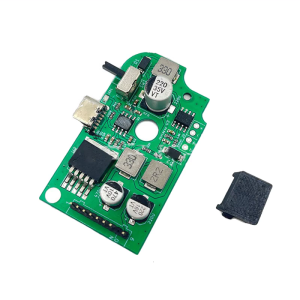
ON Off Power Switch Board Repairing Accessories 3.7V 3000mA USB Verison Fit for GG Game Console Power Board Replacement

2023 Makerlab Upgraded Starter Kit for Uno R3 DIP Boxed RFID ARDUINO with PDF Manual Lessons Compatible with Arduino Laboratory teaching
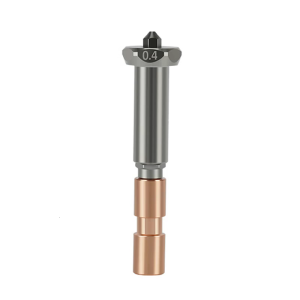
Upgraded 3D Printer Heating System High Thermals Conductivity Ceramics Structure AntiClogging for Kobra3
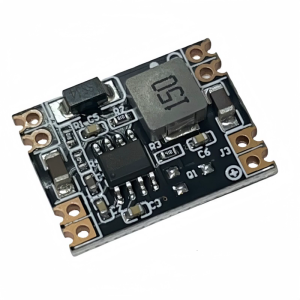
Industrial 3A Depressurize Power Supply Module Instrument Adapter Board 12V 24V to 5V 3.3V 9V 12V Fixed/Adjustable Output

2X Anti Glare blueray Screen Protector For HP OMEN 16.1-inch Gaming Laptop 16-wf0065TX 16-wf0066TX 16-wf0067TX 16.1" 16:9

AVR Automatic Voltage Regulator 3000W/220V SVR-3000VA/2500VA/2000VA/1500VA/1000VA/500VA Servo Type AVR Time Delay
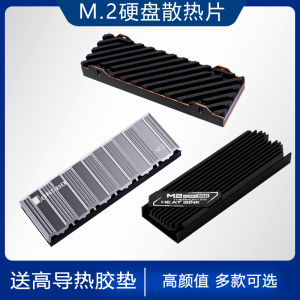
All Aluminum M2 Solid State Heat Sink M.2 SSD Heatsink Veste NVMe Universal for PS5 Computer Hardware Monitor Accessories

POWER SUPPLY 12V5AMP PSD 60 12
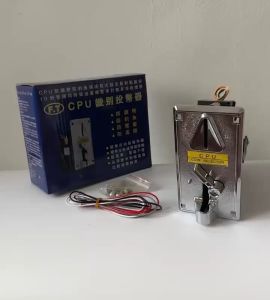
HD916.SHOP FT Comparative CPU Coin Slot: A Brand New CPU Upgrade