Oppo A Series Motherboard Connector & Replacement Flat Cable Guide
Oppo A Series Motherboard Connector & Replacement Flat Cable Guide
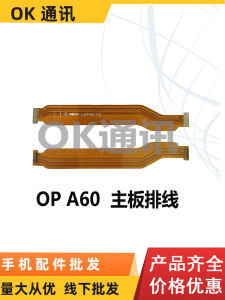
Understanding Oppo A32, A52, A55, A57, A58, A59 Motherboard Cables
The Oppo A series has gained immense popularity due to its robust features and reasonable prices. In this guide, we will discuss the motherboard cables of the Oppo A32, A52, A55, A57, A58, and A59 models, focusing on their types, key features, and compatibility.
Types of Motherboard Cables
Motherboard cables can be categorized into two main types: flat display cables and motherboard connectors. Flat display cables connect the motherboard to the screen, while motherboard connectors link the motherboard to other components within the device.
Key Features of Motherboard Cables
Oppo A series devices come equipped with high-quality cables that offer reliable performance. Some notable features include:
- Durable construction
- High signal transmission efficiency
- Compatibility with various Oppo A series models
Compatibility Across Oppo A Series Phones
The Oppo A32, A52, A55, A57, A58, and A59 share similar motherboard cable designs, making them compatible with each other. However, it is essential to verify the exact model compatibility before attempting any replacement.
How to Replace a Flat Display Cable for Oppo Devices
Replacing a flat display cable may seem daunting, but with the right tools and guidance, it can be done efficiently. Here's a step-by-step guide to help you through the process.
Tools Needed for Cable Replacement
Before starting the replacement process, gather the following tools:
- Precision screwdriver set
- Spudger tool
- Plastic opening tool
- Heat gun or hair dryer
- Replacement flat display cable
Step-by-Step Cable Replacement Process
- Turn off the device and remove the battery if possible.
- Carefully remove the back cover using a spudger or plastic opening tool.
- Detach the motherboard from the screen by disconnecting the flat display cable.
- Apply heat to the adhesive around the screen to loosen it.
- Gently lift the screen away from the device, taking care not to damage any components.
- Disconnect the old flat display cable from the motherboard.
- Connect the new replacement flat display cable to the motherboard.
- Reattach the screen to the device, making sure it is aligned properly.
- Replace the back cover and reinsert the battery (if applicable).
Troubleshooting Common Issues During Replacement
Some common issues that may arise during the replacement process include:
- Incorrectly aligning the screen with the device
- Damaging the motherboard or other components
- Incompatible replacement cables
To avoid these issues, ensure you have the correct tools and replacement cables, and follow the step-by-step guide carefully.
Choosing the Right Screen Cable for Your Oppo Phone
Selecting the appropriate screen cable is crucial for ensuring optimal performance and compatibility with your Oppo device. Here are some factors to consider when choosing a screen cable.
Factors to Consider When Selecting a Screen Cable
- Compatibility with your specific Oppo A series model
- Quality and durability of the cable
- Brand reputation and customer reviews
Long-Term Maintenance Tips for Your Oppo Device
To ensure the longevity of your Oppo device, follow these maintenance tips:
- Handle the device with care to avoid accidental drops or impacts
- Regularly clean the screen and ports to prevent dust buildup
- Update the device software and firmware to maintain optimal performance
Where to Purchase High-Quality Replacement Cables
You can find high-quality replacement cables for your Oppo device at authorized retailers, online marketplaces, or directly from Oppo's official website. Always verify the authenticity and compatibility of the cables before making a purchase.
In conclusion, understanding the motherboard cables of the Oppo A series and knowing how to replace them can significantly improve the performance and lifespan of your device. By following the guidelines outlined in this article, you can confidently handle cable replacements and maintain your Oppo device in top condition.

TB EL SHOP
Review

You May Also Like
Creative Transparent Silicone Phone Case with New Year Greeting Text Card Pack Anti-Fall Protection for Apple iPhone 13 14 15 pro Max
Vktech Multi-Function Mouse Jiggler with Adjustable Speed and Button for PC Active Status 5V 1A
2 Way TV for T Splitter Aerial Coaxial Cable Male to 2x Female Connectors Adapte

Fresh Ins Style Transparent Heart Square Mobile Phone Chain Beaded Lanyard
used original parts out of micromatic washing machine with thermal fuse with the original pulley parts out second hand
Professional Lens Inner Apertures Flexible Cable Camera Flexible Cable Replacement for Minilux E02 Camera Accessorie
GGUU | New High-End Phone Strap Neck And Hand Double Buckle Rope Pendant Carrying Clip Woven Chain Strap Pad Ladies Crossbody Anti-Theft Wide Version
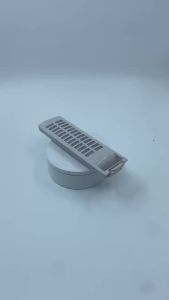
1PCS Washer Filter Bag Box Universal Lint Removal Mesh Box Accessory

Niche Style iPhone Accessories: Apple 16 Phone Case & Shatter-Resistant Hard Shell
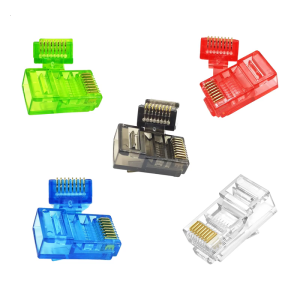
100Pcs Cat5 RJ45 Pass Through Connectors Transparent Housing For Solid And Ethernet Cables
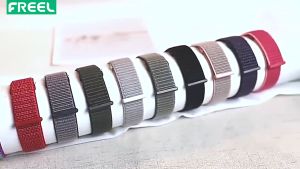
20Mm & 22Mm Smartwatch Straps: A Comprehensive Guide