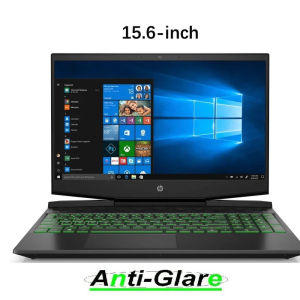
15.6\" HP Pavilion Gaming 15-dk0000 dk1000 dk2000 Ultra Clear/Anti-Glare/Anti-Blue Light Screen Protector
15.6" HP Pavilion Gaming 15-dk0000 dk1000 dk2000 Ultra Clear/Anti-Glare/Anti-Blue Light Screen Protector
Introduction to KH Ultra Clear/Anti-Glare/Anti-Blue Light Screen Protectors
KH Ultra Clear/Anti-Glare/Anti-Blue Light Screen Protectors are designed to protect and enhance the display quality of your HP Pavilion Gaming laptop. These screen protectors are made from high-quality materials that provide excellent clarity, anti-glare properties, and protection against blue light.
What is the KH 15.6" Screen Protector?
The KH 15.6" Screen Protector is specifically designed for HP Pavilion Gaming laptops with models 15-dk0000, dk1000, and dk2000. This screen protector offers ultra-clear vision, anti-glare protection, and blue light filtering to safeguard your eyes while gaming or working.
Key Features & Benefits
- Ultra-clear vision: Enjoy crystal-clear visuals with minimal distortion.
- Anti-glare protection: Reduce eye strain by minimizing reflections and glare.
- Blue light filtering: Protect your eyes from harmful blue light emitted by your laptop screen.
- Easy installation: Simple and straightforward application process.
- Durable construction: Made from high-quality materials to withstand everyday wear and tear.
Where to Purchase & Availability
KH Ultra Clear/Anti-Glare/Anti-Blue Light Screen Protectors are available for purchase on major e-commerce platforms, including Amazon, eBay, and Newegg. The product is currently in stock, and you can order it now.
How to Install the KH Gaming Laptop Screen Protector
Installing the KH Gaming Laptop Screen Protector is a simple process that requires minimal effort. Follow these steps to ensure a smooth installation experience:
Step-by-Step Installation Process
- Unpack the screen protector kit and remove the protective film from both sides of the screen protector.
- Clean the surface of your HP Pavilion Gaming laptop screen using a microfiber cloth.
- Align the screen protector with the edges of your laptop screen.
- Slowly apply the screen protector onto the screen, starting from one corner and working your way towards the opposite corner.
- Press down firmly on the screen protector to remove any air bubbles or wrinkles.
- Trim any excess material around the edges of the screen protector, if necessary.
Tips for a Smooth Installation Experience
- Ensure your laptop screen is clean and free from dust or debris before applying the screen protector.
- Work in a well-lit environment to avoid mistakes during installation.
- Take your time and be patient during the installation process.
Troubleshooting Common Issues
If you encounter any issues during installation, such as air bubbles or wrinkles, try the following:
- Use a credit card or squeegee tool to gently remove air bubbles by pressing down firmly along the edges of the screen protector.
- If the screen protector is misaligned, carefully peel it off and reapply it to the correct position.
Protecting Your HP Pavilion Gaming Display: Why It Matters
Protecting your HP Pavilion Gaming laptop display is essential to maintain optimal display quality and longevity. Here's why investing in a high-quality screen protector is important:
The Importance of Screen Protection
A screen protector helps protect your laptop display from scratches, smudges, and other forms of damage. This ensures that your display remains clear and functional for years to come.
Choosing the Right Screen Protector for Your Needs
When selecting a screen protector for your HP Pavilion Gaming laptop, consider factors such as clarity, anti-glare properties, and blue light filtering. KH Ultra Clear/Anti-Glare/Anti-Blue Light Screen Protectors offer all these features in one convenient package.
Maintaining Optimal Display Quality & Longevity
To keep your HP Pavilion Gaming laptop display in top condition, regularly clean the screen using a microfiber cloth and avoid using harsh chemicals or abrasive materials.
Conclusion: The KH Screen Protector for Your HP Pavilion Gaming Laptop
Investing in a high-quality screen protector, such as the KH Ultra Clear/Anti-Glare/Anti-Blue Light Screen Protector, is essential to protect and enhance the display quality of your HP Pavilion Gaming laptop. With its ultra-clear vision, anti-glare protection, and blue light filtering, this screen protector is the perfect choice for gamers and professionals alike.

qo2259
Review

You May Also Like
Lucky Four-leaf Clover Cat Pattern Phone Case Glass Shell Protective Cover for Apple 16 iPhone 15 pro Max Cute 14 Good Looking Simple Creative 12 plus
Universal Xiaomi Phone Case for Mi 11 12 13 9 pro Mix4 5S plus Flip Cover Leather Protective Shell for Men Women 10 Lite Youth Edition
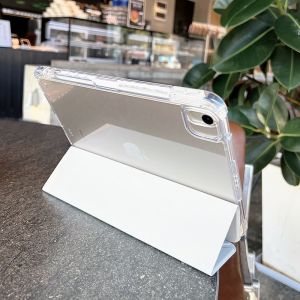
Acrylic iPad 11 Case Transparent Foldable Shockproof Anti-Bend Protection Cover for 10.2 Inch Tablet with Pen Slot Apple pro 12.9
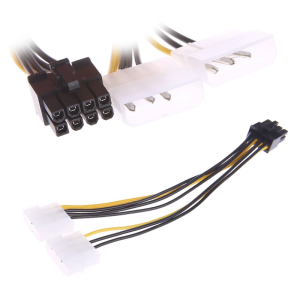
(1 Pack) Dual 4 Pin Molex LP4 to 8-Pin PCI for Express ATX PSU Power Cable Adapter (Video Graphics Power Cable)
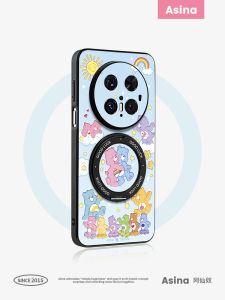
Asina | Magnetic Slim Stand Case for Phone
NOTHING PHONE 1 / 2 Tempered Glass FSHANG Full Glue Screen Protector
RCA AV to HDMI Converter 1080P AV2HDMI Adapter: A Comprehensive Guide

4pcs Set All 10 Inch 3 Stage Filters Replacement Water Purifier Filter Water Filter Cartridge
![[COD] Laogeliang DC 4.2V 500mA 3.5mm Smart Charger EU US Plug 18650 Rechargeable Battery Travel Charger Power Adapter For Led Flashlight Torch](https://img.lazcdn.com/g/p/630cecc981326d701830ea0ef62c90d6.jpg_300x300q80.jpg)
[COD] Laogeliang DC 4.2V 500mA 3.5mm Smart Charger EU US Plug 18650 Rechargeable Battery Travel Charger Power Adapter For Led Flashlight Torch
NILLKIN Finger Strap Liquid Silicone Folding Case for Samsung Galaxy Z Flip 5 Flip Cover Phone Case with Kickstand
Humidifier Filter Replacement Cotton Sticks For USB Humidifier Aroma Diffuser Mist Maker Air Humidifier Purify Accessory