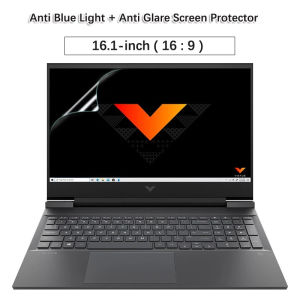
2X Anti-Glare BluRay Screen Protector for HP Victus 16.1\" Gaming Laptop
2X Anti-Glare BluRay Screen Protector for HP Victus 16.1" Gaming Laptop
What is KH 2X Anti-Glare BluRay Screen Protector?
The KH 2X Anti-Glare BluRay Screen Protector is a high-quality screen protector specifically designed for HP Victus gaming laptops with a 16.1-inch display. It is compatible with models 16-s0009AX, 16-s0010AX, and 16-s0047AX, featuring a 16:9 aspect ratio. This screen protector is manufactured by KH, a reputable brand known for its durable and easy-to-use products.
Key Features & Benefits
- High-concerned Chemical-Free: The KH 2X Anti-Glare BluRay Screen Protector is free from harmful chemicals, ensuring a safe and eco-friendly product.
- Anti-Glare Technology: This screen protector reduces glare and reflections, allowing for a more comfortable viewing experience, especially during long gaming sessions.
- BluRay Quality: With its high-definition clarity, the screen protector maintains the sharpness and vibrancy of your HP Victus gaming laptop's display.
Compatibility with HP Victus Models
The KH 2X Anti-Glare BluRay Screen Protector is compatible with the following HP Victus gaming laptop models:
- HP Victus 16-s0009AX
- HP Victus 16-s0010AX
- HP Victus 16-s0047AX
These models feature a 16.1-inch display with a 16:9 aspect ratio, making them ideal candidates for this screen protector.
How to Install KH 2X Anti-Glare BluRay Screen Protector
Installing the KH 2X Anti-Glare BluRay Screen Protector is a simple process that can be completed in just a few steps. Follow these instructions to ensure a smooth installation:
Preparation Steps
- Clean the Screen: Before applying the screen protector, make sure your HP Victus gaming laptop's display is clean and free from dust, fingerprints, and other debris.
- Remove Packaging: Carefully remove the screen protector from its packaging, being cautious not to touch the adhesive side.
- Prepare the Application Tools: Gather any necessary tools, such as a squeegee or credit card, to help remove air bubbles during installation.
Installation Process
- Align the Screen Protector: Carefully align the screen protector with the edges of your HP Victus gaming laptop's display.
- Apply the Screen Protector: Slowly apply the screen protector onto the display, starting from one corner and working your way to the opposite corner.
- Remove Air Bubbles: Use a squeegee or credit card to gently remove any air bubbles that may have formed during installation.
Tips for a Smooth Installation
- Work in a Clean Environment: Install the screen protector in a clean, dust-free environment to minimize the risk of dust particles getting trapped underneath.
- Take Your Time: Do not rush the installation process; take your time to ensure a precise alignment and smooth application.
- Use a Squeegee or Credit Card: These tools can help remove air bubbles and ensure a bubble-free installation.
Why Choose KH 2X Anti-Glare BluRay Screen Protector?
There are several reasons why the KH 2X Anti-Glare BluRay Screen Protector is the perfect choice for your HP Victus gaming laptop:
High-Quality Material
The KH 2X Anti-Glare BluRay Screen Protector is made from high-quality materials that provide excellent protection for your laptop's display. It is free from harmful chemicals, making it safe and eco-friendly.
Long-Term Durability
This screen protector is designed to last, providing long-term protection for your HP Victus gaming laptop's display. It is resistant to scratches, cracks, and other forms of damage, ensuring that your display remains in top condition.
Easy-to-Use Design
The KH 2X Anti-Glare BluRay Screen Protector is easy to install and remove, making it a convenient choice for users of all skill levels. Its simple design ensures a smooth installation process, minimizing the risk of errors or damage to your laptop's display.
Conclusion & Next Steps
In conclusion, the KH 2X Anti-Glare BluRay Screen Protector is a high-quality screen protector specifically designed for HP Victus gaming laptops with a 16.1-inch display. It offers excellent protection, durability, and ease of use, making it an ideal choice for gamers and laptop users alike.
Summary of Key Points
- High-Quality Material: Free from harmful chemicals, providing excellent protection for your laptop's display.
- Long-Term Durability: Resistant to scratches, cracks, and other forms of damage.
- Easy-to-Use Design: Simple installation process, minimizing the risk of errors or damage to your laptop's display.
Where to Buy KH 2X Anti-Glare BluRay Screen Protector
You can purchase the KH 2X Anti-Glare BluRay Screen Protector for HP Victus gaming laptops at authorized retailers and online marketplaces. Be sure to check the product description and reviews before making your purchase to ensure you are getting the right screen protector for your needs.

wangxiaonan
Review

You May Also Like
Silicone DisplayPort DP Port Protectors Cover Dustproof Plugs For PC GPU Port Prevents Dust Debris Build Up
120mm 12V 1200RPM Quiet Computer Fan PC Fan For Computer PC Case GPU CPU Fan Radiator Cooling Accessories
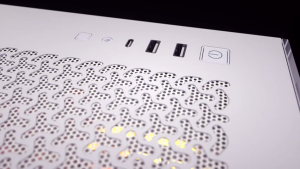
CORSAIR 3500X RS-R ARGB Mid-Tower PC Case CC-9011322-WW
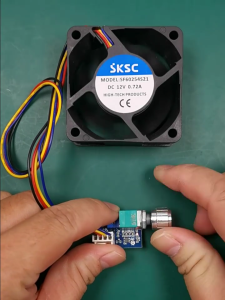
Manual Fan Speed Controller Adjustable Fan Controller Computer Fan Adjuster Electronic Fan Speed Adjuster for Fan
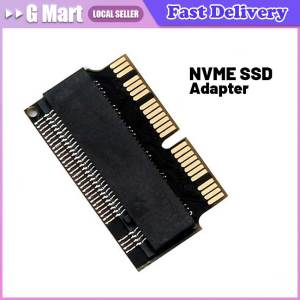
👍【Local Warehouse】SSD Adapter M2 To SSD for Macbook Air 2013 2014 2015 2017 M.2 MKey PCIe X4 NGFF To SSD for Apple Laptop
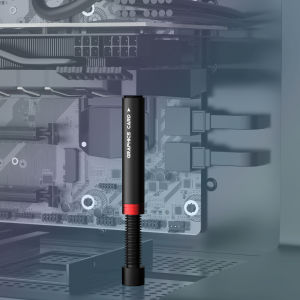
JEYI Graphics Card Brace GPU Support Bracket iBrace-8 Universal Video Card VGA Graphics Card Holder Desktop PC Case
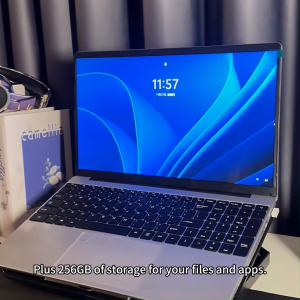
AIODIY Laptop Original HD Gaming Office Laptop Intel Celeron N5095 16G DDR4 RAM 512G SSD 15.6-inch Business Laptop
AHXJKA 23.8 Full HD Portable Monitor With IPS & HDR 1920x1080P100HZ USB-C And HDMI Connectivity Computer Screen Extende For Phone/Computer/PS4/PS5
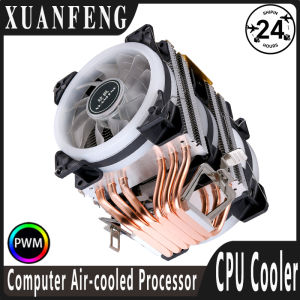
XUANFENG Twin Towers 4/6 Heat Pipe CPU Cooler Processor Air-cooled 90mm Fan 4Pin/PWM install LGA2011 x79 x99 115x 1200 1700 AMD
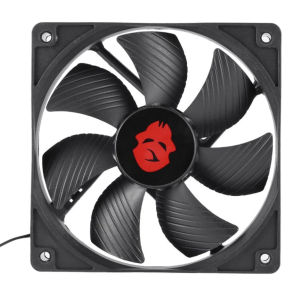
12cm 4 Pin High Speed Desktop Chassis Fan Large Air Volume PC Case Radiator
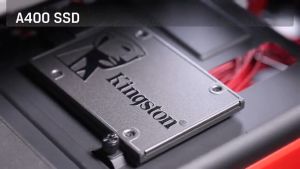
Kingston SSD 120GB 240GB 480GB 960GB Solid State Drive SATA3 2.5\" Hard Disk For PC Desktop Laptop