KAI TWO Pro Drone: A Comprehensive Guide to 5G RC Toy & 4K HD Camera
KAI TWO Pro Drone: A Comprehensive Guide to 5G RC Toy & 4K HD Camera
What is the KAI TWO Pro Drone?
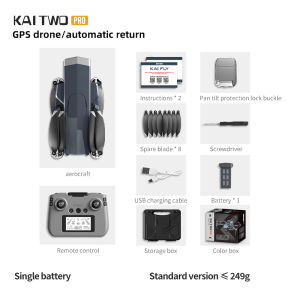
The KAI TWO Pro Drone is a state-of-the-art, foldable quadcopter designed for both professional and recreational users. This cutting-edge drone features a 4K HD camera, GPS intelligent obstacle avoidance, and compatibility with 5G networks, making it a versatile and powerful tool for capturing stunning aerial footage.
Key Features
-
5G RC Toy: The KAI TWO Pro Drone supports 5G networks, allowing for faster data transfer rates and more stable connections during flight.
-
GPS Intelligent Obstacle Avoidance: This feature enables the drone to detect and avoid obstacles autonomously, ensuring safe and efficient flights.
-
4K HD Camera: Capture breathtaking footage with the built-in 4K HD camera, providing crystal-clear images and videos.
-
Foldable Quadcopter: Compact design makes it easy to transport and store, perfect for outdoor adventures.
Comparison with Other Drones
Compared to other drones on the market, the KAI TWO Pro Drone stands out due to its advanced GPS intelligent obstacle avoidance system and support for 5G networks. While some drones may offer similar features, the KAI TWO Pro Drone's compact design and powerful capabilities make it a top choice for users seeking a versatile and reliable drone.
How to Set Up Your KAI TWO Pro Drone
Setting up your KAI TWO Pro Drone is a straightforward process. Follow these steps to get started:
Assembly Instructions
-
Unpack the drone and familiarize yourself with its components.
-
Attach the propellers to the motors, ensuring they are securely fastened.
-
Fold out the arms and connect them to the drone's body.
-
Insert the battery into the designated slot and close the cover.
-
Power on the drone by pressing the power button on the remote control.
Connecting to Your Device
To connect your KAI TWO Pro Drone to your smartphone or tablet, follow these steps:
-
Download the KAI TWO Pro Drone app from the App Store or Google Play.
-
Open the app and grant permission to access your device's camera and GPS.
-
Connect to the drone's Wi-Fi network.
-
Follow the on-screen instructions to complete the setup process.
Maximizing Flight Performance
To get the most out of your KAI TWO Pro Drone, it's essential to understand how to optimize its performance. Here are some tips for achieving smooth and efficient flights:
Understanding GPS Intelligent Obstacle Avoidance
The KAI TWO Pro Drone's GPS intelligent obstacle avoidance system works by detecting obstacles in the drone's path and automatically adjusting its flight path to avoid collisions. To ensure optimal performance, make sure to:
-
Fly in open areas with minimal obstacles.
-
Keep the drone within line-of-sight at all times.
-
Regularly update the drone's firmware to ensure the latest features and improvements.
Tips for Smooth Flying
To achieve smooth and stable flights, consider the following tips:
-
Use the drone's gimbal stabilization feature to maintain steady footage.
-
Fly at a consistent speed and altitude.
-
Avoid sudden or jerky movements.
-
Keep the drone within its designated flight range.
Capturing High-Quality Footage
The KAI TWO Pro Drone's built-in 4K HD camera makes it an excellent choice for capturing stunning aerial footage. Here are some tips for getting the most out of your camera:
Utilizing the 4K HD Camera
To capture high-quality footage, make sure to:
-
Adjust the camera settings according to the lighting conditions.
-
Use the drone's gimbal stabilization feature to maintain steady footage.
-
Experiment with different angles and perspectives.
-
Keep the drone within line-of-sight at all times.
Editing and Sharing Your Videos
Once you've captured your footage, it's time to edit and share your videos. Some popular editing software includes Adobe Premiere Pro, Final Cut Pro, and iMovie. Share your videos on social media platforms like YouTube, Instagram, and Facebook to showcase your aerial photography skills.
Conclusion
The KAI TWO Pro Drone is a powerful and versatile drone that offers advanced features such as GPS intelligent obstacle avoidance, support for 5G networks, and a built-in 4K HD camera. By following the setup instructions and tips provided in this guide, you'll be able to maximize the performance of your drone and capture stunning aerial footage.

Global Merch Park
Review

You May Also Like
Portable Audio and Video Recorder Portable Action Camera Small Video HD Night Vision Camera
10X Zoom WiFi Security Camera: 18MP 1080P 3 Lens CCTV Dual Cam
8MP Surveillance Camera PTZ CCTV IP Wifi Cameras 10X Zoom Security Protection Wireless Home Human Trcking 355°/90° Two Way Audio
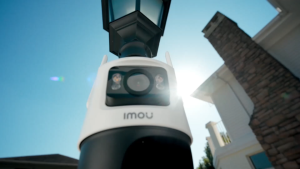
IMOU Cruiser Dual 6MP Dual Lens Outdoor Camera CCTV Security Cameras WiFi AI Human Vehicle Detection
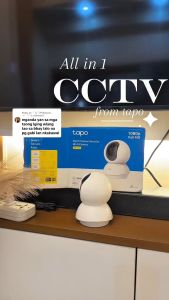
TP-Link Tapo C200C CCTV Camera 1080P Security Wireless indoor CCTV Camera Pan/Tilt Home Security Wi-Fi Camera with Privacy Mode

Solar Outdoor Wireless Surveillance Camera 360 Rural Areas 4G Automatic HD for Mobile Phones without Network and Electric Connection
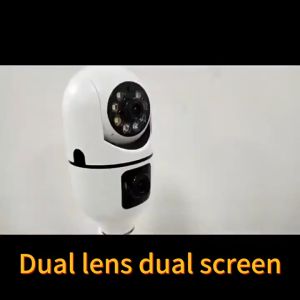
V380 Pro Bulb Dual Lens CCTV Camera To Cellphone Camera 8MP HD No Wifi Needed Two-Way Audio Full Color Night Vision Camerip Security Cameras Full HD Human Detection Smart CCTV Camera
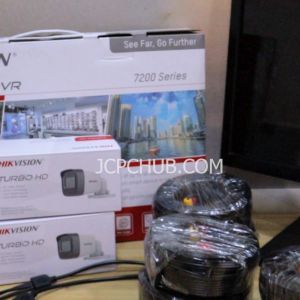
Hikvision Kit 8 Cameras 8 Channel DVR 4 Dome and 4 Bullet Camera 8 18M siamese cable CCTV Set Package Security System
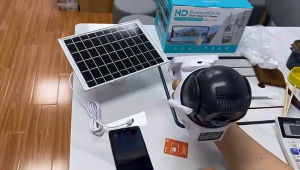
Solar 4G Security Camera Dual Lens 8MP PIR Human Detection Color Night Vision Waterproof Outdoor CCTV 8000mAh Battery

Orig SJCAM SJ8 Dual Action Camera For Motovlogging Ultra HD Resolution Sports camera
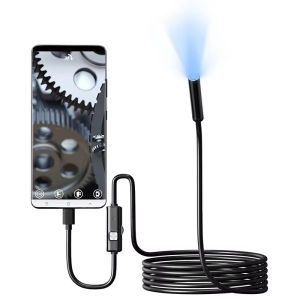
1-2m 7.0mm Mini Endoscope Camera IP67 Waterproof 6 LED Adjustable USB Android Flexible Inspection Borescope Cameras For Phone PC