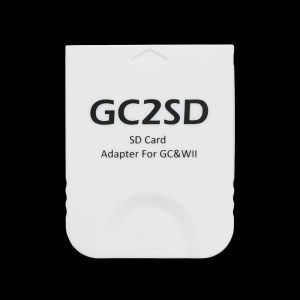
Bitfunx GC2SD Micro SD Card Adapter: A Comprehensive Guide
Bitfunx GC2SD Micro SD Card Adapter: A Comprehensive Guide
The Bitfunx GC2SD Micro SD Card Adapter is a versatile accessory designed specifically for the Nintendo GameCube and Wii consoles. This article will provide a comprehensive guide to using this adapter with the NGC Swiss GC Loader, a popular game loader for the Nintendo GameCube.
What is the Bitfunx GC2SD Micro SD Card Adapter?
The Bitfunx GC2SD Micro SD Card Adapter is a compact and lightweight accessory that allows users to load games onto a microSD card instead of using traditional GameCube game discs. This adapter is compatible with both the Nintendo GameCube and Wii consoles, making it a versatile addition to any gaming setup.
Key Features
- Compatible with Nintendo GameCube and Wii consoles
- Supports microSD cards up to 2TB in size
- Compact and lightweight design
- Easy-to-use installation process
Compatibility
The Bitfunx GC2SD Micro SD Card Adapter is compatible with the following systems:
- Nintendo GameCube
- Wii
How to Install the Bitfunx GC2SD Micro SD Card Adapter
Installing the Bitfunx GC2SD Micro SD Card Adapter is a straightforward process that can be completed in just a few steps.
Preparing the SD Card
To prepare the microSD card for use with the adapter, follow these steps:
- Format the microSD card to FAT32 using a computer.
- Download and install the NGC Swiss GC Loader onto the microSD card.
Installing the Adapter
To install the adapter, follow these steps:
- Insert the microSD card into the adapter.
- Insert the adapter into the GameCube console.
Connecting the Adapter to the Nintendo GameCube
Once the adapter is installed, connect it to the Nintendo GameCube console by inserting the adapter into the GameCube's memory card slot.
How to Use the Bitfunx GC2SD Micro SD Card Adapter with NGC Swiss GC Loader
Using the Bitfunx GC2SD Micro SD Card Adapter with the NGC Swiss GC Loader is a simple process that can be completed in just a few steps.
Downloading and Installing NGC Swiss GC Loader
To download and install the NGC Swiss GC Loader, follow these steps:
- Visit the NGC Swiss GC Loader website and download the latest version of the software.
- Copy the downloaded files to the root directory of the microSD card.
Transferring Games to the SD Card
To transfer games to the microSD card, follow these steps:
- Copy the game files to the root directory of the microSD card.
- Rename the game files to match the naming convention used by the NGC Swiss GC Loader.
Playing Games from the SD Card
To play games from the microSD card, follow these steps:
- Power on the Nintendo GameCube console.
- Load the NGC Swiss GC Loader from the microSD card.
- Select the desired game from the list of available games.
Benefits of Using the Bitfunx GC2SD Micro SD Card Adapter
Using the Bitfunx GC2SD Micro SD Card Adapter offers several benefits for Nintendo GameCube and Wii owners.
Space Efficiency
By storing games on a microSD card instead of using traditional game discs, users can save valuable space in their gaming setup.
Portability
The Bitfunx GC2SD Micro SD Card Adapter is compact and lightweight, making it easy to transport and use on the go.
Cost-Effectiveness
Using the Bitfunx GC2SD Micro SD Card Adapter can help users save money by eliminating the need to purchase multiple game discs.
Conclusion
In conclusion, the Bitfunx GC2SD Micro SD Card Adapter is a versatile accessory that offers several benefits for Nintendo GameCube and Wii owners. By using this adapter with the NGC Swiss GC Loader, users can enjoy their favorite games without the need for traditional game discs. Whether you're looking to save space, improve portability, or save money, the Bitfunx GC2SD Micro SD Card Adapter is an excellent choice for any gaming setup.

Global Merch Park
Review
You May Also Like
ORICO 2.5" HDD/SSD Enclosure USB 3.1 5Gbps SATA to Type C SSD ard Drive Enclosure HDD Adapter SATA SSD Box for 2.5" Half Size SATA III SSD (TC8-25)
Protective Case Scratchproof Hard Case Splashproof Storage Bag with Shoulder Belt for Slim Shockproof Organizers Bag
Kebidumei M2 SSD Case NVME SATA SSD Enclosure Tool Free 10Gbps USB 3.2 Gen2 Intelligent Digital Display External M.2 SSD Adapter
Kingston Canvas Select Plus Micro SD Cards 32GB 64GB 128GB 256GB 512GB MicroSDXC W/ A1 Performance Class Memory Card
ORICO 2.5 Inch HDD Enclosure: Auto Sleep & 5Gbps Speed
ULTIMATE PLAYLIST COLLECTION | USB FLASHDRIVE with Songs Music | MP3 320kbps Quality | ARRANGED AND PACKED
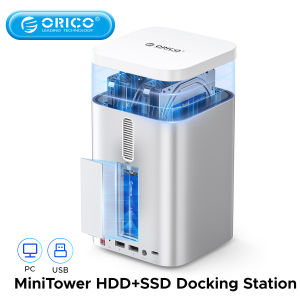
ORICO 8-In-1 MiniTower 8TB SSD+24TB HDD Storage Expansive Hard disk Cabinet for Mini M4 Desktop Storage Hot and Cold Data Partitioning More Expansions with HDD M.2 SSD TF SD with Raid
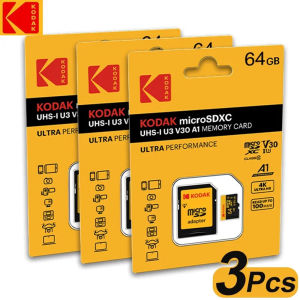
3Pcs Original Kodak Micro SD Card Memory Card 32GB 64GB A1 SDXC TF Video card With SD Adapter Class 10 For Camera Phone
Thin SATA3.0 6GB/s Computer Cable 50cm Nylons Meshes Secure Lock Clip For Motherboards And Drive
Multiple Port USB C Hubs Docking Station with Two 4K Output and USB3.0 for Enhanceds Connectivitys
Professional USB 3.2 Gen 2 Reader CFE Type B Storage Data Transfer Photography Gear Converters for Laptop