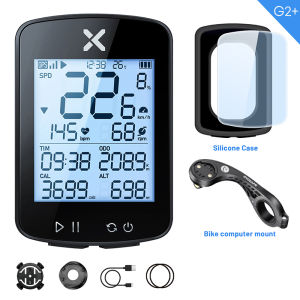
Choice Version xoss G+ G2 G plus 2 Bike Computer GPS Generation Cycling Wireless Speedometer Tracker Odometer Road MTB Bike ANT+\\n\\n What is the xoss G+ G2 Bike Computer?\\n\\nThe xoss G+ G2 Bike Computer is a cutting-edge GPS cycling computer designed for road and mountain bike enthusiasts. This compact device offers advanced features such as wireless speedometer tracking, odometer functions, and seamless connectivity with ANT+ bike accessories. \\n\\n Key Features & Benefits\\n\\n- **Highly Accurate GPS Tracking:** The xoss G+ G2 provides reliable and precise GPS data, ensuring that your ride statistics are always accurate.\\n- **Seamless Connectivity:** With built-in ANT+ compatibility, this bike computer effortlessly pairs with various ANT+ bike accessories, enhancing your cycling experience.\\n- **Customizable Display Settings:** Users can tailor their display preferences to focus on essential data, making it easier to monitor their performance during rides.\\n- **Additional Features:** In addition to its primary functions, the xoss G+ G2 offers a range of features, including heart rate monitoring, cadence tracking, and more.\\n\\n How Does It Compare to Other Models?\\n\\nWhen compared to other GPS cycling computers, the xoss G+ G2 stands out due to its advanced features, user-friendly interface, and seamless connectivity with ANT+ bike accessories. While other models may offer similar functionalities, the xoss G+ G2 provides a comprehensive package that caters to both road and mountain bike enthusiasts.\\n\\n How to Set Up Your xoss G+ G2 Bike Computer\\n\\nSetting up your xoss G+ G2 Bike Computer is a straightforward process. Follow these steps to get started:\\n\\n1. **Connect to ANT+ Bike Accessories:** The first step is to connect your xoss G+ G2 to any compatible ANT+ bike accessories, such as speed sensors or heart rate monitors.\\n2. **Pair with GPS Cycling Computers:** Next, pair your xoss G+ G2 with other GPS cycling computers using the built-in Bluetooth or ANT+ connectivity features.\\n\\n Connecting to ANT+ Bike Accessories\\n\\nTo connect your xoss G+ G2 to ANT+ bike accessories, follow these simple steps:\\n\\n1. Turn on your xoss G+ G2 Bike Computer.\\n2. Press the \"Connect\" button on the device.\\n3. Follow the on-screen prompts to pair with your desired ANT+ bike accessory.\\n\\n Pairing with GPS Cycling Computers\\n\\nPairing your xoss G+ G2 with other GPS cycling computers is just as easy:\\n\\n1. Ensure both devices are powered on.\\n2. Press the \"Pair\" button on your xoss G+ G2.\\n3. Follow the on-screen instructions to establish a connection with the desired GPS cycling computer.\\n\\n How to Use the xoss G+ G2 Bike Computer\\n\\nOnce your xoss G+ G2 Bike Computer is set up, you're ready to start tracking your ride data:\\n\\n Tracking Your Ride Data\\n\\nMonitor your speed, distance, heart rate, and other essential metrics using the xoss G+ G2's intuitive interface. Customize your display settings to focus on the data that matters most to you.\\n\\n Customizing Display Settings\\n\\nAdjust your display preferences by accessing the settings menu on your xoss G+ G2. Choose which data fields to display, and arrange them according to your preference.\\n\\n Exploring Additional Features\\n\\nIn addition to its primary functions, the xoss G+ G2 offers a range of features to enhance your cycling experience. Explore these features to discover new ways to monitor and improve your performance.\\n\\n Troubleshooting Common Issues\\n\\nIf you encounter any issues while using your xoss G+ G2 Bike Computer, refer to the following troubleshooting tips:\\n\\n Connectivity Problems\\n\\nIf you're experiencing connectivity issues, try the following steps:\\n\\n1. Ensure both devices are powered on.\\n2. Reset the connection by pressing the \"Disconnect\" button on your xoss G+ G2.\\n3. Re-pair the devices following the steps outlined in the \"Pairing with GPS Cycling Computers\" section.\\n\\n Display Issues\\n\\nIf you're experiencing display issues, try the following steps:\\n\\n1. Reset the device by pressing and holding the power button for 10 seconds.\\n2. Adjust the display settings according to your preference.\\n3. If the issue persists, contact customer support for further assistance.\\n\\n Battery Life Concerns\\n\\nIf you're concerned about battery life, consider the following tips:\\n\\n1. Turn off any unnecessary features or accessories.\\n2. Ensure the device is properly charged before each ride.\\n3. Monitor battery levels during rides to avoid unexpected power loss.\\n\\n Conclusion\\n\\nThe xoss G+ G2 Bike Computer is a versatile GPS cycling computer that offers advanced features, seamless connectivity, and customizable display settings. Whether you're a road or mountain bike enthusiast, this compact device will help you track your ride data and improve your performance. With its user-friendly interface and comprehensive feature set, the xoss G+ G2 is the perfect choice for cyclists looking to take their rides to the next level.\"\n}
Choice Version xoss G+ G2 G plus 2 Bike Computer GPS Generation Cycling Wireless Speedometer Tracker Odometer Road MTB Bike ANT+\
\
What is the xoss G+ G2 Bike Computer?\
The xoss G+ G2 Bike Computer is a cutting-edge GPS cycling computer designed for road and mountain bike enthusiasts. This compact device offers advanced features such as wireless speedometer tracking, odometer functions, and seamless connectivity with ANT+ bike accessories.
\
Key Features & Benefits\
\
- Highly Accurate GPS Tracking: The xoss G+ G2 provides reliable and precise GPS data, ensuring that your ride statistics are always accurate.\
- Seamless Connectivity: With built-in ANT+ compatibility, this bike computer effortlessly pairs with various ANT+ bike accessories, enhancing your cycling experience.\
- Customizable Display Settings: Users can tailor their display preferences to focus on essential data, making it easier to monitor their performance during rides.\
- Additional Features: In addition to its primary functions, the xoss G+ G2 offers a range of features, including heart rate monitoring, cadence tracking, and more.
\
How Does It Compare to Other Models?\
When compared to other GPS cycling computers, the xoss G+ G2 stands out due to its advanced features, user-friendly interface, and seamless connectivity with ANT+ bike accessories. While other models may offer similar functionalities, the xoss G+ G2 provides a comprehensive package that caters to both road and mountain bike enthusiasts.
\
How to Set Up Your xoss G+ G2 Bike Computer\
Setting up your xoss G+ G2 Bike Computer is a straightforward process. Follow these steps to get started:
\
- Connect to ANT+ Bike Accessories: The first step is to connect your xoss G+ G2 to any compatible ANT+ bike accessories, such as speed sensors or heart rate monitors.\
- Pair with GPS Cycling Computers: Next, pair your xoss G+ G2 with other GPS cycling computers using the built-in Bluetooth or ANT+ connectivity features.
\
Connecting to ANT+ Bike Accessories\
To connect your xoss G+ G2 to ANT+ bike accessories, follow these simple steps:
\
- Turn on your xoss G+ G2 Bike Computer.\
- Press the "Connect" button on the device.\
- Follow the on-screen prompts to pair with your desired ANT+ bike accessory.
\
Pairing with GPS Cycling Computers\
Pairing your xoss G+ G2 with other GPS cycling computers is just as easy:
\
- Ensure both devices are powered on.\
- Press the "Pair" button on your xoss G+ G2.\
- Follow the on-screen instructions to establish a connection with the desired GPS cycling computer.
\
How to Use the xoss G+ G2 Bike Computer\
Once your xoss G+ G2 Bike Computer is set up, you're ready to start tracking your ride data:
\
Tracking Your Ride Data\
Monitor your speed, distance, heart rate, and other essential metrics using the xoss G+ G2's intuitive interface. Customize your display settings to focus on the data that matters most to you.
\
Customizing Display Settings\
Adjust your display preferences by accessing the settings menu on your xoss G+ G2. Choose which data fields to display, and arrange them according to your preference.
\
Exploring Additional Features\
In addition to its primary functions, the xoss G+ G2 offers a range of features to enhance your cycling experience. Explore these features to discover new ways to monitor and improve your performance.
\
Troubleshooting Common Issues\
If you encounter any issues while using your xoss G+ G2 Bike Computer, refer to the following troubleshooting tips:
\
Connectivity Problems\
If you're experiencing connectivity issues, try the following steps:
\
- Ensure both devices are powered on.\
- Reset the connection by pressing the "Disconnect" button on your xoss G+ G2.\
- Re-pair the devices following the steps outlined in the "Pairing with GPS Cycling Computers" section.
\
Display Issues\
If you're experiencing display issues, try the following steps:
\
- Reset the device by pressing and holding the power button for 10 seconds.\
- Adjust the display settings according to your preference.\
- If the issue persists, contact customer support for further assistance.
\
Battery Life Concerns\
If you're concerned about battery life, consider the following tips:
\
- Turn off any unnecessary features or accessories.\
- Ensure the device is properly charged before each ride.\
- Monitor battery levels during rides to avoid unexpected power loss.
\
Conclusion\
The xoss G+ G2 Bike Computer is a versatile GPS cycling computer that offers advanced features, seamless connectivity, and customizable display settings. Whether you're a road or mountain bike enthusiast, this compact device will help you track your ride data and improve your performance. With its user-friendly interface and comprehensive feature set, the xoss G+ G2 is the perfect choice for cyclists looking to take their rides to the next level."
}

GlobalLifestyle
Review

You May Also Like
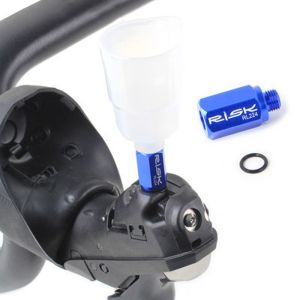
XEANG Bicycle Parts Bicycle Brake R9120 Shifter Cycling Road Bike Hand Shift MTB Bike Conversion Shiman-o R9120 ST-R9170 Bleed Funnel Adapters Hydraulic Disc Brake

For Yamaha Outboard Propeller 11-5/8 x 11 ,3 Blade Aluminum Alloy Screw 13 Spline 663-45947-02 For 20 30 40 48 50 60 HP Engines
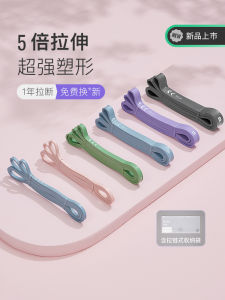
Fitness Resistance Band: Assisted Pull-up Exercise & Elastic Rope Strength Training

45*90CM PVC Pilates Yoga Ball: A Comprehensive Guide
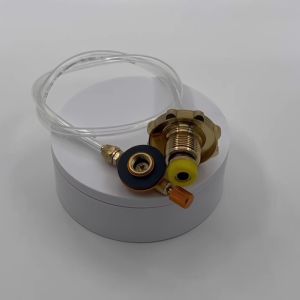
Portable Outdoor Camping Propane Refill Adapter: A Comprehensive Guide
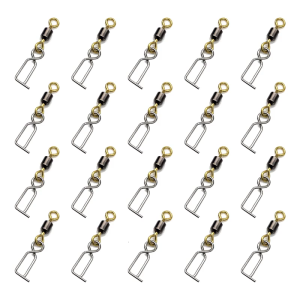
20pcs Fishing Swivels Clip Stainless Fast Lock Clip Swivels for Squid Jig Fast Change Lure Clip Tackle Snap Connector
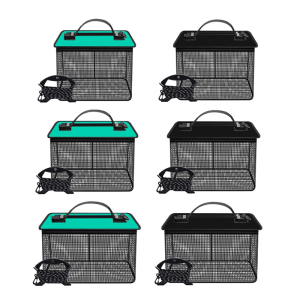
Folding Floating Fish Basket Live Fish Protectors Portable Meshes Fishing Net Storage Cage Fishing Holder Bucket Easy Use
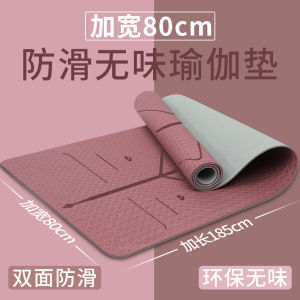
Thickened TPE Yoga Mat Anti-Slip Fitness Mat Soundproof Jump Rope Home Dance Mat Pure Color Design Natural Rubber Material

YONEX ASTROX 88S PRO Badminton Racket: A Comprehensive Guide
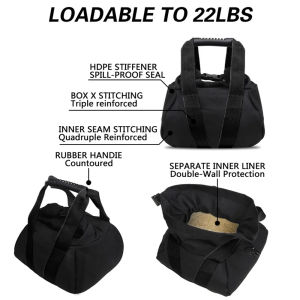
1pc Sandbags for Working Out - Adjustable Heavy Duty Equipment for Weight Training - Portable Tough Workout
Lightweight Walking Sticks for the Elderly: A Comprehensive Guide