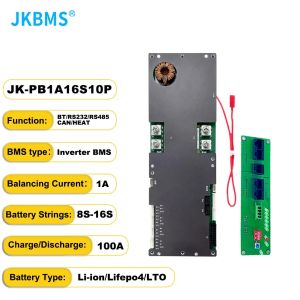
JKBMS Inverter Smart BMS 8S 16S 24V 48V 100A 150A 200A Family Energy Storage Lifepo4/Li-ion/LTO For Growatt Deye Inverter
JKBMS Inverter Smart BMS 8S 16S 24V 48V 100A 150A 200A Family Energy Storage Lifepo4/Li-ion/LTO For Growatt Deye Inverter
Understanding JKBMS Inverter Smart BMS
Key Features & Benefits
JKBMS Inverter Smart BMS is a cutting-edge battery management system designed specifically for family energy storage solutions. This product is compatible with 8S, 16S, 24V, and 48V configurations, offering a wide range of options to suit different power requirements. The JKBMS Inverter Smart BMS supports Lifepo4, Li-ion, and LTO batteries, ensuring maximum flexibility and compatibility. With current ratings of 100A, 150A, and 200A, the system provides reliable protection and monitoring for your energy storage needs.
Types of Batteries Supported
JKBMS Inverter Smart BMS supports three types of batteries: Lifepo4, Li-ion, and LTO. Each battery type offers unique advantages, making it easy to choose the right one for your specific requirements. Lifepo4 batteries are known for their long cycle life and safety, while Li-ion batteries provide high energy density and fast charging capabilities. LTO batteries, on the other hand, offer superior low-temperature performance and extended cycle life.
Compatibility with Growatt & Deye Inverters
The JKBMS Inverter Smart BMS is fully compatible with popular inverters from Growatt and Deye, ensuring seamless integration into your existing solar power system. This compatibility allows you to maximize the efficiency of your energy storage solution and take advantage of the latest advancements in renewable energy technology.
How to Install JKBMS Inverter Smart BMS
Step-by-step Installation Guide
Installing the JKBMS Inverter Smart BMS is a straightforward process. Follow these steps to ensure a successful installation:
- Prepare the Batteries: Before installing the BMS, make sure your batteries are properly charged and connected according to the desired configuration (8S, 16S, 24V, or 48V).
- Connect the BMS: Connect the BMS to the batteries using the appropriate connectors and cables.
- Configure the BMS: Set up the BMS according to the manufacturer's instructions, including selecting the correct battery type and current rating.
- Integrate with Inverter: Connect the BMS to your Growatt or Deye inverter using the appropriate communication protocol.
Troubleshooting Common Issues
If you encounter any issues during installation or operation, refer to the troubleshooting guide below:
- BMS Not Responding: Check all connections and ensure the BMS is properly powered.
- Incorrect Battery Type: Verify that the correct battery type has been selected in the BMS settings.
- Communication Errors: Check the communication protocol settings and ensure proper connectivity between the BMS and inverter.
Tips for Optimal Performance
To ensure optimal performance of your JKBMS Inverter Smart BMS, follow these tips:
- Monitor Battery Health: Regularly check the battery status and voltage levels to maintain optimal performance.
- Keep Batteries Cool: Store batteries in a cool environment to extend their lifespan and improve efficiency.
- Maintain Proper Charging: Follow the recommended charging guidelines for your specific battery type to avoid overcharging or undercharging.
Maximizing Energy Storage Efficiency
Strategies for Battery Management
To maximize the efficiency of your energy storage system, consider implementing the following strategies:
- Balance Charging: Use a balanced charging approach to ensure all batteries receive equal charge, improving overall system efficiency.
- Optimize Discharge: Adjust discharge settings to match your energy consumption patterns, reducing waste and extending battery life.
- Monitor Temperature: Keep track of battery temperature to prevent overheating and maintain optimal performance.
Tips for Extending Battery Life
Extend the lifespan of your batteries by following these tips:
- Avoid Deep Discharges: Minimize deep discharges to reduce wear and tear on your batteries.
- Regular Maintenance: Perform regular maintenance tasks, such as cleaning connectors and checking for loose connections.
- Store Properly: Store batteries in a cool, dry location when not in use to prevent damage and extend their lifespan.
Monitoring & Maintenance Best Practices
To ensure your JKBMS Inverter Smart BMS operates at peak performance, follow these monitoring and maintenance best practices:
- Regular Inspections: Conduct regular inspections of your system to identify potential issues before they become major problems.
- Update Firmware: Keep your BMS firmware up-to-date to take advantage of the latest features and improvements.
- Maintain Documentation: Keep detailed records of your system's performance and maintenance history to help diagnose any issues that may arise.

Global Merch Park
Review
You May Also Like

Double-Sided Window Cleaner Tool Household High-Rise Exterior Professional Glass Cleaning Scraper Water Extractor Window Cleaner

Aomulei Metal Paint Primer: Your Ultimate Rustproofing Solution

Toppuff Detachable Portable Glass Mouthpiece|Heat-Resistant & Leakproof Easy-Clean Reusable Design
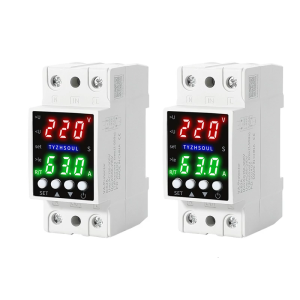
Adjustable Over Voltages and Under Voltages Protective Device Protectors Relays Intelligent Relays Reset Protectors

Reflective Vest Security Safety Vest Reflectorized Vest For Motorcycle Road Workwear
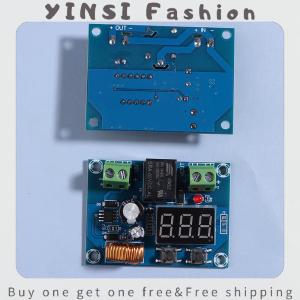
YINSI XH-M609 DC 12V-36V Charger Module Voltage OverDischarge Battery Protection Precise Undervoltage Protection Module Board
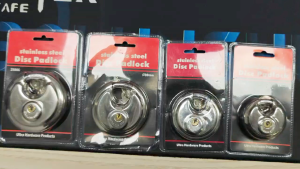
Stainless Steel Disc Padlock With 2keys For Motorcycles Bicycles Bike Ebike
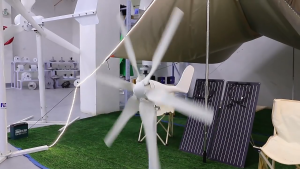
Wind Turbine 12V 24V 48V S-type Horizontal Axis 6 Blade 800W Breeze Activated Wind Solar Complementary Street Light Wind Turbine Generator

Smoke Detector Fire Alarm Battery Operated Portable Independent Alarm Sensor 9V Battery Operation Portable Smoke Detector Home/Office/Mall/Hotel/Restaurant Security Alarm System(SM12) alarma sa sunog ng detektor ng usok
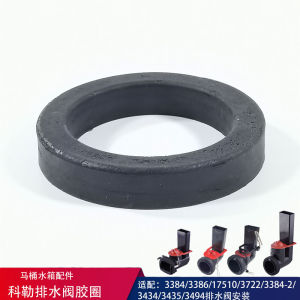
Black Round Sealing Ring: Kohler K3384 K3722 Toilet Tank Parts

Universal Type Washing Basin Leak Plug Bathroom Drain Pipe Odor Prevention Anti-Clogging Filter Net for Sink And Face Washing