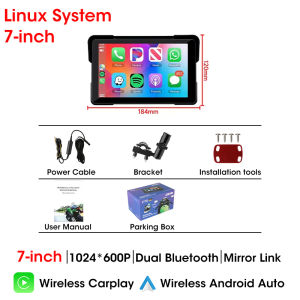
5\"/7\" Inch Motorcycle GPS Navigation DVR Multimedia Player Wireless CarPlay Android Auto Touch Screen IPX7 Waterproof Bluetooth
5"/7" Inch Motorcycle GPS Navigation DVR Multimedia Player Wireless CarPlay Android Auto Touch Screen IPX7 Waterproof Bluetooth
Introduction to the Device
The 5"/7" inch motorcycle GPS navigation DVR multimedia player is a highly versatile device designed specifically for motorcyclists. This state-of-the-art device combines GPS navigation, a digital video recorder (DVR), and a multimedia player, making it an essential tool for any rider. With Bluetooth connectivity, IPX7 waterproof touch screen, and wireless CarPlay & Android Auto integration, this device offers unparalleled convenience and safety on the road.
Key Features
- 5"/7" inch high-resolution display
- Built-in GPS navigation system
- Digital video recorder (DVR)
- Multimedia player
- Bluetooth connectivity
- IPX7 waterproof touch screen
- Wireless CarPlay & Android Auto integration
Benefits of Bluetooth Connectivity
Bluetooth connectivity allows you to easily connect your smartphone to the device, enabling hands-free calling, music playback, and voice commands. This feature ensures that you can stay connected while keeping both hands on the handlebars, enhancing safety and convenience during your ride.
IPX7 Waterproof Touch Screen Explained
The IPX7 waterproof rating means that the device is protected against immersion in water up to 1 meter deep for 30 minutes. This makes it ideal for use in various weather conditions, including rain, snow, and even splashes from puddles. The touch screen remains fully functional, allowing you to navigate and control the device with ease, even in wet conditions.
Setting Up Your Motorcycle GPS Navigation System
Connecting Bluetooth Devices
To connect your smartphone or other Bluetooth-enabled devices, simply turn on the device and go to the Bluetooth settings menu. From there, select your device from the list of available options, and follow the prompts to complete the connection process.
Configuring GPS Navigation Settings
Once connected, you can configure the GPS navigation settings according to your preferences. This includes adjusting the map view, setting waypoints, and customizing route options. The device supports turn-by-turn voice guidance, making it easy to navigate even the most complex routes.
DVR Multimedia Player Setup
Setting up the DVR multimedia player is straightforward. Simply connect the camera to the device, and adjust the settings according to your preferences. You can record video footage, play music, and watch videos on the high-resolution display.
Using the Device: Tips & Tricks
Navigating with GPS
To navigate with the GPS, simply enter your destination, and the device will calculate the optimal route for you. Follow the turn-by-turn voice guidance to reach your destination safely and efficiently.
Recording with the DVR
To record video footage, simply press the record button on the touch screen. You can adjust the recording settings, such as resolution and frame rate, according to your preferences.
Playing Music & Videos
Playing music and videos on the device is simple. Connect your smartphone or other media player via Bluetooth, and stream your favorite tunes or movies on the high-resolution display.
Wireless CarPlay & Android Auto Integration
Connecting Your Smartphone
To connect your smartphone to the device, simply turn on CarPlay or Android Auto, and follow the prompts to complete the connection process. Once connected, you can access all of your smartphone's features, including calls, messages, and music playback.
Utilizing CarPlay & Android Auto Features
With CarPlay or Android Auto, you can control your smartphone using voice commands, making it easy to stay connected while keeping both hands on the handlebars. You can also access your favorite apps, such as maps, music, and messaging, directly from the device's touch screen.
Troubleshooting Common Issues
Connectivity Problems
If you experience connectivity issues, check that your Bluetooth devices are within range and that the device's Bluetooth settings are properly configured. If the problem persists, try resetting the device or seeking technical support.
GPS Signal Loss
If you experience GPS signal loss, try moving to a location with better reception, or restarting the device. If the problem persists, check that the device's GPS settings are properly configured, or seek technical support.
Playback Issues
If you experience playback issues, check that your media files are compatible with the device, and that the playback settings are properly configured. If the problem persists, try restarting the device or seeking technical support.

GlobalLifestyle
You May Also Like
1pc Fuel Pump Pressure Regulator Sensor - Common Rail 294390-0080 for Automotive
Manual Plastic Oil Pump Hand Pulling Chemical Industry Sugar Juice Liquid Pump Hand-operated Oil Draw Tube Water Pump
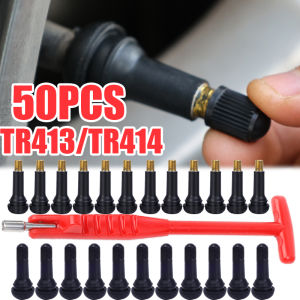
50PCS TR413/TR414 Valve Rubber Tubeless Tire Valve with Dust Cover Sealing Cover Suitable for Car Motorcycle Replacement Parts Tire Repair Accessories

Personalized Grinder Biscuit Shaped Herb Grinders Spices Pepper Mill Hand Crusher for Kitchen Smoking Accessories
Tempered Glass Screen Film For Hyundai Tucson Elite 2021 2022 10.25 inch Car GPS Navigation Auto Interior Accessories
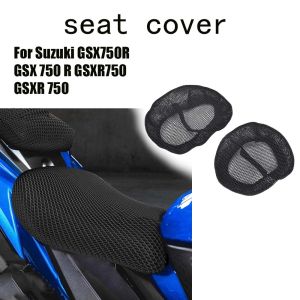
For Suzuki GSX750R GSX 750 R GSXR750 GSXR 750 Motorcycle Accessories 3D Mesh fabric Cushion Waterproof Protection Seat Cover
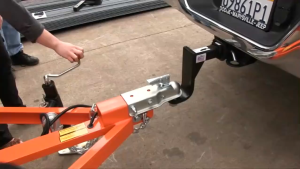
NLIM Side bracket of trailer 8000lbs 15inch turntable Cabokey RV Caravan Accessories. front wheel 8000 lbs Drop Leg Boat Swivel Trailer Jack

SEAMETAL 3/1pcs Car Microfiber Towel 800GSM Super Absorption Car Cleaning Hemming Cloth Auto Wash Drying Towels Detailing Rags

For ZONTES 350D 350 D M350 310M 310T 350 M Motorcycles Accessories Parts Oil Filter Engine Filters
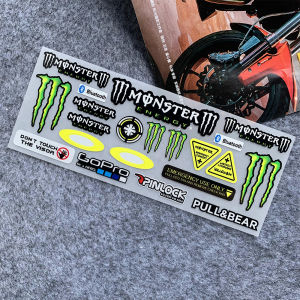
1 Set of Motorcycle Reflective Helmet Stickers Monster Energy Decals for Yamaha Honda Suzuki
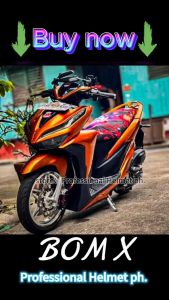
BOM RANGSIT MAGS LYNX CNC CLICK 125/160 MIO 110/SPORTY STAR MAGS 5 Spoke Motorcycle Parts Made in Thailand