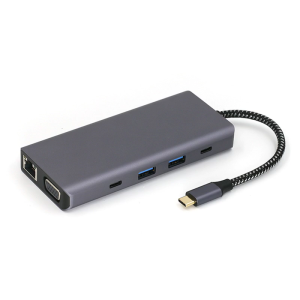
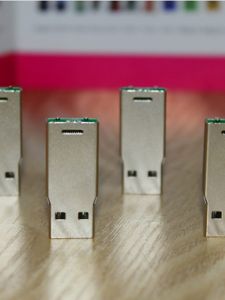
USB Flash Drive Chip Semi-Finished Product 64gb High Speed USB3.0 Wrist Version USB Flash Drive Semi-Finished Product Chip DIY USB Flash Drive 3.0
USB Flash Drive Chip Semi-Finished Product 64gb High Speed USB3.0 Wrist Version USB Flash Drive Semi-Finished Product Chip DIY USB Flash Drive 3.0
Introduction to Semi-Finished Product Chips
Semi-finished product chips are pre-manufactured components that require assembly to create a functional product. In this case, we will focus on the semi-finished product chip used for DIY USB flash drives. These chips provide a cost-effective solution for those who want to build their own high-speed USB flash drives.
What Are Semi-Finished Product Chips?
Semi-finished product chips are components that have been partially manufactured and require further assembly to become functional products. They offer a cost-effective alternative to purchasing fully assembled USB flash drives, allowing users to customize their storage devices according to their needs.
Benefits of Using Semi-Finished Product Chips
There are several benefits to using semi-finished product chips for DIY USB flash drives:
- Cost-effective: Building your own USB flash drive can save money compared to purchasing pre-assembled products.
- Customization: Users can choose the desired capacity, speed, and design of their USB flash drives.
- Learning experience: Assembling a USB flash drive is a great way to learn about electronics and storage devices.
How to Choose the Right Semi-Finished Product Chip
When selecting a semi-finished product chip for DIY USB flash drives, consider the following factors:
- Capacity: Choose a chip with the desired storage capacity, such as 64GB.
- Speed: Opt for a chip with high-speed capabilities, such as USB3.0.
- Compatibility: Ensure the chip is compatible with your computer's USB ports.
Understanding USB Flash Drive Chips
USB flash drive chips come in various types, each with unique features and capabilities. It is essential to understand the differences between these chips and regular USB drives to make informed decisions when building your own storage devices.
Types of USB Flash Drive Chips
There are several types of USB flash drive chips available, including:
- NAND Flash Memory: This type of memory is commonly used in USB flash drives and offers fast read and write speeds.
- NOR Flash Memory: This type of memory is less common in USB flash drives but can provide faster read speeds compared to NAND Flash Memory.
Differences Between USB Flash Drive Chips and Regular USB Drives
USB flash drive chips differ from regular USB drives in several ways:
- Customization: USB flash drive chips allow users to build their own storage devices, while regular USB drives come pre-assembled.
- Cost: Building a USB flash drive using semi-finished product chips can be more cost-effective than purchasing pre-assembled products.
- Learning experience: Assembling a USB flash drive provides a hands-on learning experience, while using a regular USB drive does not.
How to Identify High-Quality USB Flash Drive Chips
When selecting a USB flash drive chip, look for the following characteristics:
- Capacity: Choose a chip with the desired storage capacity, such as 64GB.
- Speed: Opt for a chip with high-speed capabilities, such as USB3.0.
- Compatibility: Ensure the chip is compatible with your computer's USB ports.
DIY USB Flash Drive Chip Guide
Building your own USB flash drive using semi-finished product chips requires specific tools and materials. Follow these step-by-step instructions to assemble your high-speed USB3.0 USB flash drive chip.
Tools and Materials Needed for DIY USB Flash Drive Chip
To build a USB flash drive chip, you will need the following tools and materials:
- Semi-finished product chip (64GB USB3.0)
- USB connector
- Soldering iron
- Solder wire
- Wire cutters
- Heat shrink tubing
- Hot glue gun
Step-by-Step Instructions for Assembling a USB Flash Drive Chip
Follow these steps to assemble your USB flash drive chip:
- Solder the USB connector to the semi-finished product chip.
- Trim any excess wire using wire cutters.
- Slide heat shrink tubing over the soldered connection.
- Apply hot glue to secure the USB connector to the chip.
- Test the assembled USB flash drive chip on your computer.
Troubleshooting Common Issues in DIY USB Flash Drive Chip Assembly
If you encounter issues during the assembly process, try the following troubleshooting steps:
- Check the solder joints for any cold solder connections.
- Verify that the USB connector is properly seated on the chip.
- Ensure that the hot glue is applied evenly to secure the USB connector.
Benefits of Using High Speed USB3.0
Using a high-speed USB3.0 USB flash drive chip offers several advantages over slower USB drives.
Advantages of High Speed USB3.0
Some advantages of using a high-speed USB3.0 USB flash drive chip include:
- Faster data transfer rates: USB3.0 offers significantly faster read and write speeds compared to USB2.0.
- Increased capacity: USB3.0 supports larger storage capacities, such as 64GB.
- Backward compatibility: USB3.0 is compatible with USB2.0 ports, ensuring broad compatibility.
How to Maximize the Performance of High Speed USB3.0 USB Flash Drive Chips
To get the most out of your high-speed USB3.0 USB flash drive chip, follow these tips:
- Use a USB3.0 port: Connect your USB flash drive to a USB3.0 port for optimal performance.
- Format the drive properly: Use a file system optimized for USB3.0, such as exFAT.
- Keep the drive clean: Regularly delete unnecessary files to maintain optimal performance.
Tips for Maintaining High Speed USB3.0 USB Flash Drive Chips
To ensure the longevity of your high-speed USB3.0 USB flash drive chip, follow these maintenance tips:
- Handle the drive carefully: Avoid dropping or bending the drive.
- Keep the drive dry: Avoid exposing the drive to moisture or liquids.
- Store the drive properly: Keep the drive in a cool, dry place when not in use.
Conclusion
Building your own USB flash drive using semi-finished product chips offers a cost-effective solution for those who want to customize their storage devices. By understanding the different types of USB flash drive chips and following the step-by-step instructions provided, you can create a high-speed USB3.0 USB flash drive chip that meets your needs. Remember to maintain your drive properly to ensure its longevity.

TAO Electronic Accessories
Review

You May Also Like
ORICO 5Bay/110TB MetaBox NAS 2.5GbE*2 Intel Celeron N5105 4-Core 2.0-2.9GHz CyberData Os AI Album Support RAID015610(HS500PRO)
ORICO 2.5/3.5 Inch Private Cloud Storage With Automatic Backup Remote Access A Innovative Product Of Ultra Fast Nas With Multi-account Concurrent Usage

TERRAMASTER D9-320 Hard Drive Enclosure - 9Bay USB 3.2 Gen2 10Gbps Type-C External HDD Storage Independent Power Control for Each Bay Hot Swappable Plug and Play US Plug (Diskless)
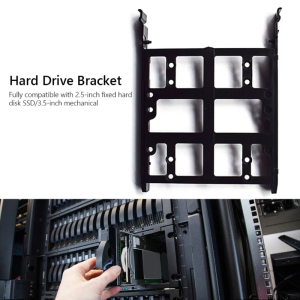
HDD Hard Drive Caddy Tray Connector for Computer Internal 2.5 Solid State Drive 3.5 Mechanical State Drive SDD

32 gb Usb Reyna Platinum (1200+ Mtv Files) December Post upgrade 2025 Mtv Expansion Also For 1/2/3/4/3C/Piano XLSD/SE/Junior/K-Box/KS-Series
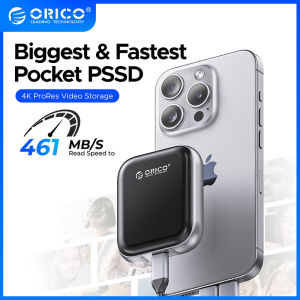
ORICO 8TB PSSD Extreme Portable SSD External Solid State Drive for Gaming and Content Creation
JEYI 2230 M.2 NVMe SSD Enclosure with Magsafe for iPhone 15 Pro Max ProRes USB 3.2 10Gbps for MacBook/iPad Pro/Laptop
【E-WOITD】 10Pcs Clear Plastic Memory Card Case Micro SD TF Card Storage Box Protection
SSD1306 I2C IIC SPI Serial 0.96" OLEDs Display Module for Creative DIY Projects and Gadgets
♥100%Original Product+Free Send adapter+card reader♥Lenovo 2TB Micro SD Card Memory Card 1TB TF SD Card for Smart phones cameras MP4 game drone
ORICO 2000MB/S AirDrive Premium Portable SSD 1TB/2TB Zinc Alloy PSSD 11mm Expanding Storage for MacBook Air