VOKTTA XY-D100H: A Comprehensive Guide to the 100W*2 Stereo Bluetooth Digital Amplifier Board
VOKTTA XY-D100H: A Comprehensive Guide to the 100W*2 Stereo Bluetooth Digital Amplifier Board
Introduction to VOKTTA XY-D100H
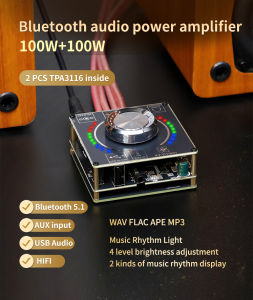
The VOKTTA XY-D100H is a powerful HIFI level 100W * 2 stereo Bluetooth digital amplifier board, featuring a TPA3116 module. This versatile amplifier board is designed for audiophiles who demand superior sound quality and easy connectivity. In this comprehensive guide, we will explore the key features of the TPA3116 module, how to set up your VOKTTA XY-D100H amplifier board, control it via an app, enhance your audio experience, and troubleshoot common issues.
Overview of the Amplifier Board
The VOKTTA XY-D100H is a top-of-the-line stereo Bluetooth amplifier board that delivers crystal-clear sound quality. With a total output power of 200W (100W per channel), it provides ample power for driving speakers or subwoofers. The TPA3116 module, a key component of this amplifier board, offers excellent audio performance and reliability.
Key Features of the TPA3116 Module
The TPA3116 module is a Class D audio amplifier that delivers high efficiency and low distortion. It supports a wide range of input signals, including Bluetooth, RCA, and line-in. The module's built-in protection circuitry ensures safe operation under various conditions. Additionally, the TPA3116 module offers excellent thermal performance, making it ideal for high-power applications.
Setting Up Your VOKTTA XY-D100H Amplifier Board
To get started with your VOKTTA XY-D100H amplifier board, follow these steps:
- Connect the amplifier board to your audio source using RCA cables, line-in cables, or Bluetooth connectivity.
- Power the amplifier board by connecting it to a stable power supply.
- Adjust the volume control on the amplifier board to your desired level.
Connecting the Amplifier Board to Your Audio Source
The VOKTTA XY-D100H amplifier board supports multiple audio input sources, including Bluetooth, RCA, and line-in. To connect your audio source, simply plug the appropriate cables into the corresponding ports on the amplifier board. Make sure to match the polarity of the cables to avoid any potential damage.
Configuring Bluetooth Connectivity
To enable Bluetooth connectivity, press and hold the Bluetooth button on the amplifier board until the LED indicator turns blue. This will put the amplifier board into pairing mode. On your smartphone or other Bluetooth-enabled device, select the VOKTTA XY-D100H from the list of available devices and follow the on-screen instructions to complete the pairing process.
Controlling Your Amplifier Board via APP
The VOKTTA XY-D100H amplifier board can be controlled remotely via a dedicated app. To download and install the app, visit the App Store or Google Play and search for "VOKTTA XY-D100H". Once installed, open the app and follow the on-screen instructions to connect it to your amplifier board.
Downloading and Installing the App
To download and install the VOKTTA XY-D100H app, visit the App Store or Google Play and search for "VOKTTA XY-D100H". Once found, click on the "Install" button to download and install the app on your smartphone or tablet.
Exploring the App's Interface and Functions
Once connected to your amplifier board, the app provides a user-friendly interface for controlling various settings, such as volume, equalizer, and input source selection. You can also customize the app's appearance and layout to suit your preferences.
Enhancing Your Audio Experience with the VOKTTA XY-D100H
To get the most out of your VOKTTA XY-D100H amplifier board, experiment with different sound settings and troubleshoot any issues that may arise.
Customizing Sound Settings
The VOKTTA XY-D100H amplifier board offers a range of sound settings that can be adjusted to suit your preferences. These include volume, equalizer, and input source selection. You can access these settings via the app or directly on the amplifier board.
Troubleshooting Common Issues
If you encounter any issues with your VOKTTA XY-D100H amplifier board, refer to the troubleshooting guide included in the user manual. Common issues include poor Bluetooth connectivity, low output power, and distorted audio. If the issue persists, contact VOKTTA customer support for assistance.
Conclusion
In conclusion, the VOKTTA XY-D100H is a powerful HIFI level 100W * 2 stereo Bluetooth digital amplifier board that delivers exceptional sound quality and easy connectivity. With its TPA3116 module, remote app control, and customizable sound settings, it is an excellent choice for audiophiles and music enthusiasts alike.

VOKTTA Official Store
Review

You May Also Like
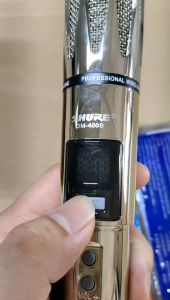
PinSan SHORE DM-400S Dual Stainless steel Professional Wireless Microphone Rechargeable Dynamic Microphone For Karaoke

M165 Wireless Bluetooth Headset Bluetooth 4.0 Version High-fidelity Voice Quality Effect
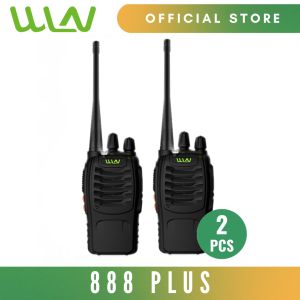
WLN 888plus 5W 16 Channel UHF 400-470MHz Two-Way Walkie Talkie Radio - SET OF 2
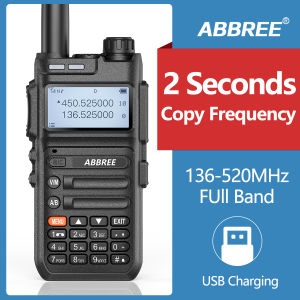
Philippines Warehouse ABBREE AR-F5 Automatic Wireless Copy Frequency Walkie Talkie Station Full Band 136-520MHz USB Charging 128 Channels Two Way Radio Support COD for Christmas Gift
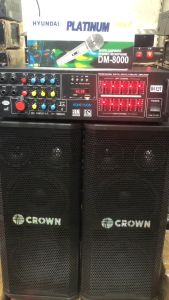
Original Crown BF-663 3-Way Karaoke Baffles & 300W Homevision Amplifier
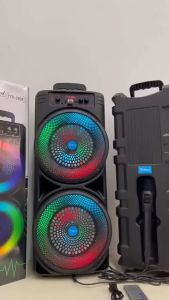
17 Inch Large Size Bluetooth Speaker With Mic Transmission Distance 100m Two-Channel USB/TF/AUX/FM Portable Stereo HiFi Karaoke Audio System High Quality Sound Karaoke

Aszune | Wired Type C Compatible Earphones
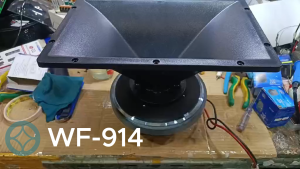
Plastic Horn 9X14" Bolt Type For Peavey 44XT Driver Unit
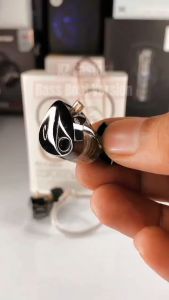
KZ Castor In-Ear Headphones Dual Dynamic 2DD Hi Fi Headset Mic Noise Cancelling 10mm+8mm Earphones
![[Local Stock] K55 Earbud Gaming TWS Bluetooth Earphone 5.2 Gaming Earbuds Hifi Stereo Bass Dual Mode Noise Reduction Low Latency Ubester](https://img.lazcdn.com/g/ff/kf/S18997233fd82451fbfdbd4830d3c23a7B.jpg_300x300q80.jpg)
[Local Stock] K55 Earbud Gaming TWS Bluetooth Earphone 5.2 Gaming Earbuds Hifi Stereo Bass Dual Mode Noise Reduction Low Latency Ubester
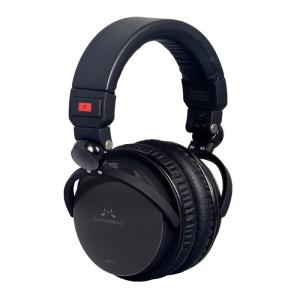
SoundMAGIC HP151 Wired Over Ear Headphones HiFi Stereo Audiophile Headphone Noise Isolating Foldable Headset with Detachable Cables Black