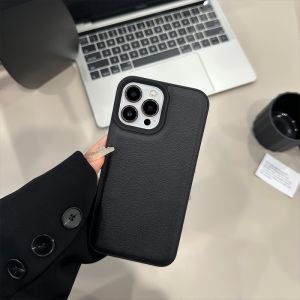
Beats Solo HD 1.0 Generation Headset Cover: Protection & Style
Beats Solo HD 1.0 Generation Headset Cover: Protection & Style
Introduction to Headphone Covers
Headphones are a significant investment, and protecting them from damage is essential. A headphone cover offers protection against scratches, dust, and other elements that could harm your headphones. In addition to protection, headphone covers add style and personalization to your device.
Benefits of a Soft Shell Headphone Cover
Soft shell headphone covers provide numerous benefits, including:
- Protection: Safeguarding your headphones from scratches, dust, and other elements
- Convenience: Easy to install and remove, allowing you to quickly protect your headphones
- Customization: Personalize your device with different colors and designs
Choosing the Right Protective Case for Your Bluetooth Headphones
When selecting a protective case for your Bluetooth headphones, consider the following factors:
- Compatibility: Ensure the cover fits your specific model of headphones
- Material: Choose a soft shell material for added comfort and protection
- Design: Select a design that complements your personal style
Understanding the Beats Solo HD Headset Cover
The Beats Solo HD headset cover is designed specifically for the Beats Solo HD 1.0 generation headphones. This cover offers unparalleled protection and style while keeping your headphones safe.
Key Features of the Beats Solo HD Headset Cover
Some of the key features of the Beats Solo HD headset cover include:
- Compatibility: Fits perfectly on the Beats Solo HD 1.0 generation headphones
- Material: Made from a soft shell material for added comfort and protection
- Design: Available in various colors and designs to match your personal style
Compatibility with Ear Cushion Accessories
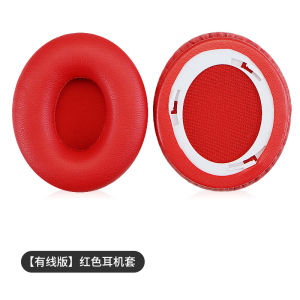
The Beats Solo HD headset cover is compatible with ear cushion accessories, allowing you to customize your listening experience. These accessories enhance the comfort and sound quality of your headphones while providing additional protection.
How to Use Your Headset Cover
Using your Beats Solo HD headset cover is simple and straightforward. Follow these steps to install and remove the cover properly:
Proper Installation & Removal Techniques
- Place the cover over the headphones, ensuring it fits snugly around the ear cups and headband.
- Adjust the cover to ensure it is secure and does not interfere with the functionality of your headphones.
- To remove the cover, gently pull it off the headphones, being careful not to damage the cover or headphones.
Maintaining Your Headset Cover
To maintain the longevity of your Beats Solo HD headset cover, follow these tips:
- Clean the cover regularly using a soft cloth to remove dust and debris.
- Store the cover in a cool, dry place when not in use.
- Avoid exposing the cover to extreme temperatures or direct sunlight.
Enhancing Your Listening Experience
Combining your Beats Solo HD headset cover with other accessories can significantly enhance your listening experience.
Combining Headset Covers with Other Accessories
Consider pairing your headset cover with ear cushion accessories, noise-cancelling earbuds, or a portable charging case to elevate your audio experience.
Customizing Your Beats Solo HD Setup
Personalize your Beats Solo HD setup by choosing from various colors and designs for your headset cover and ear cushion accessories. This allows you to create a unique listening experience tailored to your preferences.

TB supermarket store
Review

You May Also Like
SVBONY SV231 Correct Chromatic Aberration Filter: Enhancing Astronomical Observations
GGUU | Spirit Butterfly GGUU Huawei Pura80 Pro Case Ultra Magnetic Suction Glass Cover With Strap Crossbody Compatible With P80 New Model
Braided Strap for Xiaomi Band 9 & Elastic Polyamide Fiber Replacement Wristband for Xiaomi Smartwatch Mi Band 8
New Phone Case For OPPO A17 A17K A74 5G A78 A95 A96 A76 A94 A74 4G A15 A15S A93 A73 2020 A3S A5 A5S A7 AX5 AX7 AX5S A12E A12 Magnetic Leather Wallet 15 Card Slot Flip Cover Casing
Hydrogel Film for 1050 Clear Full Coverage Soft Protective Film Easy Installation Screen Protector Accessories
Vivo X300Pro Phone Case Pikachu Trendy Brand Full Cover 100S Transparent 90 New 80 Cartoon Good Looking 70 Soft Mini Four Corners
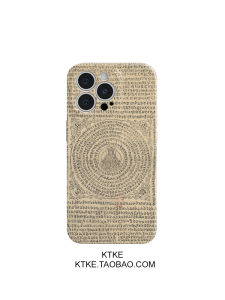
Buddhist Manjushri Dharmachakra Phone Case Artistic National Trend Style Compatible with iPhone 16 pro Max Apple 15 Xiaomi 14 Huawei P70 Nova Honor 200
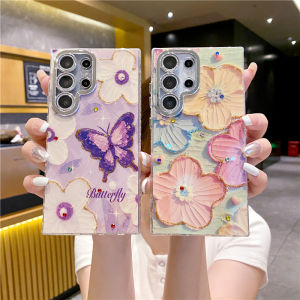
CrashStar With Glitter Lens Films Fashion Diamond Oil Painting Flower Butterfly Phone Case For Samsung Galaxy S25 S24 Ultra S23 Plus + S22 Ultra Luxury Hard Shockproof Phone Casing Cover Shell With Full Cover Camera Protection
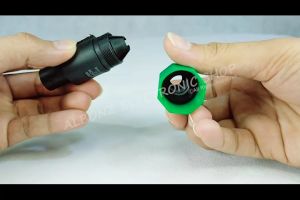
Speakon Male and Speakon Female Cable Connector
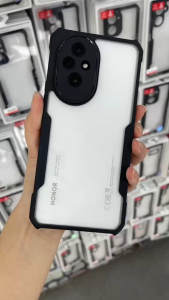
HONOR 200 PRO / 200 Case XUNDD Beatle Series Shockproof Case

Pole Adapter Kit for Starlink Gen 3 Roof Wall Mount - Enhance Stability Starlink Gen 3 Adapter Roof Wall Mount Wall Installed Connect Rod Mount Roof Adapter Holder Satellite