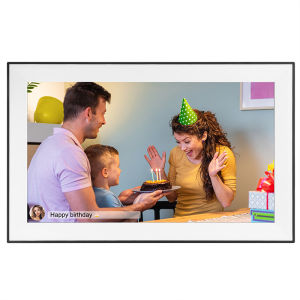
15.6 Inch Built-in 32GB WiFi Large Touch IPS Digital Photo Frame 1920*1080 WiFi Smart Frame Share Photos and Videos via Frameo
15.6 Inch Built-in 32GB WiFi Large Touch IPS Digital Photo Frame 1920*1080 WiFi Smart Frame Share Photos and Videos via Frameo
What is the Frameo Photo Sharing Frame?
The Frameo Photo Sharing Frame is a high-quality digital photo frame that offers a seamless way to share photos and videos with friends and family. This 15.6-inch digital photo frame comes equipped with a built-in 32GB WiFi storage capacity, allowing users to store and display their cherished memories effortlessly.
Key Features of the Frameo Photo Sharing Frame
-
Large Touch IPS Display: The Frameo Photo Sharing Frame boasts a large touch IPS display, providing an immersive visual experience. With its 1920*1080 resolution, the frame delivers sharp and vivid images, making every photo and video come to life.
-
Built-in WiFi Connectivity: With built-in WiFi connectivity, the Frameo Photo Sharing Frame allows users to easily share photos and videos via the Frameo app. This feature makes it convenient for users to access and display their favorite moments from anywhere.
-
32GB Storage Capacity: The Frameo Photo Sharing Frame comes with a built-in 32GB storage capacity, enabling users to store and display a vast collection of photos and videos without worrying about running out of space.
How Does the Frameo Photo Sharing Frame Work?
The Frameo Photo Sharing Frame operates by connecting to a WiFi network and using the Frameo app to share photos and videos. Users can easily upload their favorite moments via the app, which will then be displayed on the frame. The large touch IPS display allows users to navigate through their photos and videos effortlessly.
Why Choose the 1920*1080 Resolution Frame?
The 1920*1080 resolution frame offers several advantages over lower-resolution displays.
Advantages of High-Resolution Displays
-
Sharp and Vivid Images: High-resolution displays provide sharp and vivid images, making every photo and video come to life. This feature is especially important for users who want to display their cherished memories in the best possible way.
-
Better Color Accuracy: High-resolution displays offer better color accuracy, allowing users to see their photos and videos in their true colors. This feature is crucial for users who want to display their memories accurately.
Best Practices for Using the High-Resolution Display
To make the most out of the high-resolution display, users should consider the following best practices:
-
Use High-Quality Photos and Videos: To take advantage of the high-resolution display, users should upload high-quality photos and videos. This will ensure that their cherished memories are displayed in the best possible way.
-
Adjust the Brightness and Contrast: Users can adjust the brightness and contrast settings to enhance the visual experience. This will help them to see their photos and videos more clearly.
Exploring the Large Touch IPS Display
The large touch IPS display is a key feature of the Frameo Photo Sharing Frame. This display offers several advantages over traditional displays.
How Does the Touch IPS Display Enhance User Experience?
The touch IPS display enhances the user experience by providing a seamless way to navigate through photos and videos. Users can easily swipe through their memories using the touch screen, making it convenient to access their favorite moments.
Tips for Navigating the Touch IPS Display
To make the most out of the touch IPS display, users should consider the following tips:
-
Use the Swipe Function: Users can swipe left or right to navigate through their photos and videos. This function makes it easy to access their favorite moments.
-
Use the Pinch Function: Users can pinch the screen to zoom in or out of their photos and videos. This function allows them to see their cherished memories in more detail.
How to Share Photos & Videos via Frameo?
Sharing photos and videos via Frameo is easy and convenient. Here's a step-by-step guide to get started:
Step-by-Step Guide to Sharing Photos & Videos
- Download the Frameo app from the App Store or Google Play.
- Connect the Frameo Photo Sharing Frame to a WiFi network.
- Open the Frameo app and sign up for an account.
- Upload your favorite photos and videos via the app.
- Your photos and videos will now be displayed on the Frameo Photo Sharing Frame.
Troubleshooting Common Issues with Frameo
If users encounter any issues while using the Frameo Photo Sharing Frame, they can try the following troubleshooting tips:
-
Check the WiFi Connection: If the frame is not displaying photos and videos, users should check their WiFi connection. They can try reconnecting to the WiFi network or restarting the frame.
-
Update the App: Users should ensure that their Frameo app is up-to-date. This will help them to avoid any compatibility issues.
Conclusion: Why the 15.6 Inch Digital Photo Frame is a Must-Have for Your Home
The 15.6-inch digital photo frame is a must-have for any home that wants to display cherished memories in the best possible way. With its large touch IPS display, built-in WiFi connectivity, and 32GB storage capacity, the Frameo Photo Sharing Frame offers a seamless way to share photos and videos with friends and family. Whether you're looking to display your favorite moments or simply want to add a touch of personality to your home, the Frameo Photo Sharing Frame is the perfect choice.

GlobalLifestyle
Review

You May Also Like

Crystal Lotus Candlestick Foreman Lamp Holder For Household Worship Of Buddha Candle Holder
SUNMEIYI Crystal Ceiling Lights: Enhance Your Living Room with Flower Chandeliers & Decorative Corridor Lamps

JIGLIE SHOP WOODEN BEAR SHAPE BABY MONTHLY MILESTONES
High quality LED embedded 100W/150W/200W high ceiling light pavilion high ceiling light gas station light LED module oil station light Gasoline Canopy light heavy duty explosion proof 100/150/200watts ceiling lights

Hanak Utensils Incense Lotus Incense Censer Alloy Sandalwood House Furnishings Home Office Decoration
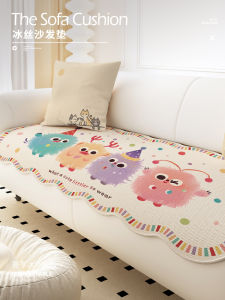
Universal Four Seasons Cute Anti-Slip Sofa Cushion Cover Green Leather Special Sofa Pad Soft Comfortable Washable Home Decor
![[COD] xiangshun 3D Self Adhesive Modern Door Number 0-9 Plaque House Number Door Plate Number Hotel Door Mailbox Address Digits Sticker Sign](https://img.lazcdn.com/g/p/aa1f7450ee179df1a5ae04498cf71887.jpg_300x300q80.jpg)
[COD] xiangshun 3D Self Adhesive Modern Door Number 0-9 Plaque House Number Door Plate Number Hotel Door Mailbox Address Digits Sticker Sign

8PCS Halloween Ghost Simulation Small Pumpkin Ornament Home Desktop Living Room Micro Landscape Ornament Resin Diy Crafts 2025
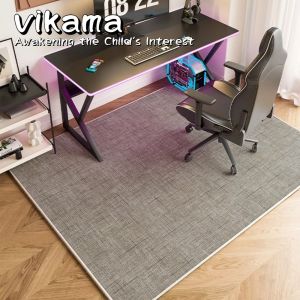
VIKAMA Office Chair Mat Non-Slip Floor Protector Suitable for Study Bedroom Home Decor and Carpet
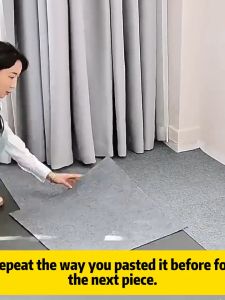
Carpet sticker floor self-adhesive anti slip 50 * 50cm square carpet sticker decorative floor

Modern Minimalist Cartoon Groundhog Blessing Switch Decal Wall Decorative Sticker Forest System Fresh Light Socket Switch Cover