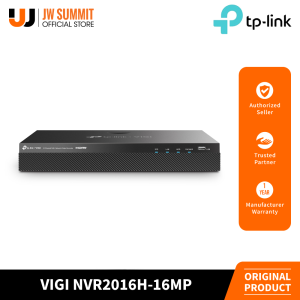
TP-Link VIGI NVR2016H-16MP 16 Channel Simultaneous Playback PoE+ Network Video Recorder
TP-Link VIGI NVR2016H-16MP 16 Channel Simultaneous Playback PoE+ Network Video Recorder
Overview of TP-Link VIGI NVR2016H
TP-Link VIGI NVR2016H is a powerful Network Video Recorder (NVR) designed for home and business security applications. This 16-channel NVR supports simultaneous playback, making it easy to monitor multiple camera feeds at once. The system supports PoE+ technology, allowing you to power and transmit data through a single Ethernet cable. With a resolution of up to 16MP, this NVR provides high-quality video footage for reliable surveillance.
Key Features
- 16-channel support for simultaneous playback
- PoE+ technology for power and data transmission through a single cable
- 16MP resolution for high-quality video footage
- Easy-to-use interface for configuration and monitoring
System Requirements
- Operating system: Windows 7/8/10 (32-bit or 64-bit)
- Processor: Intel Core i3 or higher
- RAM: 4GB or more
- Hard drive space: 50GB free space for installation
Setting Up Your TP-Link VIGI NVR2016H
Setting up your TP-Link VIGI NVR2016H is a straightforward process that involves installing the software, connecting cameras, and configuring network settings.
Installation Process
- Download and install the TP-Link VIGI NVR2016H software from the official website.
- Connect the NVR to your computer using a USB cable.
- Follow the on-screen instructions to complete the installation process.
Connecting Cameras
- Connect your cameras to the NVR using Ethernet cables.
- Power on the cameras and wait for them to connect to the NVR.
- Verify that the cameras are detected and configured correctly within the software.
Configuring Network Settings
- Access the network settings within the software.
- Configure the network settings according to your requirements.
- Save the changes and test the connection.
Maximizing Security with TP-Link VIGI NVR2016H
TP-Link VIGI NVR2016H offers several features that enhance security and surveillance capabilities.
Understanding Simultaneous Playback
Simultaneous playback allows you to monitor multiple camera feeds at once, making it easier to identify potential threats and respond quickly. With 16 channels, you can view up to 16 camera feeds simultaneously.
Benefits of PoE+ Technology
PoE+ technology simplifies installation and reduces cabling requirements by allowing power and data transmission through a single Ethernet cable. This feature saves time and effort during setup and reduces clutter.
Enhancing Surveillance with 16MP Resolution
The 16MP resolution provides high-quality video footage, making it easier to identify faces, license plates, and other details. This feature ensures that you have reliable evidence in case of security incidents.
Troubleshooting Common Issues
Encountering issues with your TP-Link VIGI NVR2016H? Here are some common problems and solutions.
Connectivity Problems
- Verify that all cables are securely connected.
- Check the network settings within the software.
- Restart the NVR and cameras.
Performance Optimization
- Adjust the resolution and bitrate settings within the software.
- Optimize the storage settings to ensure sufficient free space.
- Update the software to the latest version.
Security Measures
- Change the default login credentials.
- Enable encryption for secure data transmission.
- Regularly update the software and firmware.
Conclusion
In conclusion, the TP-Link VIGI NVR2016H is a powerful Network Video Recorder that offers several features to enhance security and surveillance capabilities. With its 16-channel support, PoE+ technology, and 16MP resolution, this NVR provides reliable video footage for home and business security applications. Whether you're a homeowner or a business owner, the TP-Link VIGI NVR2016H is a valuable addition to your security system.

JW Summit
Review

You May Also Like
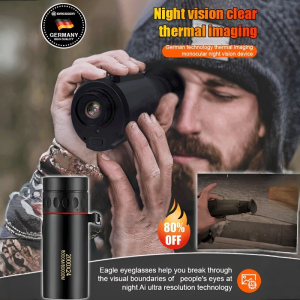
German technology Thermal imaging monocular night vision equipment Night as day Telescope Wildlife tracking Infrared night vision device
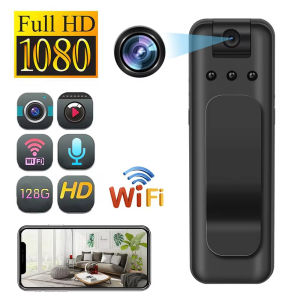
Mini Pocket WIFI Camera Infrared Night Vision Small Body Camera Portable Sports Surveillance Camcorder Miniature Video Recorder

5G WiFi Smart Home Camera: A Comprehensive Guide
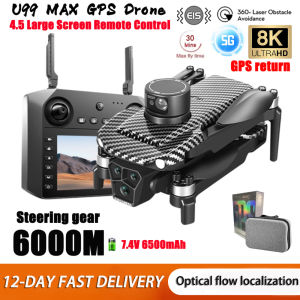
2025 New U99/U33 Professional GPS Drone 8k Camera with Screen Remote Control Four-Axis Aerial Photography 5G FPV RC Dron 6000M

35mm Color Print Film 135 Format Color Print Film Waterproof Camera Film For Camera
APEMAN A79 Action Camera 4K 20MP WiFi External Microphone Underwater Waterproof 40M with 2 Rechargeable Batteries and Accessories Kits

Not Afraid of Being Stolen: A9 CCTV Camera Connect Cellphone & No Internet No WiFi

V380 PRO CCTV Camera Outdoor Dual Lens Wifi Connect Waterproof Smart IP Security Camera Night Vision Two-Way Audio Alarm Surveillance

Children Kids Camera Instant Print Mini Digital Video Camera 1080P HD Screen Outdoor Kids Toy Print Thermal Paper Boy Girl Gift

Portable Sports Action Camera For Vlogging 360 Camera Action Motorcycle

EKLEVA 64MP Digital Photography Camera 4K WIFI Web Camcorder Vintage Vlog Video Recorder YouTube 18X Digital Zoom Camera 3" Flip Screen Ekleva Fs02 Camera 4K Ultra Hd - Lazada