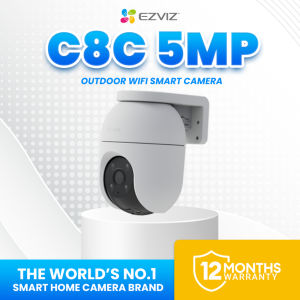
EZVIZ C8C 3K/5MP Weatherproof Outdoor CCTV Camera Connect to Cellphone
EZVIZ C8C 3K/5MP Weatherproof Outdoor CCTV Camera Connect to Cellphone
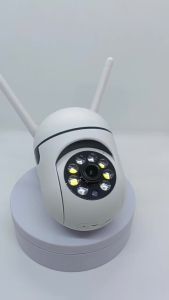
What is the EZVIZ C8C 3K/5MP Weatherproof Outdoor CCTV Camera?
The EZVIZ C8C 3K/5MP Weatherproof Outdoor CCTV Camera is a top-of-the-line surveillance device designed to provide reliable, high-definition monitoring of outdoor spaces. This advanced IP65 security camera offers a robust weatherproof design, making it ideal for use in various environmental conditions. Additionally, the camera features two-way audio capabilities, allowing users to communicate with anyone within its field of view.
Key Features
- Resolution: 3K/5MP
- Weatherproof Rating: IP65
- Wi-Fi Connectivity: 2.4GHz/5GHz dual-band
- Audio: Two-way audio with built-in microphone and speaker
- Night Vision: Up to 100ft (30m)
- Motion Detection: Smart motion detection with alerts
- Storage: MicroSD card slot (up to 128GB)
Package Contents
- C8c 3K Camera*1
- Drill Template*1
- Screw Kit *1
- Waterproof Kit *1
- Power Adapter *1
- Regulatory Information*1
- Quick Start Guide*1
How to Install the EZVIZ C8C 3K/5MP Weatherproof Outdoor CCTV Camera
Installing the EZVIZ C8C 3K/5MP Weatherproof Outdoor CCTV Camera is a straightforward process that can be completed in just a few steps.
Preparing the Installation Site
Before installing the camera, choose a suitable location that provides a clear view of the desired area. Ensure that the chosen spot has a stable power source and Wi-Fi connectivity.
Mounting the Camera
- Attach the mounting bracket to the wall or pole using the provided screw kit.
- Insert the camera into the bracket and secure it with the included screws.
- Connect the power adapter to the camera and plug it into a nearby power outlet.
Connecting to Wi-Fi
- Download the EZVIZ app from the App Store or Google Play.
- Open the app and sign in or create a new account.
- Follow the on-screen instructions to connect the camera to your Wi-Fi network.
How to Connect the EZVIZ C8C 3K/5MP Weatherproof Outdoor CCTV Camera to Your Cellphone
Connecting the camera to your cellphone allows you to monitor and control it remotely using the EZVIZ app.
Downloading the EZVIZ App
Download the free EZVIZ app from the App Store or Google Play.
Adding the Camera to the App
- Open the EZVIZ app and sign in or create a new account.
- Tap the '+' icon and select 'Add Device'.
- Follow the on-screen instructions to add the camera to your account.
Setting Up Two-Way Audio
To enable two-way audio, simply tap the microphone icon within the camera's live feed screen. This will allow you to communicate with anyone within the camera's field of view.
How to Monitor and Control the EZVIZ C8C 3K/5MP Weatherproof Outdoor CCTV Camera
The EZVIZ app provides users with various features to monitor and control their cameras.
Viewing Live Feed
To view the live feed from your camera, open the EZVIZ app and tap on the camera's thumbnail. This will display a real-time video stream of the monitored area.
Recording and Playback
Recordings can be stored on a microSD card (up to 128GB) or on the cloud (with a subscription). To access recordings, navigate to the 'Playback' tab within the app.
Motion Detection and Alerts
Enable motion detection by tapping the gear icon within the camera's settings. Configure the sensitivity and set up alerts to receive notifications when motion is detected.
Conclusion
The EZVIZ C8C 3K/5MP Weatherproof Outdoor CCTV Camera is a reliable and versatile security solution that offers high-definition monitoring, weatherproof durability, and convenient smartphone connectivity. With its advanced features and easy installation process, this IP65 security camera is an excellent choice for securing outdoor spaces.

Ezviz PH
Review
You May Also Like
V380 Pro 4G SIM 12MP Three Lens Solar CCTV Camera: A Comprehensive Guide

Rover Systems 30.0 cm X 3.8 cm X 3.4 cm I-type Ceiling Mount Stainless CCTV Camera Bracket

Hontry 8x42 Roof Binoculars IPX6 Nitrogen-Filled Waterproof Binoculars for Bird Watching Cruise Ship Travel and Safari

7artisans 60mm F2.8 2X Magnification Macro Full-Frame Manual Focus Prime Lens for Canon RF Sony E Nikon Z

A9 1080P HD Mini WiFi IP Camera - Home Security Night Vision Wireless Surveillance
TP-Link Official | VIGI C345 | 4MP Full-Color Bullet Outdoor WiFi IP Security CCTV Sale Camera Connect to Cellphone with Mic and Speaker with SD Card
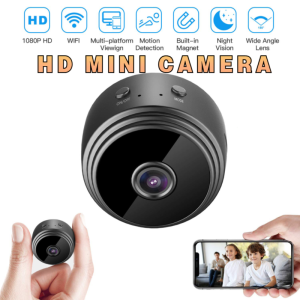
【HD 1080P】RISE Mini Smart Camera Wireless CCTV WIFI Infrared Light Night Vision Smart Home IP Security Camera CCTV 1080P HD Monitor Waterproof Security Camera Connect To Cellphone Outdoor Cctv with Night Vision
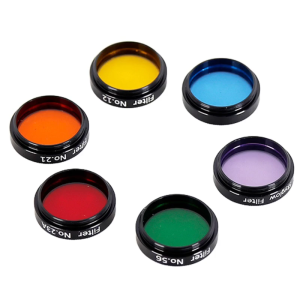
1.25" Moon and Skyglow CPL 6Color Telescopes Eyepiece
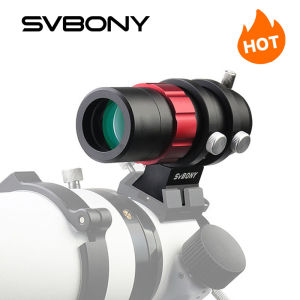
SVBONY SV165 30mm f/4 Compact Ultra-Mini Guide Scope for SV305 ZWO Auto Guiding Cameras
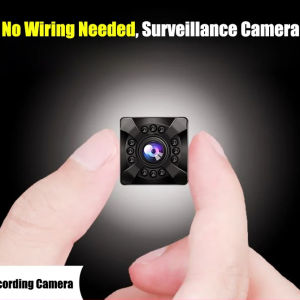
Ultra HD Wireless Camera Magnetic Design Smart Wireless Wifi Camera Mini Stealth Cctv Camera
Night Vision Auto WIFI Camera: A Comprehensive Guide