NEC NP16LP Light Projector: Universal Compatibility & Usage Guide
NEC NP16LP Light Projector: Universal Compatibility & Usage Guide
Introduction to NEC NP16LP Light Projector
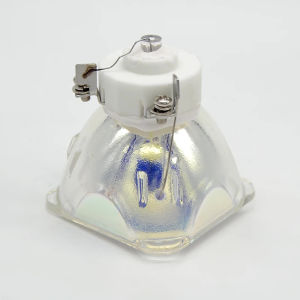
The NEC NP16LP Light Projector is a versatile and universal compatible projector lamp designed for home entertainment systems. It features DMX stage light certification, CE certification, and a power output of 280W. This projector lamp is specifically compatible with M23M260WS M300W, M300XS, M300XSG, M311W, M350X, M361X, NP-P350X, and UM280W projectors. The product comes packed in a carton with foam for safe transportation.
Key Specifications & Features
- Certification: CE
- Voltage: 100V
- Style: DMX Stage Light
- Origin: Mainland China
- Model Number: NP16LP
- Brand Name: mailepu
- Occasion: Home Entertainment
- Item Type: NP16LP
- Power: 280W
- MOQ: 1pc
- Packing: Carton with Foam
- Use Place: Projector Lamp
Universal Compatibility with Other Projectors
The NEC NP16LP Light Projector is designed to be compatible with multiple projector models, including M23M260WS M300W, M300XS, M300XSG, M311W, M350X, M361X, NP-P350X, and UM280W projectors. This universal compatibility allows users to enjoy a seamless experience across various projector systems.
Installation & Setup Guide
Connecting the NEC NP16LP to Compatible Projectors
To connect the NEC NP16LP Light Projector to compatible projectors, follow these steps:
- Turn off the projector and disconnect it from the power source.
- Remove the old lamp by gently pulling it out from its socket.
- Insert the NEC NP16LP Light Projector into the socket, ensuring it is securely connected.
- Reconnect the projector to the power source and turn it on.
Setting Up Home Entertainment System
Setting up a home entertainment system with the NEC NP16LP Light Projector involves connecting the projector to a compatible display device, such as a TV or computer monitor. Follow these steps:
- Connect the projector to the display device using the appropriate cable (HDMI, VGA, etc.).
- Turn on the projector and display device.
- Adjust the projector settings to match the display device's resolution and aspect ratio.
Troubleshooting Common Issues
Identifying & Fixing Connection Problems
If you encounter connection problems with the NEC NP16LP Light Projector, try the following troubleshooting steps:
- Check that the projector is securely connected to the power source and display device.
- Verify that the cables are properly connected and not damaged.
- Restart both the projector and display device.
Resolving Display & Image Quality Issues
To resolve display and image quality issues with the NEC NP16LP Light Projector, try the following troubleshooting steps:
- Adjust the projector settings to match the display device's resolution and aspect ratio.
- Clean the lens and projection surface to improve image clarity.
- If necessary, replace the lamp to restore optimal image quality.
Conclusion & Final Thoughts
In summary, the NEC NP16LP Light Projector offers universal compatibility with multiple projector models, including M23M260WS M300W, M300XS, M300XSG, M311W, M350X, M361X, NP-P350X, and UM280W projectors. By following the installation and setup guide, users can enjoy a seamless home entertainment experience. For any issues encountered during use, refer to the troubleshooting section for solutions. Future updates and improvements may be available for this product, so stay tuned for further developments.

LDD.COM
Review

You May Also Like
Quansheng Walkie Talkie Antenna UV-K5 NA-771: A Comprehensive Guide
Intelper MXQ Pro TV98 ATV X6 Stick Ultra HD 4K Andriod 14.0 2.4G/5G Dual WiFi Smart TV Stick Number Key Remote Control And Infrared Learning Key ATV System H1313 Plug In Mmemory Card Quad Core Media Player Set Support DLNA Airplay Miracast TV Receivers
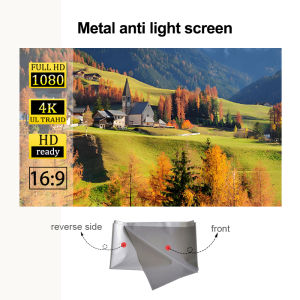
A projection screen that allows for clear viewing during the day with a metal anti glare screen thats not afraid of reflection
Smart Projector 4K HD Home Theater Beamer Android13.0 WiFi BT5.0 Portable Mini LED Projector Correction Support Netflix YouTube
Wanbo New T2 Ultra Wanbo T2 Ultra Gimbal Projector Free 120° Angle 1080P Full HD Android 11.0 ASA 3.0 Technology Reflection Projector Home Office Classroom Projector Outdoor Netflix Theater Projector VMI
with Original AV Cable Black Mini 1080p Full-HD Ultra Digital for -MKV/RM- HDD USB
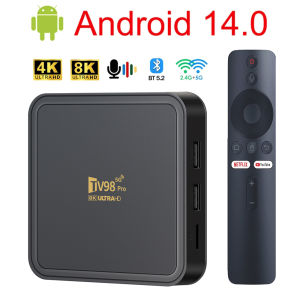
TV98 PRO TV Box Android 14 ATV H313 Quad Core 5G Dual Wifi 8K 4K Media Player TB 5.2 Support Voice remote control TV Box
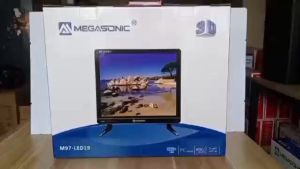
MEGASONIC M97-LED19 /JMS-1917 / MEGASONIC M97-24B WITH Free Wall Bracket
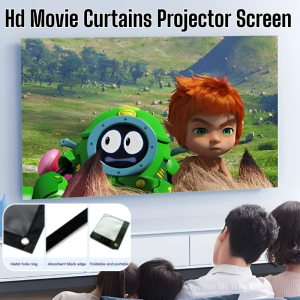
Portable Folding Outdoor Hd Movie Screen Curtain For Travel Home Theater Outdoor Indoor Projector Screen Wall
EXPOSE Google TV: A Comprehensive Guide to 32 Inches Smart Android TV 4K UHD
Transform Your Romantic Bedroom with a Planetarium Projector & 13 Sheets of Film