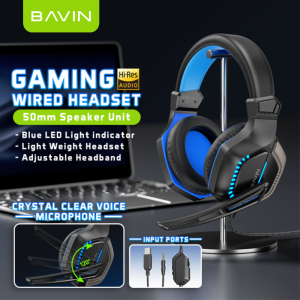
BAVIN BH61 Gaming Wired Headset w/ 120° Adjustable HD Microphone & Blue LED Light Indicator for Computers and Laptops
BAVIN BH61 Gaming Wired Headset w/ 120° Adjustable HD Microphone & Blue LED Light Indicator for Computers and Laptops
What is the BAVIN BH61 Gaming Wired Headset?
The BAVIN BH61 Gaming Wired Headset is a top-tier gaming headset designed for immersive audio experiences while playing games on computers and laptops. This headset features a 120° adjustable HD microphone, blue LED light indicator, and high-quality audio performance. It comes with a 3.5mm aux cord and a comprehensive manual to ensure a seamless setup and usage experience.
Key Features
-
120° Adjustable Microphone: The BAVIN BH61 Gaming Wired Headset boasts a 120° adjustable HD microphone, allowing users to position the mic exactly where they need it for clear communication with teammates or opponents.
-
Blue LED Light Indicator: A blue LED light indicator provides visual feedback, letting users know when the microphone is active and functioning properly.
-
High-Quality Audio: With its advanced audio technology, the BH61 delivers crisp, clear sound that enhances the gaming experience.
-
Compatibility: The headset is compatible with most computers and laptops, ensuring a wide range of users can enjoy its features.
Compatibility
The BAVIN BH61 Gaming Wired Headset is compatible with a variety of devices, including Windows PCs, Macs, and laptops. It supports both gaming and non-gaming applications, making it a versatile addition to any setup.
How to Set Up Your BAVIN BH61 Gaming Wired Headset
Setting up your BAVIN BH61 Gaming Wired Headset is a straightforward process that involves unboxing and connecting the headset to your device.
Unboxing & Initial Setup
Begin by carefully removing the BAVIN BH61 Gaming Wired Headset from its packaging. The package includes one headphone, one manual, and one 3.5mm aux cord. Familiarize yourself with the components and read through the manual to understand the features and setup process.
Connecting to Your Device
To connect the BAVIN BH61 Gaming Wired Headset to your device, plug the 3.5mm aux cord into the headphone jack on your computer or laptop. Ensure that the device's audio settings are configured correctly, and adjust the volume as needed.
Maximizing Your Experience with the BAVIN BH61 Gaming Wired Headset
To get the most out of your BAVIN BH61 Gaming Wired Headset, learn how to adjust the microphone, use the blue LED light indicator, and troubleshoot common issues.
Adjusting the Microphone
The BAVIN BH61 Gaming Wired Headset features a 120° adjustable HD microphone. To position the mic, gently rotate it to the desired angle. This allows users to speak clearly and be heard by others during gaming sessions.
Using the Blue LED Light Indicator
The blue LED light indicator on the BAVIN BH61 Gaming Wired Headset provides visual feedback when the microphone is active. When the light is on, the microphone is functioning properly, and users can communicate with others.
Troubleshooting Common Issues
If you encounter any issues with your BAVIN BH61 Gaming Wired Headset, refer to the manual for troubleshooting tips. Some common issues include poor audio quality, microphone malfunctions, and connectivity problems. Follow the steps outlined in the manual to resolve these issues.
Conclusion
Final Thoughts
The BAVIN BH61 Gaming Wired Headset is a top-tier gaming headset that offers high-quality audio performance, a 120° adjustable HD microphone, and a blue LED light indicator. Its compatibility with computers and laptops makes it a versatile addition to any gaming setup.
Recommendations
If you're looking for a reliable gaming headset that delivers exceptional audio performance, the BAVIN BH61 Gaming Wired Headset is an excellent choice. With its advanced features and ease of use, it's sure to enhance your gaming experience.

Junction One
Review

You May Also Like
The FTstar 5 inches 30watts ceiling speaker public broadcasting background musicspeaker model FT5-1
2Pin PTT Mic Covert Acoustic Tube In-ear EarbudS for TYT UV-5R BF-888S CB Greater Than 10km
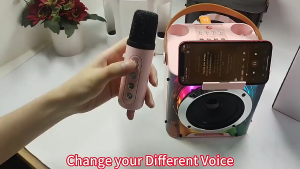
Panasonic Dazzling Light Bluetooth Speaker With Handle Portable Wireless Stereo With Karaoke Microphone Karaoke Speaker 9D Stereo Bass Amplifier Party RGB LED Light Portable Home KTV Sound Speaker
JBL Authentics 500
Denon AVC-X6800H - 11.4 channel home theater receiver with Dolby Atmos Bluetooth Apple AirPlay 2 and Amazon Alexa compatibility AVR-X6800H

Clip 3 / Clip3 Ultra-Portable Waterproof Bluetooth Speaker wireless bluetooth speaker IP67 waterproof built-in battery birthday gift Outdoor Speakers
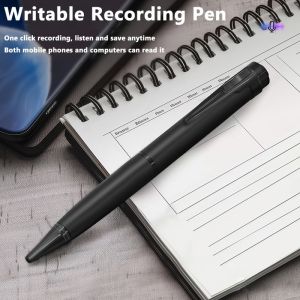
8GB-128GB Digital Voice Recorder Professional Audio Record Noise Reduce Dictaphone MP3 Player Business Meeting Recording Pen
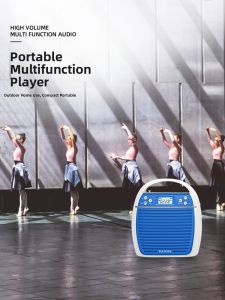
Panda | Panda K31 Portable Loudspeaker Beehive Teacher Special Microphone Large Horn Speaker for Street Vendors And Sales Promotions
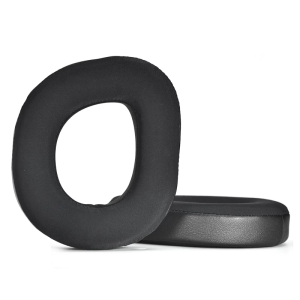
Soft Protein Earpads Ear Cushions for Stealth700 Gen3 Earphone Enhances Audios Fidelitys Easy to Install and Remove
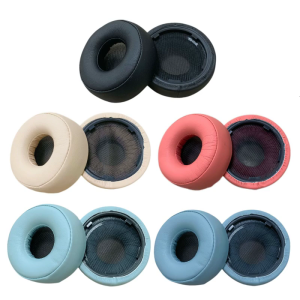
Soft Protein Earpads Ear Cushions for WHH800 Earphone Enhances Audios Fidelitys Easy to Install Remove Hypoallergenics
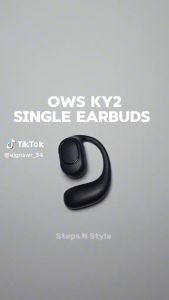
KY2 PRO Single-ear Earbuds Bluetooth Wireless EarphoneTWS Big Capacity Battery with 16H Playback