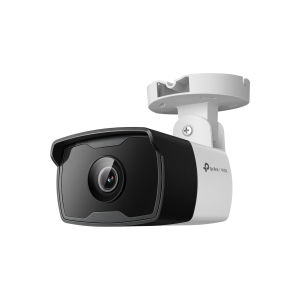
TP-Link VIGI C330I VIGI 3MP Outdoor IR Bullet Network Camera
TP-Link VIGI C330I VIGI 3MP Outdoor IR Bullet Network Camera
TP-Link VIGI C330I is a high-quality, 3MP outdoor IR bullet camera designed for indoor and outdoor surveillance. This network camera offers excellent image quality, ease of installation, and seamless integration with other smart home devices. In this article, we will explore the key features and specifications of the TP-Link VIGI C330I, compare it with other high-definition security cameras, provide a step-by-step installation guide, and share tips on maximizing its capabilities.
What is the TP-Link VIGI C330I?
The TP-Link VIGI C330I is a 3MP outdoor IR bullet camera designed for indoor and outdoor surveillance. This network camera offers high-definition video quality, night vision capabilities, and advanced features such as motion detection and alerts.
Key Features & Specifications
- Resolution: 3MP (1920 x 1080)
- Lens: 2.8mm/4mm VIGI lens
- Night Vision: Up to 98 feet (30 meters)
- Video Compression: H.264/H.265
- Audio: Two-way audio
- Storage: MicroSD card slot (up to 256GB)
- Connectivity: Wi-Fi, Ethernet
- Operating Temperature: -4°F to 122°F (-20°C to 50°C)
How It Compares to Other High-Definition Security Cameras
When compared to other high-definition security cameras, the TP-Link VIGI C330I offers excellent value for its price. Its 3MP resolution provides clear and crisp images, while its night vision capabilities allow it to capture footage even in low-light conditions. Additionally, the camera's two-way audio feature enables users to communicate with visitors or intruders remotely.
Setting Up Your TP-Link VIGI C330I
Setting up your TP-Link VIGI C330I is straightforward and can be completed in just a few steps.
Installation Guide
- Choose a suitable location for your camera, such as a wall or ceiling mount.
- Secure the camera to the chosen location using the included mounting hardware.
- Connect the power supply to the camera.
- Connect the camera to your Wi-Fi network using the TP-Link Home app.
Connecting to Wi-Fi & Power Supply
To connect your TP-Link VIGI C330I to Wi-Fi, follow these steps:
- Download and install the TP-Link Home app on your smartphone or tablet.
- Open the app and select 'Add Device'.
- Follow the on-screen instructions to connect your camera to Wi-Fi.
To connect your camera to power, simply plug the included power adapter into a nearby outlet.
Configuring Your Camera
Once your camera is connected to Wi-Fi and power, you can configure it using the TP-Link Home app. Here are some essential settings to consider:
- Resolution: Set the resolution to 3MP for the best image quality.
- Night Vision: Enable night vision mode to capture footage in low-light conditions.
- Motion Detection: Set up motion detection alerts to receive notifications when motion is detected.
- Audio: Enable two-way audio to communicate with visitors or intruders remotely.
Maximizing Your TP-Link VIGI C330I Experience
To get the most out of your TP-Link VIGI C330I, here are some tips on utilizing its features and integrating it with other smart home devices.
Utilizing Motion Detection & Alerts
Motion detection is one of the most useful features of the TP-Link VIGI C330I. By setting up motion detection alerts, you can receive notifications when motion is detected, allowing you to respond quickly to potential threats.
Customizing Your Camera Settings
Customizing your camera settings can help you optimize its performance. Some settings to consider include resolution, night vision, and audio.
Integrating with Other Smart Home Devices
Integrating your TP-Link VIGI C330I with other smart home devices can enhance its capabilities. For example, you can set up automation rules to turn on lights or activate sirens when motion is detected.
In conclusion, the TP-Link VIGI C330I is a high-quality, 3MP outdoor IR bullet camera that offers excellent value for its price. With its advanced features and ease of installation, it is an ideal choice for indoor and outdoor surveillance.

JW Summit
You May Also Like
V380 Pro Dual Lens CCTV Camera Outdoor HD 8MP Waterproof PTZ Control 360° IP Camera Bidirectional Audio 5G Night Vision Motion Detection WIFI Connect To Phone Remote Surveillance Camera With Alarm
Binocular Telescope 80X80 High Power Waterproof Outdoor Telescope on Hand High-Definition Night Vision Optics Outdoor
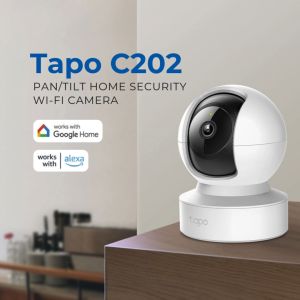
Tapo C202: A Comprehensive Guide to 1080p Pan/Tilt Home Security Camera
5W LED 2.5X/3.5X Head Wearing Dental Binocular Magnifier Medical Oral Headlight Rechargeable Lithium Battery
7artisans 25mm 35mm 50mm T1.05 APS-C Format Cine Cinematic Lens Professional Mirrorless Camera Lens
Sunnylife Insta360 GO3S Car Sun Visor Bracket: A Comprehensive Guide
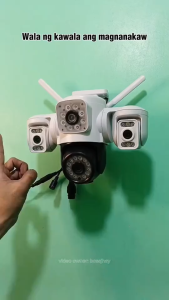
YOOSEE Y40 6MP 3 Lens HD 1080P CCTV camera outdoor 360° Panoramic monitoring waterproof wireless IP Security Cameras Full Color Night Vision Two way Vioce cam for Home 3-camera WIFI camera
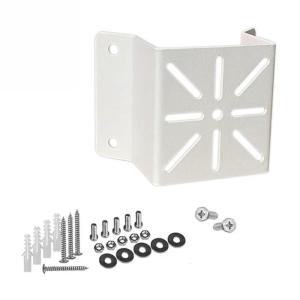
CCTV Camera Wall Mount Bracket External Wall Corner Bracket Outdoor Security Camera Mounting Accessory Easy Installation
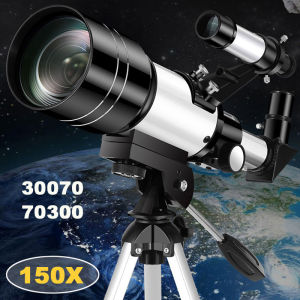
Professional Astronomical Telescope F30070 Monocular: 150x Zoom & HD Night Vision
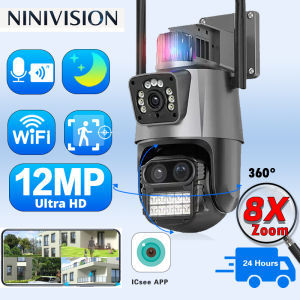
OVERSCAM 360 Wireless Outdoor 6K 12MP WiFi Camera ICSee Smart Three Lens 8X Zoom Video Surveillance IP Security Camera CCTV Auto Tracking Human Detection
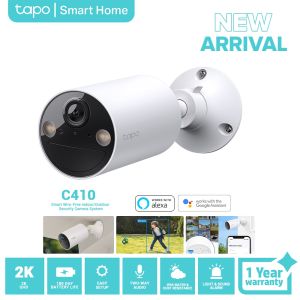
TP-Link Tapo C410 Smart Wire-Free Indoor/Outdoor Security Camera | CCTV Camera | Home Camera