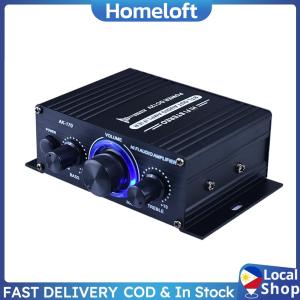
✨Local Stock✨ AK170 400W 12v Mini Amplifier Hifi Digital Bluetooth Stereo Audio Amplifier Fm Radio Microphone Car Home Player
✨Local Stock✨ AK170 400W 12v Mini Amplifier Hifi Digital Bluetooth Stereo Audio Amplifier Fm Radio Microphone Car Home Player
Overview of AK170 HiFi Stereo Audio Amplifier
The AK170 HiFi Stereo Audio Amplifier is a compact yet powerful device that delivers impressive sound quality for both home and car audio systems. With a dual-channel power output of 400W (200W + 200W), this amplifier ensures clear, strong, and powerful sound. The aluminum alloy body adds durability and a premium feel, while the large knob with blue LED lights enhances its aesthetic appeal.
Key Features & Specifications
- Power Output: 400W (200W + 200W)
- Input: RCA
- Connectivity: FM Radio Car Player, Mini Bluetooth Amplifier, 400W Digital Audio Amplifier, Microphone Home Player
- Design: Aluminum Alloy Body, Blue LED Lights
Benefits of Using AK170 Amplifier
The AK170 amplifier offers several advantages over other audio amplifiers:
- High-fidelity sound: With low distortion, the AK170 delivers clear and powerful sound.
- Versatility: It can be used in both home and car audio systems, making it a versatile choice.
- Ease of use: The large knob with blue LED lights makes it easy to adjust settings.
Setting Up Your AK170 Amplifier
Setting up your AK170 amplifier is straightforward and can be done in a few simple steps.
Connecting FM Radio Car Player
To connect your FM radio car player, simply plug the RCA cable into the input port on the amplifier. Follow the manufacturer's instructions for connecting the FM radio car player to the amplifier.
Pairing Mini Bluetooth Amplifier
Pairing the mini Bluetooth amplifier with your device is easy. Turn on the amplifier and press the Bluetooth button until the LED light starts flashing. Then, select the AK170 from your device's Bluetooth settings to connect.
Configuring 400W Digital Audio Amplifier
To configure the 400W digital audio amplifier, adjust the volume and tone settings to suit your preferences. Refer to the user manual for more information on configuring the amplifier.
Maximizing Sound Quality with AK170 Amplifier
To get the most out of your AK170 amplifier, follow these tips:
Adjusting Volume & Tone Settings
Adjust the volume and tone settings to suit your preferences. Experiment with different settings to find the perfect balance of sound quality.
Optimizing Speaker Placement
Place the speakers in optimal positions to enhance sound quality. Consider factors such as room acoustics, speaker placement, and listener positioning.
Enhancing Sound with Microphone Home Player
The microphone home player can be used to enhance sound quality by providing clear and powerful audio output. Follow the manufacturer's instructions for connecting the microphone home player to the amplifier.
Troubleshooting Common Issues
If you encounter any issues with your AK170 amplifier, refer to the troubleshooting guide below:
Dealing with Distortion & Interference
To address distortion and interference, check the connections and ensure they are secure. Adjust the volume and tone settings to reduce distortion. If the issue persists, consult the user manual or contact customer support.
Resolving Connectivity Problems
If you're experiencing connectivity problems, check the Bluetooth pairing process and ensure both devices are within range. Restart the devices and try pairing again. If the issue persists, consult the user manual or contact customer support.
Addressing Power Supply Issues
If you're experiencing power supply issues, check the power source and ensure it's providing sufficient voltage. Replace the power source if necessary. If the issue persists, consult the user manual or contact customer support.

Homeloft
Review
You May Also Like
GTS-1565 6.5 Inches Portable Wireless Bluetooth Twin Loudspeakers Electronics Sound Wireless Party Speaker Wiith Free Microphone
AC 220V 12V 24V Digital Bluetooth Stereo Amplifier Board Subwoofer Amplifiers for 8-12 Inch Speaker
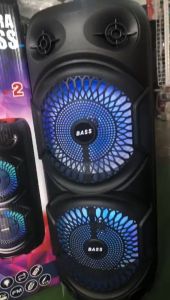
K-280 24 Inch Extra Bass Karaoke Wireless Dual Bass Bluetooth Speaker with Remote Control & Wireless Microphone
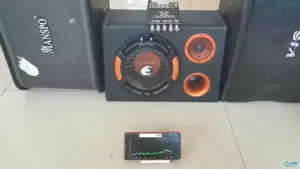
High Power TDA7498E Bluetooth Audio Amplifier – Subwoofer AUX/USB Input Compact Home and Car Audio
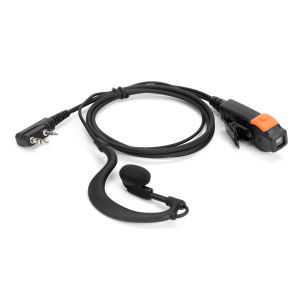
【New Arrival】 2 Pin Walkie Talkie Headset Earphones K-Plug PU Wired Radio Earpiece Headset Dual PTT with Microphone for Kenwood Baofeng 888S TYT
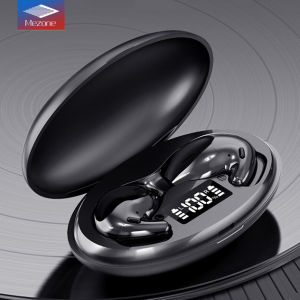
Mezone D90: A Durable Wireless Headset for Outdoor Sports & Fitness
![[COD] PkYeG Tool New Horn Built-in Speaker For Lenovo Thinkpad T460S T470S Laptop 00JT988](https://img.lazcdn.com/g/p/efdd15aa5ded23abc792752a2f206997.jpg_300x300q80.jpg)
[COD] PkYeG Tool New Horn Built-in Speaker For Lenovo Thinkpad T460S T470S Laptop 00JT988

Onikuma Cute Earphone bag transparent Bag for T302/T20/TX610
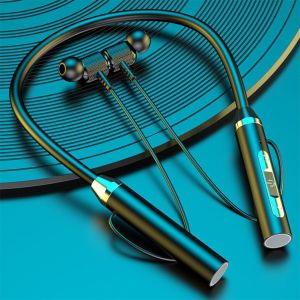
🔥Original Product+FREE Shipping🔥G01 Earphones Hanging Neck In-ear Bluetooth Headset 5.0 Wireless HiFi Stereo Sport Neckband Magnetic
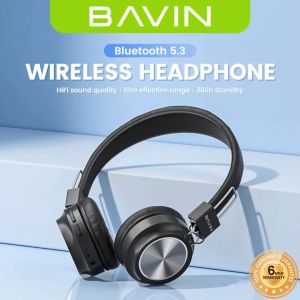
BAVIN BH38 Wireless Headphone High Bass Bluetooth Built-In Microphone Light Weight Headset
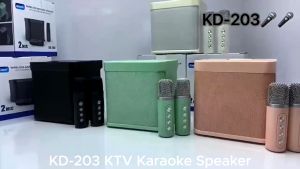
KD-203 Karaoke Wireless Bluetooth Speaker With Dual Wireless Microphone Home Party Audio with 2mic