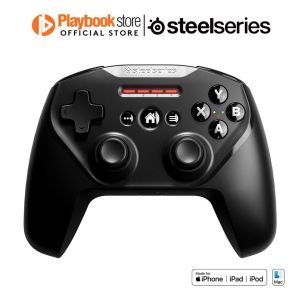
SteelSeries Nimbus+ Bluetooth Wireless Gaming Controller for Apple (69089)
SteelSeries Nimbus+ Bluetooth Wireless Gaming Controller for Apple (69089)
The SteelSeries Nimbus+ Bluetooth Wireless Gaming Controller for Apple (69089) is a premium gaming controller designed specifically for Apple devices. With its sleek design, robust build quality, and advanced features, it delivers an unparalleled gaming experience for both casual and hardcore gamers alike. In this article, we will explore the key features, compatibility, setup process, and customization options of this gaming controller, ensuring you get the most out of your gaming sessions.
What is the SteelSeries Nimbus+ Bluetooth Wireless Gaming Controller?
The SteelSeries Nimbus+ Bluetooth Wireless Gaming Controller is a wireless gaming controller designed exclusively for Apple devices, including iPhone, iPad, and Mac computers. It offers a comfortable, ergonomic design with intuitive controls, making it easy to navigate through games and menus. The controller supports Bluetooth connectivity, allowing for seamless integration with your Apple device.
Key Features & Benefits
The SteelSeries Nimbus+ Bluetooth Wireless Gaming Controller boasts several key features that enhance your gaming experience:
- Bluetooth Connectivity: Connect wirelessly to your Apple device for a lag-free gaming experience.
- Customizable Controls: Adjust button mapping, vibration intensity, and sensitivity settings to suit your gaming preferences.
- Durable Build: Constructed with high-quality materials, the controller is built to last and withstand the rigors of gaming.
- Comfortable Design: Ergonomically designed for extended gaming sessions, the controller features a sleek, compact form factor.
Compatibility with Apple Devices
The SteelSeries Nimbus+ Bluetooth Wireless Gaming Controller is compatible with a wide range of Apple devices, including iPhone, iPad, and Mac computers. It works seamlessly with popular games and apps, providing an immersive gaming experience on the go or at home.
How to Set Up the SteelSeries Nimbus+ Bluetooth Wireless Gaming Controller
Setting up the SteelSeries Nimbus+ Bluetooth Wireless Gaming Controller is a straightforward process. Follow the step-by-step guide below to get started:
Step-by-Step Guide
- Ensure your Apple device is within range of the controller and has Bluetooth enabled.
- Press and hold the Bluetooth button on the controller until the LED indicator blinks.
- On your Apple device, go to Settings > Bluetooth and select "SteelSeries Nimbus+" from the list of available devices.
- Once connected, the LED indicator will turn solid, indicating a successful connection.
Troubleshooting Common Issues
If you encounter any issues during the setup process, try the following troubleshooting steps:
- Make sure your Apple device is within range of the controller and has Bluetooth enabled.
- Restart both the controller and your Apple device.
- Check for any software updates for your Apple device.
Enhancing Your Gaming Experience with the SteelSeries Nimbus+ Bluetooth Wireless Gaming Controller
To get the most out of your SteelSeries Nimbus+ Bluetooth Wireless Gaming Controller, explore the customizable controls and advanced features:
Customizable Controls & Settings
Customize your gaming experience by adjusting button mapping, vibration intensity, and sensitivity settings. The controller supports button remapping, allowing you to assign specific functions to each button according to your preferences.
Advanced Features & Capabilities
The SteelSeries Nimbus+ Bluetooth Wireless Gaming Controller offers several advanced features, including:
- Motion Controls: Utilize motion controls to enhance gameplay in compatible games.
- Haptic Feedback: Experience immersive haptic feedback through the controller's vibration motors.
- Voice Chat: Communicate with friends and teammates using the built-in microphone.
Conclusion
The SteelSeries Nimbus+ Bluetooth Wireless Gaming Controller is a top-tier gaming controller designed specifically for Apple devices. Its sleek design, robust build quality, and advanced features make it an excellent choice for gamers of all skill levels. By following the setup process and exploring the customizable controls and advanced features, you can elevate your gaming experience and enjoy hours of immersive gameplay.

Playbookstore
Review

You May Also Like
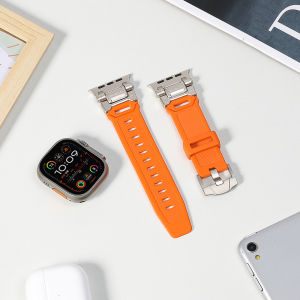
Strap for Apple Watch Ultra 2/1 49mm Rugged Silicone Band with Metal Connector for iWatch Series 9 8 7 6 5 4 3 2 1 Series SE 2rd Gen/SE 26mm Width Masculine Apple Watch Strap
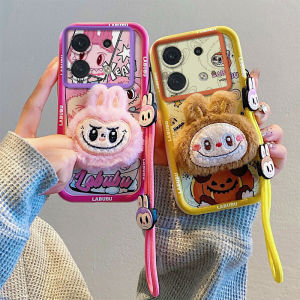
New Casing Infinix Zero 30 Hot 40 Pro Hot 40i Zero30 4G 5G Cute Colour 3D Plush Cartoon Phone Case with Dolls Lanyard Lens Protection Silicone Soft Cover
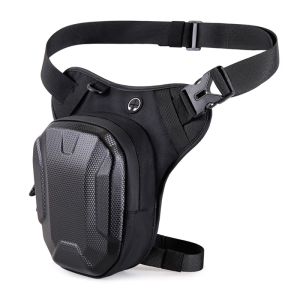
Motorcycle Riders Hard Case Thigh Bag Lightweight Polyester Storage Bag Water Resistant Secure Fit For All Body Types
Xiaomi Redmi Note 9 & MI 11T/13T Case: Nillkin Camshield Pro Camera Slide Protect Case
18mm 20mm 22mm 24mm Camouflage Nylon Canvas Strap Men Women Outdoors Sport Replacement Bracelet Band Watch Accessories
KR23 KR35 Upper /Down Knife Blade For Industrial Sewing Machines Tungsten Steel Fit For Siruba 737 747 757 Pegasus 700-3 700-4
LUCKY KITCHEN HOME CellPhone Waterproof Bag (RANDOM COLOR)
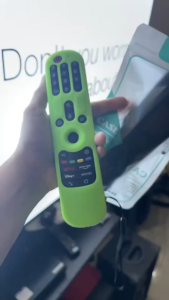
Silicone LG TV Remote Control Protective Cover for AN-MR21N AN-MR21GC LG Smart TV Remote
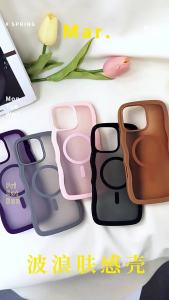
NO.1 Cross-border models compatible with Apple 17Promax Wave Magnetic Case iPhone17air 2-in-1 Matte Anti-drop Case 2525
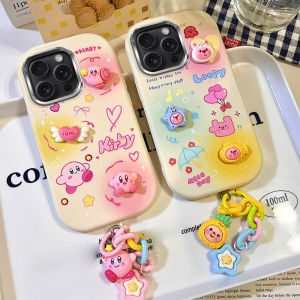
3D Doll Casing Phone Cases for Samsung & Honor Devices: 2024 Cute Cartoon Designs
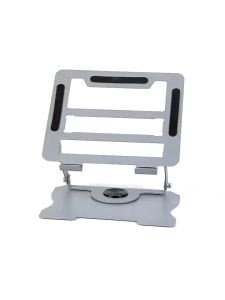
Laptop Stand 360° Rotating Base Solid Height Adjustable Portable Foldable Tablet Stand Holder Universal Tablet Stand Alloy Laptop Cooling Pad Rotating Laptop Stand Aluminum Laptop Stand Ipad Stand Holder