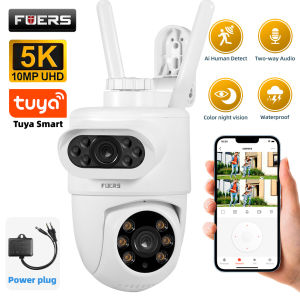
FUERS 5K 10MP Dual Lens IP Camera: A Comprehensive Guide
FUERS 5K 10MP Dual Lens IP Camera: A Comprehensive Guide
What is FUERS 5K 10MP Dual Lens IP Camera?
FUERS 5K 10MP Dual Lens IP Camera is a state-of-the-art outdoor surveillance camera that offers unparalleled security and convenience. This camera is designed to integrate seamlessly with Tuya Smart Home Security, providing users with a robust solution for monitoring their homes and businesses. With its advanced features, including auto tracking and wireless alarm capabilities, this camera ensures maximum protection against potential threats.
Key Features
- High-Quality Image Resolution: FUERS 5K 10MP Dual Lens IP Camera captures crystal-clear images, allowing users to identify faces and objects with ease.
- Dual Lens Technology: The camera's dual lens system provides a wide-angle view and zoom-in capabilities, offering comprehensive coverage of any area.
- Auto Tracking: This cutting-edge technology enables the camera to automatically track moving objects, ensuring that nothing goes unnoticed.
- Wireless Alarm: In case of suspicious activity, the camera triggers a wireless alarm to alert users immediately.
- Weatherproof Design: Built to withstand harsh weather conditions, this camera ensures reliable performance in any environment.
Tuya Smart Home Security Integration
FUERS 5K 10MP Dual Lens IP Camera integrates seamlessly with Tuya Smart Home Security, allowing users to monitor their homes and businesses remotely. This integration provides a comprehensive security solution, combining the power of the camera with the convenience of smart home technology.
How to Install & Set Up FUERS 5K 10MP Dual Lens IP Camera
Setting up FUERS 5K 10MP Dual Lens IP Camera is simple and straightforward. Follow these steps to ensure a smooth installation process:
Connecting to Wi-Fi
- Connect the camera to a power source and wait for it to turn on.
- Download the Tuya Smart Home Security app on your smartphone or tablet.
- Open the app and follow the on-screen instructions to connect the camera to your Wi-Fi network.
Configuring Tuya Smart Home Security
- Once connected, log in to your Tuya Smart Home Security account.
- Navigate to the camera settings and customize the camera's features according to your preferences.
- Set up notifications and alerts to receive real-time updates on any suspicious activity.
Understanding Auto Tracking & Wireless Alarm Functionality
Auto Tracking Technology
Auto tracking technology allows the camera to automatically track moving objects within its field of view. This feature ensures that nothing goes unnoticed, providing users with peace of mind.
Wireless Alarm Capabilities
In case of suspicious activity, the camera triggers a wireless alarm to alert users immediately. This feature ensures that users are always aware of potential threats and can take appropriate action.
Maximizing Outdoor CCTV Surveillance with FUERS 5K 10MP Dual Lens IP Camera
To get the most out of FUERS 5K 10MP Dual Lens IP Camera, consider the following tips:
Optimizing Camera Placement
- Place the camera at a strategic location that provides optimal coverage of the area you want to monitor.
- Ensure the camera is mounted securely and at the appropriate height.
- Position the camera to avoid direct sunlight, which can cause glare and reduce image quality.
Enhancing Security with Dual Lens IP Camera
- Utilize the dual lens system to capture wide-angle views and zoom-in on specific areas.
- Take advantage of auto tracking technology to monitor moving objects within the camera's field of view.
- Set up notifications and alerts to receive real-time updates on any suspicious activity.

GlobalSuperBazaar
Review

You May Also Like
Tuya 8MP HD WiFi PTZ Camera Outdoor Dual Lens Dual Screen AI Auto Tracking IP Camera Support Color Night Vision Function CCTV
SJCAM C300 4K 30FPS Mini Action Camera 5G/2.4G WiFi Sports Camera Dual Touch Control Screens 154° Wide Angle Lens 6-Axis Gyro Stabilization 30M Waterproof Night Vision Outdoor Dash camera Camcorder Sports Action camera Moto Vlogging Car Camera
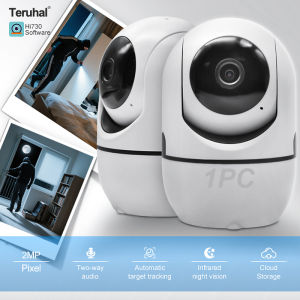
HD 2MP 360 Smart Mini WiFi Remote Connection IP Camera Auto Tracking Indoor Wireless Security Home CCTV Baby Monitor Teruhal
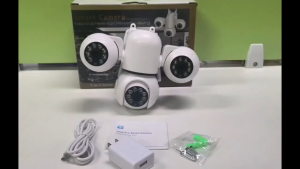
V380 PRO cctv camera Outdoor WiFi CCTV Camera 15MP Full HD Triple Lens Waterproof IP66 Night Vision Motion Detection Auto Tracking Two Way Audio 360 Pan 90 Tilt Smart Security Camera Remote Monitoring for Home cctv camera connect cellphone
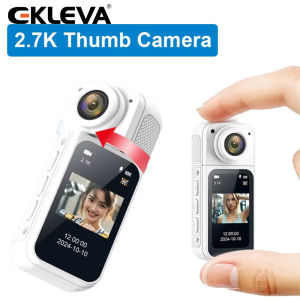
EKLEVA Thumb Camera 2.7K HD 180° Rotate WIFI Sport DV Cycling Recorder attraction Outdoor Action Camera
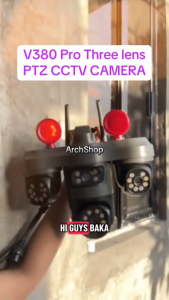
V380 PRO Three Lens Solar 4G CCTV Camera PTZ Lens Wireless Outdoor Security Camera IP67 Waterproof Battery Powered AI Human Detection Motion Tracking Night Vision Two Way Audio 360 View Smart Home Surveillance Camera With TF Card And Cloud Storage
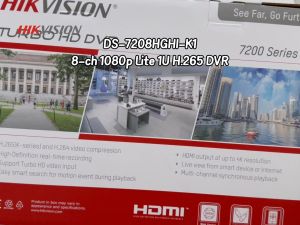
Hikvision CCTV DVR DS-7208HGHI-K1 8 Channels 2MP DVR HDTVI/AHD/CVI/CVBS/IP Video Input For Analog CCTV Camera Digital Video Recorder
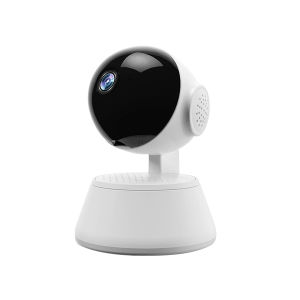
V380 PRO CCTV Camera Connect Cellphone HD 1080P 360 Degree Panoramic 2.4G Wireless Connection Mini Portable Indoor Night Vision Baby Monitor Voice Connection To Mobile Phone Q6 PRO CCTV Camera

BUY 1 TAKE 1 V380 Pro 5G Dual Lens Bulb CCTV Camera No WIFI Needed HD 1080P Full Color night vision waterproof auto tracking Dual Screens smart CCTV two-way audio Wifi 360° Rotate Light Bulb Camera
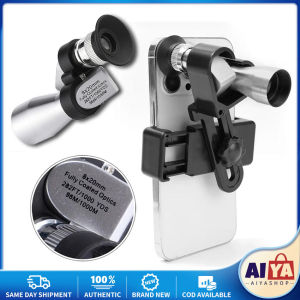
8x20 HD Night Vision Mini Pocket Zoom Monocular Outdoor Portable Telescope for Hunting Camping Mountaineering Hike Birdwatching
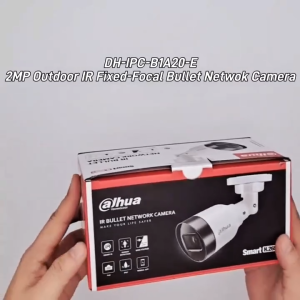
Dahua CCTV IP Camera 2MP HD DH-IPC-B1A20-E Network Camera Waterproof Outdoor Camera Supports Human Detection Motion Detection Night Vision IP Security Camera