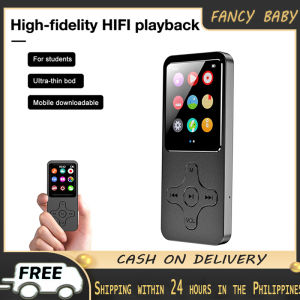
Mini Portable MP3 Player Bluetooth Music Player Student Sports Walkman FM Radio Recording E-Book With Speakers
Mini Portable MP3 Player Bluetooth Music Player Student Sports Walkman FM Radio Recording E-Book With Speakers
What is a Mini Portable MP3 Player?
A mini portable MP3 player is a compact audio device that allows users to store and play music files in various formats. This versatile device is perfect for students, sports enthusiasts, and anyone looking for a convenient way to listen to music, record FM radio broadcasts, and read e-books. The product we are discussing today is a Bluetooth-enabled MP3 player with speakers, FM radio, and recording capabilities, as well as support for reading e-books in TXT format.
Key Features
- Size: 90x39.5x10mm/3.5x1.5x0.4"
- Screen size: 1.8"
- System support: WINDOWS XP/VISTA/WINDOWS 8
- Audio formats: MP3, WAV
- Recording support: FM, MIC recording
- Picture formats: JPG, BMP, GIF
- Video format: MP4
- E-book format: TXT
System Support & Audio Formats
The mini portable MP3 player supports Windows XP, Vista, and Windows 8 operating systems. It can play audio files in MP3 and WAV formats, providing users with a wide range of music options.
Picture & Video Formats
In addition to audio files, this device supports picture formats such as JPG, BMP, and GIF, allowing users to view images directly on the device. It also supports video playback in MP4 format.
E-Book Format
For e-book enthusiasts, this mini portable MP3 player supports reading e-books in TXT format, providing a convenient way to access digital books on the go.
How to Use Your Mini Portable MP3 Player
Using your mini portable MP3 player is simple and straightforward. Here are some tips on how to make the most of its features.
Playing Music
To play music on your device, simply connect it to your computer and transfer your desired audio files in MP3 or WAV format. Once the files are stored on the device, use the built-in controls to navigate through your playlist and select the songs you want to listen to.
Recording FM & MIC
With the built-in FM radio and microphone recording capabilities, you can easily record your favorite radio shows or capture voice memos. To record an FM broadcast, tune the device to the desired station and press the recording button. For microphone recordings, press the MIC button and speak into the device's built-in microphone.
Reading E-Books
To read e-books on your mini portable MP3 player, transfer your desired e-books in TXT format to the device. Once they are stored on the device, use the built-in controls to navigate through the e-book and read at your own pace.
Benefits of Using a Mini Portable MP3 Player
There are several benefits to using a mini portable MP3 player, including:
Portability & Convenience
The compact size of this device makes it easy to carry around, whether you're commuting, working out, or traveling. Its built-in speakers provide a convenient way to listen to music without the need for headphones.
Multi-functionality
In addition to playing music, this device can also be used for FM radio listening, microphone recording, picture viewing, video playback, and e-book reading, making it a versatile tool for students, sports enthusiasts, and anyone looking for a convenient way to access multimedia content on the go.
Compatibility
The mini portable MP3 player supports multiple audio, picture, video, and e-book formats, making it compatible with a wide range of content sources.
Troubleshooting Common Issues
Here are some common issues you may encounter while using your mini portable MP3 player and how to resolve them.
Connectivity Problems
If you're having trouble connecting your device to your computer, try restarting both devices and ensuring that the USB cable is properly connected. If the problem persists, check the device's user manual for troubleshooting tips.
Audio Quality Issues
If you're experiencing poor audio quality, try adjusting the volume settings or checking the audio file's format and bitrate. If the problem persists, consider updating the device's firmware or contacting the manufacturer for further assistance.
E-Book Display Issues
If you're having trouble displaying e-books on your device, try transferring a different e-book file or checking the file's format and encoding. If the problem persists, consult the device's user manual for troubleshooting tips.
By following these tips, you can make the most of your mini portable MP3 player and enjoy its many features.

fancy baby
You May Also Like
5 Watts Motorola C51 Set of 10 Portable Mini Radio Walkie Talkie Long Range 5KM Two Way Radio 16 Channels UHF 400-470MHz Clear Audio Handheld Walkie-Talkies Outdoor/School/Mountain area/Hotel/Kitchen/Underpass/High Rise Water/dust/shockproof Buy 1 Take 1
✅100% Original Smilee 8inch Karaoke Portable Wireless Speaker With FREE Mic and Remote
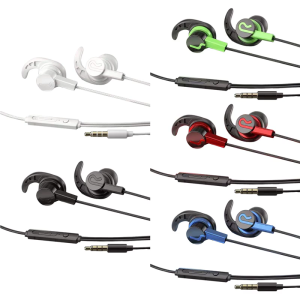
Comfortable In Ear Corded Headset Clear Voice Call Noise Reduction Ergonomic Design For Workout Jogging
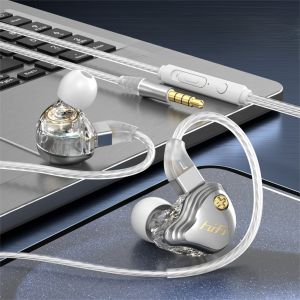
Knit rope headphones Wired headphones in-ear for Apple Samsung cell phone bass 3.5MM braided wire headphones Women headphone Girls headphone Men headphone
Live 223XL 2 Way Stereo / 3 Way Mono Crossover
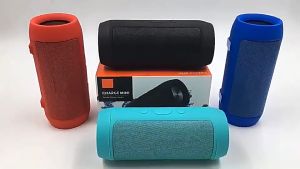
Portable Bluetooth Wireless Speaker: Super Bass Stereo & Rechargeable Boombox
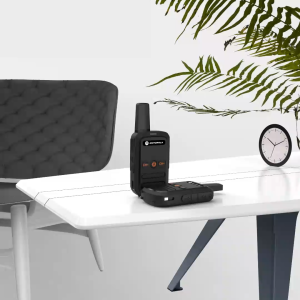
2PCS MOTOROLA C51 Mini Walkie Talkie Kids Portable Ham Radio Communicator UHF Dual Two Way Radio HF Transceiver MOTOROLA C1 Phone C51 - Lazada
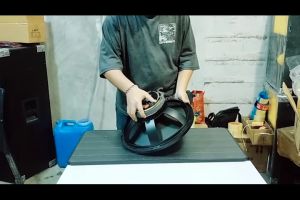
Jack Hammer Series Instrumental Speaker Crown JH 155 500Watts
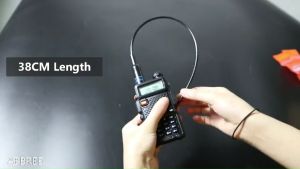
【FREE Earphone】2pcs BaoFeng UV-5R Portable Walkie Talkie + 771 Antenna Dual Band Two Way Radio Pofung UV5R Ham Radio Transceiver UV5R Promo Battery 1800mAh
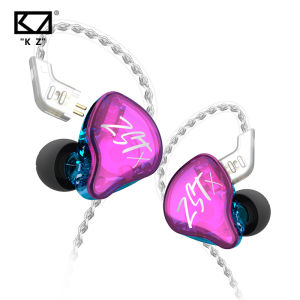
KZ ZSTX Headset: A Game-Changer in 1BA+1DD Hybrid Technology & HIFI Bass Earbuds
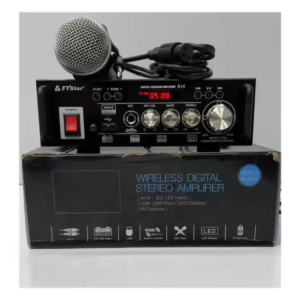
High-power mini small power amplifier D-16 audio amplifier 12V with remote control