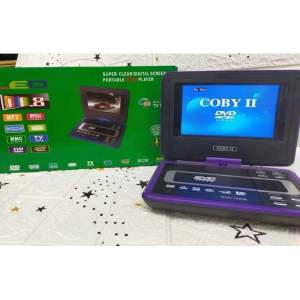
11.8 Inches LED Portable EVD DVD CD Player with TV Tuner Antenna Game Control Remote
11.8 Inches LED Portable EVD DVD CD Player with TV Tuner Antenna Game Control Remote
Introduction to the 11.8 Inches LED Portable EVD DVD CD Player
The 11.8 inches LED Portable EVD DVD CD Player with TV tuner antenna game control remote is a versatile entertainment device designed for both home and travel use. With its compact size and easy-to-use features, this DVD player offers a perfect solution for enjoying movies, music, and TV shows on the go.
Key Features
- Compact Size: Weighing only a few pounds, this portable DVD player is easy to carry and store.
- LED Display: The 11.8 inches LED display provides bright and clear visuals, ensuring an enjoyable viewing experience.
- TV Tuner Antenna: Watch live TV broadcasts by connecting the included TV tuner antenna.
- Game Control Remote: Control the DVD player and play games using the intuitive game control remote.
Benefits of Using a Compact DVD Player
A compact DVD player offers several benefits, including:
- Portability: Enjoy movies and music wherever you go, whether you're traveling or just moving around the house.
- Cost-Effective: Save money on streaming services and movie rentals by playing DVDs and CDs.
- Convenience: No need to worry about internet connectivity or subscription fees.
Setting Up Your Portable DVD Player
Follow these steps to set up your 11.8 inches LED Portable EVD DVD CD Player:
Connecting to a TV Tuner Antenna
- Connect the TV tuner antenna to the appropriate port on the DVD player.
- Connect the DVD player to your TV using an HDMI cable or RCA cables.
- Turn on the TV and select the correct input source.
Configuring Game Control Remote
- Insert the batteries into the game control remote.
- Press and hold the 'Source' button on the remote until the display shows 'Game'.
- Follow the on-screen instructions to configure the remote.
How to Use the Portable DVD Player
Learn how to use your portable DVD player by following these steps:
Playing DVDs and CDs
- Insert the DVD or CD into the drive.
- Press the 'Play' button on the remote or the DVD player itself.
- Use the remote to navigate through menus and adjust playback settings.
Adjusting LED Display Settings
- Press the 'Menu' button on the remote or the DVD player.
- Navigate to the 'Display Settings' menu.
- Adjust brightness, contrast, and other settings to your preference.
Troubleshooting Common Issues
If you encounter any issues with your portable DVD player, try these troubleshooting tips:
No Picture or Sound
- Check that the DVD player is connected to the TV correctly.
- Make sure the TV is set to the correct input source.
- Verify that the DVD or CD is inserted correctly.
Remote Not Working
- Replace the batteries in the remote.
- Press and hold the 'Source' button on the remote until the display shows 'DVD'.
- Check that the remote is pointed at the DVD player and within range.
Conclusion
The 11.8 inches LED Portable EVD DVD CD Player with TV tuner antenna game control remote offers a versatile and cost-effective solution for enjoying movies, music, and TV shows on the go. With its compact size, easy-to-use features, and intuitive game control remote, this DVD player is perfect for both home and travel use.

ZSK.ph
You May Also Like

MeeGoo P10 Home Projector Full HD 1280 * 720P Smart Portable Projector Office Projector With WiF Mini Projector Android 9 200ANSI lumens
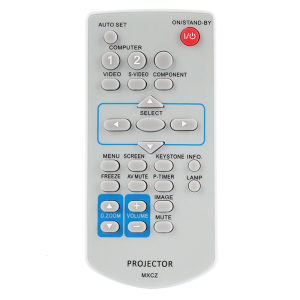
Universal Remote For PLCXU350 PLCXU350A PLCXU350K PLCXU4000 PLCXW200 PLCXW200K Projectors Providing Seamlessly Operation
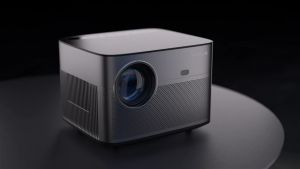
Auto Focus & Keystone Projector: 4K with WiFi 6 & Bluetooth 5.2
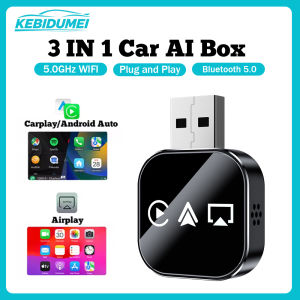
KEBIDUMEI Q1AS 3-in-1 Car AI Box Wired to Wireless WiFi Carplay Plug & Play Android Auto Adapter Airplay MirrorLink Smart Dongle
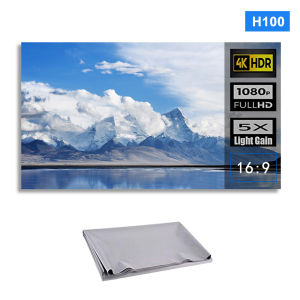
Xudewei Portable Foldable Projector Screen Ultra HD Ambient Light Rejecting Video Screen for Home Theater Indoor Outdoor Office
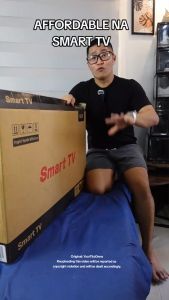
Expose 32 Inch Smart TV Digital LED TV 4K HD Bluetooth Android 12 WiFi 4K Flat HDR Television Youtube NETFLIX Google
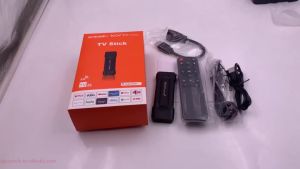
【 PROMO! 】Android 13 TV Stick For Non Smart TV 8K 5G WIFI For YouTube NETFLIX TV Complete Set
HDTV Video Splitter 8K30Hz Supported 8 Output Port Screen Sharing Device For Conference Halls And Home Cinemas
NVISION 43 inches HD LED TV | Model: S900-T43MA CCTV Computer Monitor
60-100 inch Electric Projector Screen White and grey fiberglass 16:9 hand-pulled height-adjustable self-locking projection screen home and office hand-pulled telescopic wall-mounted screen
A8 Movie Projector: A Comprehensive Guide