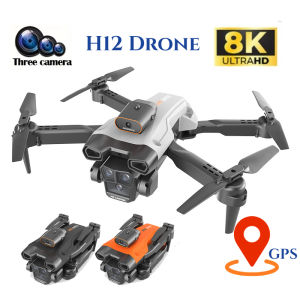
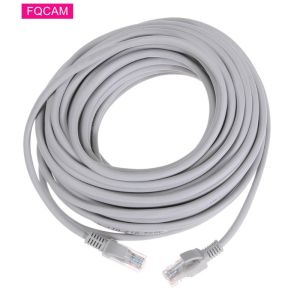
POE Camera RJ45 3M5M/10M/20M/30M Ethernet CAT5/CAT5E PC Network Wire Cables for IP Camera NVR System Accessories
POE Camera RJ45 3M5M/10M/20M/30M Ethernet CAT5/CAT5E PC Network Wire Cables for IP Camera NVR System Accessories
What Are POE Camera RJ45 Ethernet Cables?
Power over Ethernet (PoE) camera RJ45 Ethernet cables are essential components of IP camera systems, connecting cameras to network video recorders (NVRs). These cables transmit both power and data, enabling efficient communication between devices.
Key Features & Benefits
- Efficient Power Delivery: PoE technology allows power to be delivered through the same cable used for data transmission, eliminating the need for separate power sources.
- Simplified Installation: With fewer cables required, installation becomes more straightforward and less cluttered.
- Compatibility: PoE camera RJ45 Ethernet cables are compatible with various IP camera systems and NVRs, ensuring seamless integration.
Common Applications
PoE camera RJ45 Ethernet cables are widely used in residential, commercial, and industrial settings, including:
- Home security systems
- Business surveillance systems
- Retail store monitoring
- Industrial process monitoring
How to Choose the Right POE Camera RJ45 Ethernet Cable
Selecting the appropriate PoE camera RJ45 Ethernet cable depends on specific requirements, such as distance, speed, and compatibility.
Understanding Cable Lengths (3M5M/10M/20M/30M)
Cable lengths vary according to the distance between the camera and NVR. Longer cables may introduce signal loss, so it's crucial to choose the right length for optimal performance.
- 3M5M Cable: Suitable for short-range connections, such as within a room or small office.
- 10M Cable: Ideal for medium-range connections, like between rooms or floors in a building.
- 20M Cable: Recommended for longer distances, such as connecting cameras to NVRs in different buildings or outdoor locations.
- 30M Cable: Best for extended ranges, like connecting cameras to NVRs in large warehouses or outdoor areas.
Selecting Between CAT5 & CAT5E
Cat5 and Cat5e cables differ in their specifications and capabilities.
- Cat5 Cable: Offers a maximum data transfer rate of 100 Mbps and supports PoE up to 15.4 watts.
- Cat5e Cable: Provides a higher data transfer rate of 1 Gbps and supports PoE up to 30 watts, making it more suitable for high-speed applications.
Installing POE Camera RJ45 Ethernet Cables
Installing PoE camera RJ45 Ethernet cables requires proper tools, materials, and steps to ensure a successful setup.
Tools & Materials Needed
- PoE camera RJ45 Ethernet cable
- RJ45 crimping tool
- Cable tester
- Cable ties
- Label maker
Step-by-Step Installation Process
- Determine the optimal cable length and type (Cat5 or Cat5e) based on the application.
- Cut the cable to the desired length using wire cutters.
- Strip the outer jacket from both ends of the cable, exposing the individual wires.
- Arrange the wires in the correct order according to the T568B standard.
- Insert the wires into the RJ45 connector and crimp them using the crimping tool.
- Test the connection using a cable tester to ensure proper connectivity.
- Secure the cable with cable ties and label it for easy identification.
Troubleshooting Common Issues
- Signal Loss: Check for damaged or improperly installed cables, and ensure the correct cable length is used.
- Interference: Minimize interference by avoiding running cables near electrical equipment or sources of electromagnetic interference.
- Compatibility Issues: Verify that the PoE camera RJ45 Ethernet cable is compatible with the IP camera system and NVR.
Maintaining Your POE Camera RJ45 Ethernet Cable System
Regular inspections and maintenance are crucial to ensure the longevity and optimal performance of PoE camera RJ45 Ethernet cables.
Regular Inspections & Maintenance
- Inspect cables for damage or wear regularly.
- Clean connectors and sockets to prevent corrosion.
- Replace faulty or damaged cables promptly.
Cleaning & Storage Tips
- Store cables in a cool, dry place away from direct sunlight.
- Coil cables neatly to avoid kinks or damage.
- Use cable organizers or trays to keep cables organized and easily accessible.

Global Merch Park
Review

You May Also Like
V380 CCTV Camera WiFi Connect 360 Cellphone 1080P HD Two shots Bulb CCTV Security Camera Night Vision Two-Way Audio Smart Alarm Auto Tracking Bulb Indoor Home Monitor IP Cameras
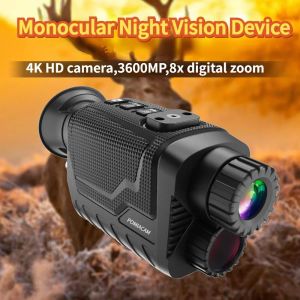
BekinTek 4K 3D Helmet Mounted Night Vision Monocular Head Mountable NVG Goggles Rechargeable Optics Telescope Full Dark Observing 8x Digital Zoom 4K Video Record 36M Photo 800 Degrees Diopter Adjustment 4 Color Effect
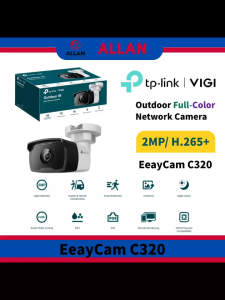
TP-Link VIGI EasyCam C320 4mm 2MP Outdoor Full-Color Bullet Network Camera with 2MP Resolution H.265+ Smart Video Coding & IP67 Rating

2.4G 8MP Camera Wifi Full Color Night Vision IP Indoor Security Protection Monitor 5.0X Zoom Home Wireless Track Alarm O-Kam pro

LLSEE 4G SIM & WIFI Camera: A Comprehensive Guide
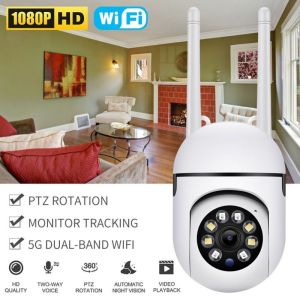
V380 Pro 8MP CCTV Camera: Features & Benefits

BUY 1 TAKE 1 CCTV Camera Wifi Connect Cellphone Wireless IP Security Camera Surveillance indoor outdoor set with night vision 360 mini cctv camera

Hd pipeline camera with screen 8mm lens Auto maintenance detector Visual industrial endoscope
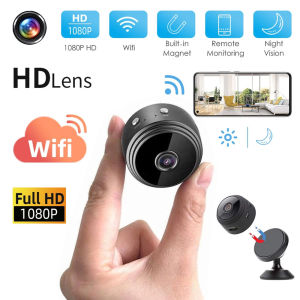
LS VISION 2MP Mini Wifi Camera: A Comprehensive Guide

TP-Link Tapo C100 Home Security Wi-Fi Camera: Advanced Features & Benefits

CCTV Bulb Camera Dual Lens 360° Panorama 1080P HD Wireless Auto Tracking With Audio And Speaker Outdoor Smart Cameras