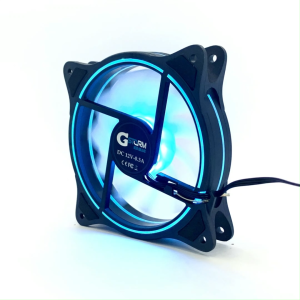
For PS5 SLIM/PS5 PRO host cooling fan intelligent temperature control three adjustable levels PS5 SLIM rear fan
For PS5 SLIM/PS5 PRO host cooling fan intelligent temperature control three adjustable levels PS5 SLIM rear fan
Introduction to Host Cooling Accessories
As gaming consoles like the PS5 SLIM and PS5 PRO continue to push the boundaries of performance, it's essential to ensure they operate at optimal temperatures. This is where host cooling accessories come into play. These devices help maintain ideal operating conditions by dissipating heat, thus preventing potential hardware damage and extending the lifespan of your gaming console.
Understanding the Importance of Cooling
Effective cooling is crucial for maintaining the health of your gaming console. Overheating can lead to reduced performance, system crashes, and even permanent damage to hardware components. By investing in a reliable cooling solution, you can ensure that your PS5 SLIM or PS5 PRO operates smoothly and efficiently, enhancing your overall gaming experience.
Overview of Host Cooling Accessories
Host cooling accessories come in various forms, such as fans, heatsinks, and liquid cooling systems. For the PS5 SLIM and PS5 PRO, rear fans are a popular choice due to their ease of installation and effectiveness in managing heat. These fans work by drawing hot air away from the console, allowing cooler air to circulate inside the device.
Benefits of Using Host Cooling Accessories
Using host cooling accessories offers numerous advantages, including:
- Improved performance: By maintaining optimal temperatures, cooling accessories help prevent system slowdowns and crashes.
- Extended lifespan: Proper cooling reduces wear and tear on hardware components, extending the life of your gaming console.
- Enhanced gaming experience: Cooler temperatures result in smoother gameplay, allowing you to fully immerse yourself in your favorite games.
Key Features of PS5 SLIM & PS5 PRO Rear Fans
When selecting a cooling fan for your PS5 SLIM or PS5 PRO, it's essential to consider the following key features:
Intelligent Temperature Control
Intelligent temperature control is a critical feature that allows the fan to adjust its speed based on the console's internal temperature. This ensures that the fan operates efficiently, providing optimal cooling without excessive noise or power consumption.
Three Adjustable Levels
Many PS5 SLIM and PS5 PRO rear fans offer three adjustable levels, allowing users to customize the fan speed according to their preferences. This feature provides greater control over noise levels and cooling performance, catering to a wide range of gaming scenarios.
Design and Compatibility
When choosing a rear fan for your PS5 SLIM or PS5 PRO, it's crucial to consider the design and compatibility. Look for fans that are specifically designed for your console model, ensuring a seamless installation process and optimal performance.
How to Choose the Right Cooling Fan for Your PS5
Selecting the right cooling fan for your PS5 SLIM or PS5 PRO involves assessing your needs, comparing different models, and understanding the installation process.
Assessing Your Needs
Before purchasing a cooling fan, consider your specific requirements. Do you prioritize quiet operation, or are you willing to accept some noise for better cooling performance? Understanding your needs will help you narrow down your options and choose the most suitable fan for your gaming setup.
Comparing Different Models
Once you've assessed your needs, research different cooling fan models to find the best match. Look for reviews, comparisons, and expert recommendations to help you make an informed decision. Pay attention to features such as intelligent temperature control, adjustable levels, and compatibility with your console model.
Installation Process
Installing a rear fan on your PS5 SLIM or PS5 PRO is typically a straightforward process. Follow the manufacturer's instructions carefully to ensure proper installation and optimal performance. Some fans may require additional tools or modifications, so be sure to check the requirements before purchasing.
Conclusion: Enhancing Your Gaming Experience with PS5 SLIM & PS5 PRO Rear Fans
Investing in a high-quality rear fan for your PS5 SLIM or PS5 PRO can significantly enhance your gaming experience. By providing effective cooling, these accessories help maintain optimal temperatures, ensuring smooth gameplay and extending the lifespan of your gaming console. When choosing a rear fan, consider factors such as intelligent temperature control, adjustable levels, design, and compatibility to find the best match for your needs.

GlobalLifestyle
Review
You May Also Like
Apple MacBook pro Air Keyboard Cap Holder Stand for 12 Inch Notebook Computer Parts Accessories South Korea Brand
【COD】Power Adapter 12V 3A 2A 2.5A 4A Battery LED Strip Switching Power Supply
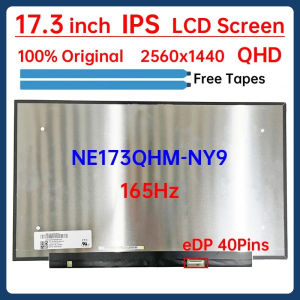
17.3 Inch 165Hz Laptop LCD Screen NE173QHM NY9 NE173QHM-NY9 Display Matrix Panel Replacement QHD 2560x1440 eDP 40 Pins Non-Touch

4 Heat Pipes X99 CPU Air Cooler PC Processor Cooler 90MM Ventilador For Intel LGA 1366 1150 1151 1155 1200 1700 2011 X79 AM5 AM4

LED Pixel Display 64x64 RGB LED Matrix Panel Programmable Pixel Art Display with Bluetooth APP Control Creative Pixel Screen
YGT V300 Black PC Case: A Comprehensive Guide

Kingston A400: Reliable SSD for Laptops
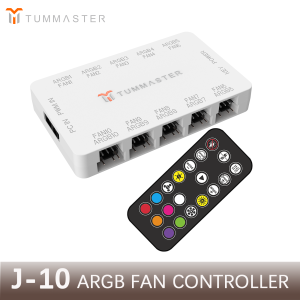
PC Accessories 10Port 4Pin ARGB Fan Hub 5V 3Pin PWM Fan Controller for PC/Computer CaseMagnetic Suction & Remote Control Lights
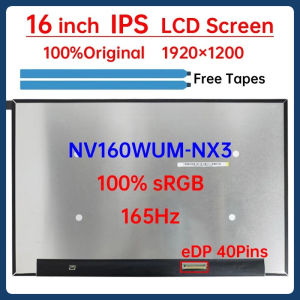
16 Inch 165Hz Laptop LCD Screen NV160WUM NX3 NV160WUM-NX3 Display Matrix Panel Replacement 1920x1200 IPS 100% sRGB eDP 40 Pins
Industrial Power Conversion Module Shockproof AC220V to DC24V/12V Power Module for Harsh Environment and Outdoor Use

HUAYU 12V 1.5A Mini UPS Battery Backup for WiFi Router Modem and Outdoor CCTV Security Camera