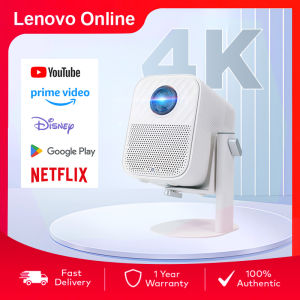
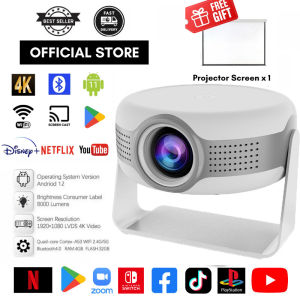
MYHYPERGEAR【Free Screen】Android 12.0 Portable Projector Ultra HD 1080P LCD Smart Mini Projecter Support 4K Bluetooth 5G WiFi
MYHYPERGEAR【Free Screen】Android 12.0 Portable Projector Ultra HD 1080P LCD Smart Mini Projecter Support 4K Bluetooth 5G WiFi
What is the MYHYPERGEAR Free Screen Mini Projector?
The MYHYPERGEAR Free Screen Android 12.0 Portable Projector is a compact, high-performance mini projector that offers an exceptional viewing experience. This Ultra HD 1080P LCD Smart Mini Projector supports 4K resolution, Bluetooth connectivity, and 5G WiFi, making it a versatile choice for home entertainment, presentations, and gaming.
Key Features & Specifications
- Android 12.0 operating system
- Ultra HD 1080P resolution
- 4K support
- Bluetooth 5.0 connectivity
- 5G WiFi
- Built-in speakers
- HDMI and USB ports
Comparison with Competitors
Compared to other mini projectors on the market, the MYHYPERGEAR Free Screen Android 12.0 Portable Projector stands out due to its advanced features, including support for 4K resolution, Bluetooth connectivity, and 5G WiFi. Its compact size and portability make it an ideal choice for users who want a high-quality viewing experience without the need for a large, bulky projector.
How to Set Up Your MYHYPERGEAR Free Screen Mini Projector
Setting up your MYHYPERGEAR Free Screen Mini Projector is a simple process that can be completed in just a few steps.
Connecting to WiFi
- Power on your projector
- Connect to your desired WiFi network
- Wait for the connection to establish
Setting Up the Projector Screen
- Position the projector at the desired distance from the screen
- Adjust the focus to achieve a sharp image
- Calibrate the image settings to optimize picture quality
Configuring Audio Settings
- Connect to a Bluetooth device or use built-in speakers
- Adjust audio settings to your preference
Maximizing Your Viewing Experience with MYHYPERGEAR Free Screen Mini Projector
To get the most out of your MYHYPERGEAR Free Screen Mini Projector, follow these tips for optimizing picture quality, utilizing Bluetooth & 5G connectivity, and enhancing audio output.
Optimizing Picture Quality
- Adjust the focus and zoom settings
- Calibrate color and brightness levels
- Use the built-in image settings menu to fine-tune picture quality
Utilizing Bluetooth & 5G Connectivity
- Connect to a Bluetooth device for wireless audio streaming
- Use 5G WiFi for fast, stable internet connectivity
Enhancing Audio Output
- Connect to external speakers or soundbars for improved audio quality
- Adjust audio settings to optimize sound output
Troubleshooting Common Issues with MYHYPERGEAR Free Screen Mini Projector
If you encounter any issues with your MYHYPERGEAR Free Screen Mini Projector, refer to the following troubleshooting tips.
Resolving Connectivity Problems
- Check WiFi connection and try reconnecting
- Restart the projector and connected devices
Addressing Image Distortion
- Adjust focus and zoom settings
- Calibrate image settings to correct distortion
Fixing Sound Issues
- Check audio connections and try reconnecting
- Adjust audio settings to optimize sound output
Conclusion & Final Thoughts on MYHYPERGEAR Free Screen Mini Projector
The MYHYPERGEAR Free Screen Android 12.0 Portable Projector is a versatile and high-performance mini projector that offers an exceptional viewing experience. With its advanced features, compact size, and portability, it is an ideal choice for users who want a high-quality viewing experience without the need for a large, bulky projector. By following the setup and troubleshooting tips outlined in this guide, you can maximize your viewing experience and enjoy all the features of the MYHYPERGEAR Free Screen Mini Projector.

MYHYPERGEAR
Review
You May Also Like
Sast | SAST K6 Home Cinema Projector Ultra HD Closed Design Foot Bath Smart Hotel Office Commercial Meeting Home Theater Bracket

Pack of 10 Cassette Tape Machine Belt Assorted Common Belt for Recorder Repeater DVD Drive Rubber Belt 1.5mm
2025 720P Screen Portable Mini Projector XP300Pro WiFi6 4500Lumen Headlights 180°Rotation 4K Speaker for Camping Home Cinema
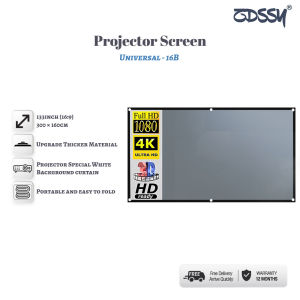
ZDSSY Projector Screen pull up 60/72/84/92/100/106/120/130/133 inch Anti-light Screen projection cloth frame foldable not easy to wrinkle Home Outdoor Office Portable 3D HD Projection wall Screen
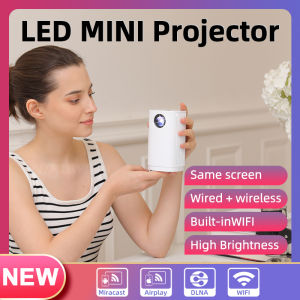
Smart Projector WIFI Mini Portable Home Theater Mobile Phone Same Screen Projector Support 4K LED Home Video Projector &Speaker
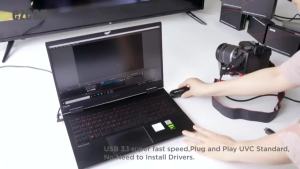
Ezcap331 camlink 4k 30Fps 1080P 120hz HDMI Video Capture Card USB 3.0 Broadcast Live Streaming Record For DSLR Camcorder Camera
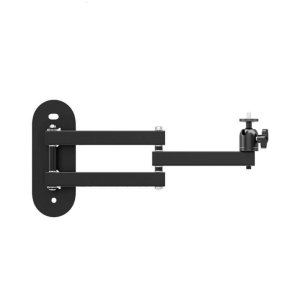
1/4inch Projector Bracket 360 Degree Panoramic Rotation Metal Construction Adjustable Length For Multiple Angles
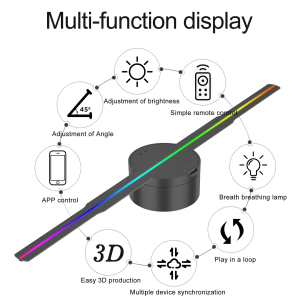
42cm 3D Fan Advertising Projector Wifi Led Sign Holographic Lamp Player Remote Advertise Display Hologram Projector Logo Light
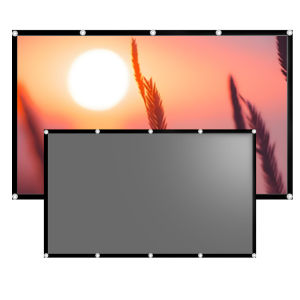
60-133 inches anti light screen foldable easy to carry and install can also be viewed during the day
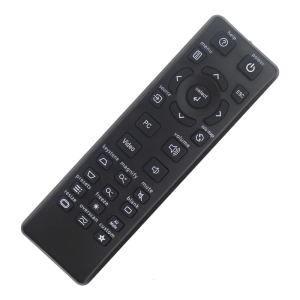
Universal Remote Control for IN2126 IN2126X IN2128HDA IN2128HDX IN3124 IN3126 IN3128HD IN3138HD SP1080 Projector
Smartifact MXQ Pro TV98 Pro ATV: A Comprehensive Guide