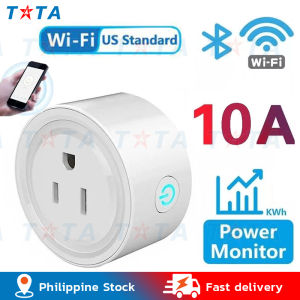
WiFi Smart Socket US Plug Socket Support CozyLife APP Control Alexa Google Home Voice Control
WiFi Smart Socket US Plug Socket Support CozyLife APP Control Alexa Google Home Voice Control
What is a WiFi Smart Socket?
A WiFi smart socket is a device that allows you to control any electrical appliance connected to it using your smartphone, tablet, or voice commands through popular virtual assistants such as Alexa and Google Home. It essentially turns any regular plug into a smart plug, enabling remote control, scheduling, and automation.
Features of WiFi Smart Socket
- Remote Control: Manage your devices from anywhere using your mobile device.
- Scheduling: Set timers and schedules for your appliances to turn on/off automatically.
- Energy Monitoring: Track energy consumption and identify ways to save electricity.
- Voice Control: Control your devices using voice commands through Alexa and Google Home.
Benefits of Using WiFi Smart Socket
- Convenience: Control your appliances from anywhere, even when you're away from home.
- Energy Savings: Schedule appliances to turn off during non-use hours, reducing energy consumption.
- Safety: Monitor and control devices remotely, preventing potential hazards.
- Automation: Integrate with other smart home devices for seamless automation.
How to Set Up WiFi Smart Socket?
Setting up a WiFi smart socket is simple and straightforward. Follow these steps to get started:
Step-by-Step Guide to Setting Up WiFi Smart Socket
- Unpack the Smart Plug: Remove the smart plug from its packaging and locate the power adapter.
- Plug in the Adapter: Connect the power adapter to the smart plug and insert it into a standard US wall outlet.
- Download CozyLife APP: Download the CozyLife app from the App Store or Google Play Store.
- Create an Account: Sign up for a new account or log in if you already have one.
- Add Device: Follow the prompts within the app to add your new smart plug.
- Connect to Wi-Fi: Connect the smart plug to your home Wi-Fi network.
- Control Your Devices: Start controlling your devices remotely using the CozyLife app.
Troubleshooting Common Issues During Setup
- No Internet Connection: Ensure that your smart plug is connected to a stable Wi-Fi network.
- App Not Responding: Restart the app or device, or reinstall the app if necessary.
- Device Not Found: Check the Wi-Fi connection and ensure that the device is within range.
Voice Control with Alexa & Google Home
Voice control is a convenient way to manage your smart devices hands-free. Follow these steps to connect your WiFi smart socket to Alexa and Google Home:
How to Connect WiFi Smart Socket to Alexa
- Install Alexa App: Download the Alexa app from the App Store or Google Play Store.
- Sign In: Sign in to your Amazon account.
- Add Device: Select 'Add Device' and choose 'Smart Plugs'.
- Follow Prompts: Follow the prompts to connect your smart plug to Alexa.
How to Connect WiFi Smart Socket to Google Home
- Install Google Home App: Download the Google Home app from the App Store or Google Play Store.
- Sign In: Sign in to your Google account.
- Add Device: Select 'Add Device' and choose 'Smart Plugs'.
- Follow Prompts: Follow the prompts to connect your smart plug to Google Home.
Using CozyLife APP Control
CozyLife APP provides a user-friendly interface for controlling your WiFi smart socket. Here's how to get started:
Downloading & Installing CozyLife APP
- Download the App: Download the CozyLife app from the App Store or Google Play Store.
- Create an Account: Sign up for a new account or log in if you already have one.
Controlling WiFi Smart Socket with CozyLife APP
- Control Devices: Turn devices on/off, set schedules, and monitor energy consumption using the CozyLife app.
- Automation: Set up custom scenes and automations for seamless integration with other smart home devices.
Conclusion
Recap of Key Points
- WiFi smart sockets offer remote control, scheduling, energy monitoring, and voice control through popular virtual assistants.
- Setting up a WiFi smart socket is simple and straightforward, with easy troubleshooting options available.
- Voice control allows for hands-free management of smart devices through Alexa and Google Home.
- The CozyLife APP provides a user-friendly interface for controlling WiFi smart sockets and integrating with other smart home devices.
Final Thoughts on WiFi Smart Socket
WiFi smart sockets are a convenient and efficient way to control your electrical appliances, offering convenience, energy savings, safety, and automation. With the CozyLife APP and voice control through Alexa and Google Home, managing your smart home has never been easier.

TaTa Car
You May Also Like

Genuine PH65A Demolition Hammer Pin Holder Set Metal Hammer Pin Replacement Parts
2Pcs Baby Safety Door Lock Anti-Pinch Lock for Refrigerator Security Child Lock Door Safety Lock Buckle for Baby Care Drawer Cabinet Lock

Roof Tape Sealant: Waterproofing Your Home for 50 Years
America Nema 1 Panel Box Plug in 2Pole
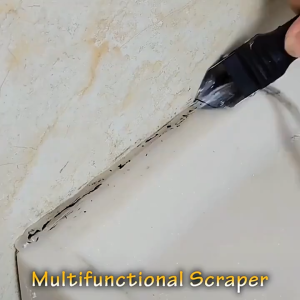
3 In1 Silicone Remover Sealant Smooth Scraper Caulk Finisher Grout Kit Tools Floor Mould Removal Hand Tools
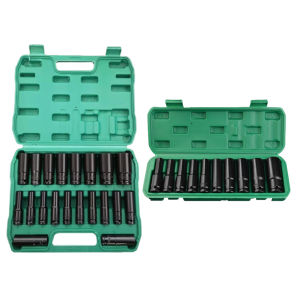
1/2 Inch Extended Electric Wrench Socket Set Deep Socket Set with Storage Box Hex Wrench Sleeve Tools Kit for Car Repair
Super Glue Save Screws Adhesive: A Comprehensive Guide
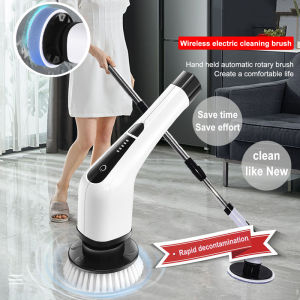
7 In 1 Electric Cleaning Turbo Scrub Brush Wireless Window Wall Cleaner Adjustable Cleaning Brush Bathroom Kitchen Cleaning Tool
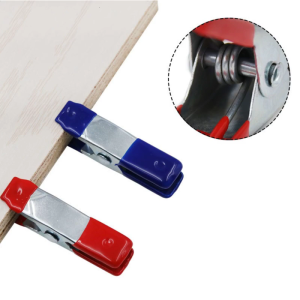
10Pieces Metal A-shaped Clip 2 Inch Spring Clamps Woodworking Grip Powerful Tools Fixed Clamps Home Crafts Repair Tool
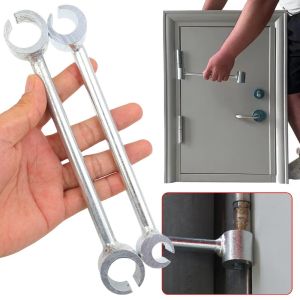
2Pcs S/L Hinge Gap Adjusting Wrench Double Head Door Hinge Repair Spanner Labor-Saving Steel Wrenches Door Hinges Repair Hand Tools
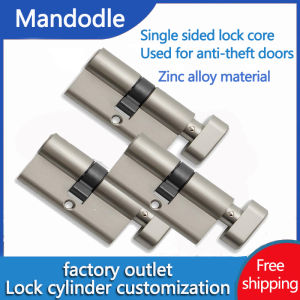
Replacement of lock cylinder for home interior anti-theft doors Keyed door lock Zinc alloy copper alloy 60mm 70mm 80mm