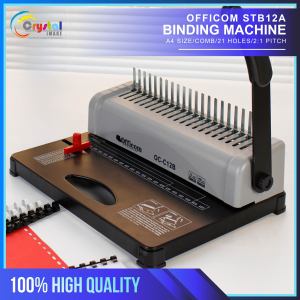
OFFICOM Combing Binding Machine STB12A A4 Size 12 Hole Punch School Supplies
OFFICOM Combing Binding Machine STB12A A4 Size 12 Hole Punch School Supplies
Introduction to the OFFICOM Combing Binding Machine
The OFFICOM Combing Binding Machine STB12A is a high-quality binding machine designed for efficient punching and comb binding of documents. This machine is perfect for school supplies and office needs. It features a maximum punching capacity of 12 sheets of 80 GSM paper and a maximum binding capacity of 450 sheets of 80 GSM paper. The machine has 21 holes with hole margins of 3/4/5mm and square holes of 3x8mm size. It supports A4 size paper and is suitable for various binding projects.
Key Features and Benefits
The OFFICOM Combing Binding Machine STB12A offers several benefits for users. Here are some of its key features:
- Max Punching Capacity: 12 sheets of 80 GSM paper
- Max Binding Capacity: 450 sheets of 80 GSM paper
- No of Holes: 21 holes
- Hole Margin: 3/4/5mm
- Square Holes Size: 3x8mm
- Max Binding Length: A4 size
These features make it an excellent choice for school supplies and office binding machines.
Comparison with Other Office Binding Machines
Compared to other office binding machines, the OFFICOM Combing Binding Machine STB12A offers several advantages. It has a higher punching capacity and a larger binding capacity, making it more efficient for handling large volumes of documents. Additionally, its 21-hole design allows for more precise and consistent punching, resulting in better document organization.
How to Use the OFFICOM Combing Binding Machine
Using the OFFICOM Combing Binding Machine STB12A is straightforward. Here are some steps to help you get started:
Setting Up Your Machine
To set up your machine, follow these steps:
- Place the machine on a flat surface.
- Connect the power cord to the machine and plug it into a power outlet.
- Adjust the hole margin according to your preference.
Punched Sheets Organizer Tips
To keep your punched sheets organized, consider the following tips:
- Use a sheet organizer tray to hold your punched sheets.
- Label your sheets with the document name and page number.
- Store your sheets in a binder or folder for easy access.
Troubleshooting Common Issues
If you encounter any issues while using the OFFICOM Combing Binding Machine STB12A, try the following troubleshooting steps:
- Check if the machine is properly connected to a power source.
- Make sure the hole margin is set correctly.
- If the machine is not punching accurately, adjust the hole margin or check if the machine needs maintenance.
Shipping & Delivery Information
When ordering the OFFICOM Combing Binding Machine STB12A, please note the following shipping and delivery information:
Order Confirmation and Cancellation Policy
Once you place an order, you will receive an order confirmation email. Unfortunately, we do not allow cancellations or changes to orders, so please double-check your purchases before checking out.
Delivery Timeframe and Preparation
Please allow 1-2 days for us to prepare and pack your parcel. Delivery times may vary depending on your location. For metro Manila, delivery can take 3-7 days, while for provincial areas, it can take 4-10 days.
Handling Delayed Deliveries
We understand that delayed deliveries can be frustrating, but please note that we are not liable for any delays once the parcel has been handed over to the courier. If you experience a delayed delivery, please contact our customer service team for assistance.

Crystal Image
Review
You May Also Like

GIORGIONE Office Supplies Portable Keyrings Student Sakura Credit Card Lanyard Card Holder Bus Card Cover ID Card Holder Business Card

Colorful 3D Flower Embroidered Tulle Fabric Diy Wedding Dress Cloth Textile Mesh Luxury Flower Patch Sewing Lace Fabrics By Yard
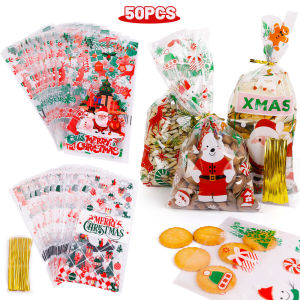
50/100pcs Merry Christmas Candy Bags: Perfect New Year Gifts
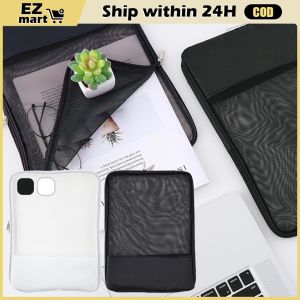
INS Simple A4 Transparent Mesh Zipper File Bag Zipper File Holder Stationery Organizer Bag Storage Bag
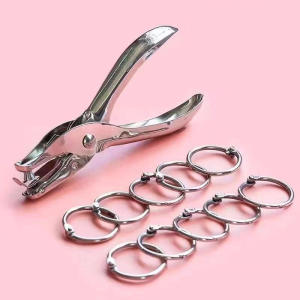
Metal 3/6mm Circular Hole Single-Hole Handheld Punching Machine Capable of Punching Through 8 Sheets of A4 Paper - A Punch Tool
LJYZ A+ 3K 240g Jacquard Carbon Cloth: Lightning Style Motorcycle Parts & Car Trim
Long Clipboard With File Box 2 in 1 Writing Board Clamp File Storage Document Folder Paper Organizer
High Mirror Surface DIY Crystal Silicone Drip Glue Notebook Cover Flowing Sand A5A6A7 Size Lake Light Stone Color Decorations
MOMO A4 Color Clipboard With Cover Vertical/Horizontal Clip Document Folder School Office Supplies
NFS 1PC A5/B5/A4 Transparent PP Cover 30 Holes Plastic Ring Binder Loose Leaf Binding Ring DIY Notebook

1pcs Mighty Bond 1g Super Glue Instant Glue Soft rubber shoe repair waterproof universal strong