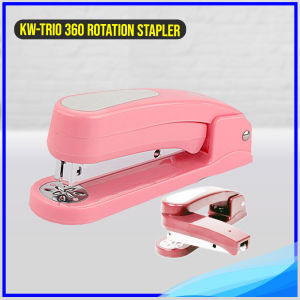
KW-TRIO 360 Stapler Rotation Heavy Duty Effortless Long Paper Swivel Stapler 24/6 Stapler
KW-TRIO 360 Stapler Rotation Heavy Duty Effortless Long Paper Swivel Stapler 24/6 Stapler
Product Overview
The KW-TRIO 360 Stapler Rotation Heavy Duty Effortless Long Paper Swivel Stapler 24/6 is designed to meet the needs of busy professionals who require a reliable and efficient stapling solution. This long paper stapler features a 360-degree rotation mechanism, allowing users to staple documents from any angle effortlessly. With its heavy-duty construction, it can handle up to 20 sheets of paper at once, making it perfect for office use. The stapler is compatible with 24/6 and 26/6 staples, and it comes with a staple capacity of 100 pieces.
Design & Features
The KW-TRIO 360 Stapler is available in four stylish colors: pink, black, green, and dark blue. It is made from high-quality metal and ABS plastic materials, ensuring durability and longevity. The swivel mechanism allows users to rotate the stapler easily, making it perfect for stapling long documents or working on large projects. With its heavy-duty design, this stapler is built to withstand daily use in busy office environments.
Compatibility & Specifications
The KW-TRIO 360 Stapler is compatible with 24/6 and 26/6 staples, making it versatile enough to handle various paper sizes and thicknesses. It has a stapling capacity of up to 20 sheets of paper, ensuring that users can efficiently staple multiple pages at once. The stapler comes with a staple capacity of 100 pieces, reducing the need for frequent refills. It is designed to work seamlessly with long paper documents, making it ideal for office use.
How to Use the KW-TRIO 360 Stapler
Using the KW-TRIO 360 Stapler is simple and straightforward. Follow these steps to get started:
Loading Staples
- Open the stapler by pressing the release button located on the side.
- Insert the staples into the staple tray, making sure they are aligned correctly.
- Close the stapler by pressing the release button again.
Adjusting the Stapler
To adjust the stapler, simply rotate it to the desired angle using the swivel mechanism. This allows users to staple documents from any angle effortlessly.
Troubleshooting Tips
If you encounter any issues while using the KW-TRIO 360 Stapler, try the following troubleshooting tips:
- Make sure the staples are inserted correctly and aligned properly.
- Check that the stapler is closed properly before attempting to staple.
- If the stapler is not working, try pressing the release button to reset it.
Order & Shipping Information
Order Confirmation & Cancellation Policy
Once your order has been placed, you will receive an order confirmation email. Please note that we do not accept cancellations or changes to orders once they have been placed. We recommend double-checking your purchases before completing the checkout process.
Shipping Time & Delivery Lead Time
We aim to ship orders within 1-2 days after payment has been received. Once your order has been shipped, it typically takes 3-7 days for delivery within Metro Manila and 4-10 days for delivery to provincial areas. Please note that we are not liable for any delays in delivery once the parcel has been handed over to the courier.
If you have any questions about our product or shipping policy, please don't hesitate to contact us. We are here to help!

Crystal Image
You May Also Like
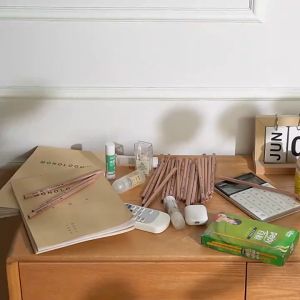
SOGO Drawer Storage Box Desktop Drawer Partition Storage Box Plastic Transparent Partition Box
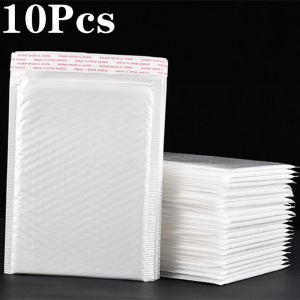
【Free Shipping】White Pearlescent Film Bubble Bags Clothing Express Packing Bag Waterproof Shockproof Bubble Envelope Bag
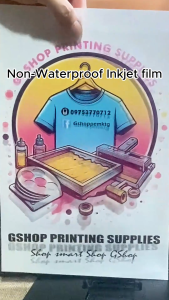
Inkjet Film Acetate Positive Transparency A3+ * 30M Roll Clear Non-Waterproof Screen Printing
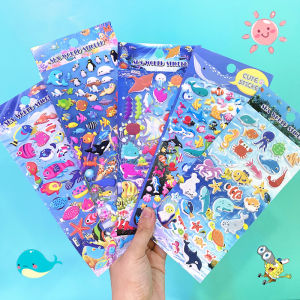
Shanle Marine Foam Stickers: A Unique Way to Decorate Your Space

PERSONALIZED A4 Sintra board Photo tile | 3mm Sintra board photo tile pictures | Wall decorations

Yplus Parakeet Toggle System Eraser: A Fun & Simple Bird Care Tool
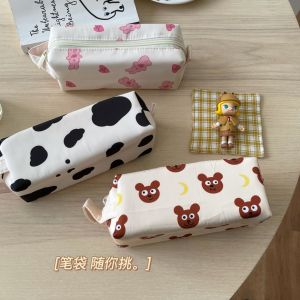
Large Capacity Student Pencil Case: Cute Moon Bear Cow Stationery Storage Box Ideal for School Supplies Cultural Business Needs
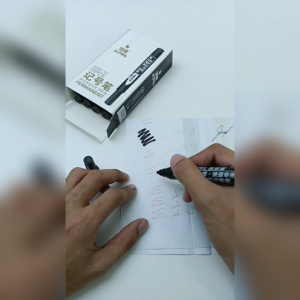
Magic Kids Waterproof Quick-Dry Permanent Marker Pen Set - 3 Pack Assorted Colors for Kids Art Projects

Kitty Elsa Hello Kitty Cute Kids Princess Nail Stickers Girl Shiny Waterproof Safe Baby Nail Sticker
12 Colors Rainbow Pencils: Jumbo Colored Pencils for Art Drawing & Coloring Sketching Supplies
Organize Your Space with Style & Functionality: MGK School Office Home Design Cork Board