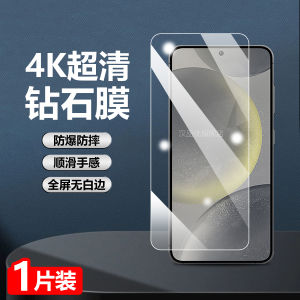
Full Screen Coverage Tempered Glass Screen Protector for Samsung Galaxy S25, S24+, S24Ultra, S23, S22 FE - High Definition No Border Protection Film
Full Screen Coverage Tempered Glass Screen Protector for Samsung Galaxy S25, S24+, S24Ultra, S23, S22 FE - High Definition No Border Protection Film
Introduction to Anti-Scratch Screen Protectors
What Are Anti-Scratch Screen Protectors?
An anti-scratch screen protector is a thin film designed to cover the screen of your device, providing protection against scratches, dents, and other forms of damage. These protectors come in various materials, including tempered glass, which offers excellent scratch resistance and durability.
Benefits of Using Anti-Scratch Screen Protectors
Using an anti-scratch screen protector offers several advantages:
- Protection: Safeguarding your device's screen from scratches, dents, and other damage.
- Clarity: High-quality protectors maintain screen clarity, allowing you to enjoy your device's display without any visual interference.
- Durability: Tempered glass protectors are known for their robustness and long-lasting performance.
High-Quality Tempered Glass Film: Samsung Galaxy S25 & S24+ & S24Ultra & S23 & S22 FE
How to Choose the Right Screen Protector for Your Device
When selecting a screen protector for your Samsung Galaxy device, consider the following factors:
- Compatibility: Ensure the protector fits your specific model, such as the Samsung Galaxy S25, S24+, S24Ultra, S23, or S22 FE.
- Material: Opt for high-quality tempered glass for optimal scratch resistance and durability.
- Design: Choose a full-screen protector that covers the entire display area, including curved edges if applicable.
Features of Full Screen Tempered Glass Screen Protectors
A high-quality full-screen tempered glass screen protector offers the following features:
- Full Screen Coverage: Protects the entire display area, including curved edges.
- High Definition No Border Protection: Ensures no visible borders or gaps around the screen.
- Scratch Resistance: Provides excellent protection against scratches and dents.
- Durability: Long-lasting performance and resistance to impact.
Installation Guide for High Definition No Border Protection Film
Preparing Your Device for Installation
Before installing your screen protector, ensure your device is clean and free of dust, debris, or fingerprints. This will help prevent air bubbles or trapped particles during installation.
Step-by-Step Installation Process
- Clean the screen using a microfiber cloth or screen cleaner.
- Remove the protective film from the screen protector.
- Align the screen protector with the device's screen.
- Slowly apply pressure to secure the screen protector in place.
- Use a squeegee tool to remove any air bubbles or trapped particles.
Maintenance Tips for Your Screen Protector
Cleaning and Maintaining Your Screen Protector
To keep your screen protector in top condition, follow these tips:
- Regularly clean the screen using a microfiber cloth or screen cleaner.
- Avoid using abrasive materials or harsh chemicals that may damage the protector.
- Store your device in a protective case when not in use.
Troubleshooting Common Issues
If you encounter any issues with your screen protector, try the following solutions:
- Air Bubbles: Use a squeegee tool to remove air bubbles or trapped particles.
- Scratches: Replace the screen protector if it becomes scratched or damaged.
- Misalignment: Carefully remove and reapply the screen protector, ensuring proper alignment.

TB EL SHOP
Review

You May Also Like

iBrave Ultra-Thin Soft Silicone Case for Realme X7 pro Supreme Version Transparent Protective Cover with Airbag Full Protection
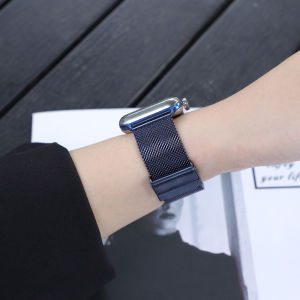
Milanese Watch Band+Case For Apple Watch: A Comprehensive Guide
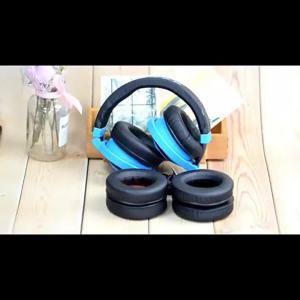
Replacement Ear Pads Compatible for Solo 2 Solo 3 - Replacement Ear Cushions Memory Foam Earpads Cushion Cover for Solo 2 & Solo 3 Wireless Headphone
KH Carbon Fiber Laptop Sticker Skin Decals Cover for 2022 Razer Blade Pro 17 17 Inch
12AWG Efficient Solar Panel to XT60 Charging Adapter Cable for Camping and Emergency Power Supply
Jingsanc With Lens Films Translucent Phone Case For Tecno Camon 40 Premier 5G Soft Silicone TPU Shockproof Back Cover K01-1
Mouse Pad Attachable Board Armrest Pad Desk Computer Table Support Mouse Arm Wrist Rest Desktop Extension Hand Shoulder
Soft Silicone Phone Cases for Samsung A50, A30S & A50S: Shockproof & Cartoon Designs
Adjustable Microphone Scissor Arm Stand Desktop Mic Clip Holder Tripod Live Cantilever Bracket Microphone Bracket Extendable
Metal SSD HDDs Conversion Bracket 2.5 to 3.5inch Adapter for Desktop Computer Storage Expansion
【E-WOITD】 Removeable Headband For Bose QuietComfort QC35 QC35II QC45 Headphones Replacement New Design Headand Cushion