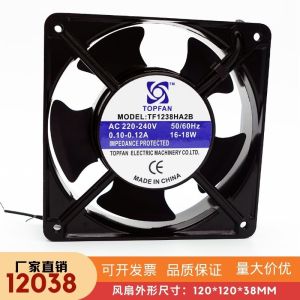
New Original TOPFAN TF1238HA2B: A High-Quality 12cm Heat Dissipation Fan
New Original TOPFAN TF1238HA2B: A High-Quality 12cm Heat Dissipation Fan
What is the TOPFAN TF1238HA2B?
The TOPFAN TF1238HA2B is a 12cm heat dissipation fan designed specifically for desktop PCs. This high-quality fan offers excellent cooling performance, energy efficiency, and quiet operation. It operates at 220V and draws only 0.12A, making it ideal for computer hardware case cooling applications.
Key Features
- High-Quality Construction: The TOPFAN TF1238HA2B is built using premium materials, ensuring durability and reliability.
- Enhanced Cooling Performance: With a maximum power output of 18W, this fan provides efficient heat dissipation for your desktop PC.
- Quiet Operation: The TOPFAN TF1238HA2B features a low noise level, allowing you to enjoy a peaceful computing experience.
- Energy Efficiency: By drawing only 0.12A at 220V, this fan helps reduce energy consumption while maintaining excellent cooling performance.
Performance & Efficiency
The TOPFAN TF1238HA2B delivers exceptional performance and efficiency in desktop PC cooling applications. With a maximum power output of 18W, this fan provides efficient heat dissipation, keeping your system cool and stable during intense gaming sessions or demanding tasks. Its low noise level ensures a peaceful computing experience, while its energy efficiency helps reduce energy consumption and save you money on electricity bills.
How to Install the TOPFAN TF1238HA2B
Installing the TOPFAN TF1238HA2B is a straightforward process that can be completed in just a few steps. Follow these guidelines to ensure a successful installation:
Preparing Your Workspace
Before installing the TOPFAN TF1238HA2B, make sure you have a clean, well-lit workspace with all necessary tools and equipment at hand. This includes a screwdriver, thermal paste (if needed), and any other components required for your specific installation.
Installation Steps
- Unplug Your PC: Ensure that your desktop PC is unplugged from the power source before beginning the installation process.
- Open the Case: Remove the side panel of your computer case to access the interior components.
- Locate the Fan Mounting Points: Identify the mounting points for the TOPFAN TF1238HA2B on your computer case.
- Install the Fan: Securely mount the TOPFAN TF1238HA2B onto the designated mounting points using screws and washers.
- Connect the Fan: Connect the fan's power cable to the appropriate header on your motherboard.
- Close the Case: Reattach the side panel of your computer case and plug your PC back into the power source.
Benefits of Using the TOPFAN TF1238HA2B
The TOPFAN TF1238HA2B offers several benefits that make it an excellent choice for desktop PC cooling applications:
Enhanced Cooling Performance
With its maximum power output of 18W, the TOPFAN TF1238HA2B provides efficient heat dissipation, keeping your system cool and stable during intense gaming sessions or demanding tasks.
Quiet Operation
The TOPFAN TF1238HA2B features a low noise level, allowing you to enjoy a peaceful computing experience without being disturbed by fan noise.
Energy Efficiency
By drawing only 0.12A at 220V, this fan helps reduce energy consumption while maintaining excellent cooling performance, saving you money on electricity bills.
Troubleshooting Common Issues
If you encounter any issues with the TOPFAN TF1238HA2B, refer to the following troubleshooting tips:
Fan Not Spinning
If the fan is not spinning, check the following:
- Power Cable: Ensure that the fan's power cable is securely connected to the appropriate header on your motherboard.
- Fan Speed Settings: Verify that the fan speed settings in your system's BIOS or software are configured correctly.
Fan Making Unusual Noises
If the fan is making unusual noises, check the following:
- Loose Components: Inspect the fan and its mounting points for any loose components that may be causing the noise.
- Dust Buildup: Clean the fan and surrounding areas to remove any dust buildup that may be causing noise.
- Faulty Fan: If the issue persists, the fan may be faulty and require replacement.

TB EL SHOP
Review

You May Also Like
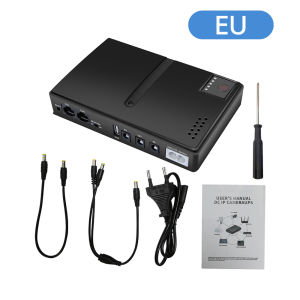
UPS Uninterruptible Power Supply 1018L 5V 9V 12V Backup DC For WIFI Router Phone 50-60Hz 36W Stable Power Supply Parts
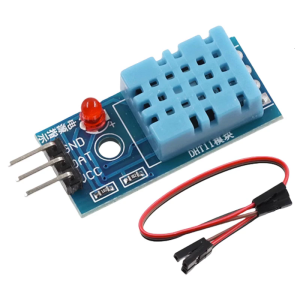
Single Bus Digital Temperature and Humidity Sensors Module for Microcontroller Platforms and Projects
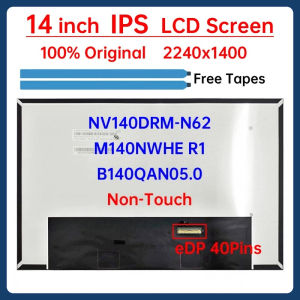
14" Laptop LCD Screen NV140DRM-N62 B140QAN05.0 M140NWHE R1 For Lenovo ThinkBook 14p G2 ACH G3 ARH Display Matrix Panel Non-Touch
2X Anti Glare 14-inch Screen Protector for ROG Zephyrus G14 (2024) GA403 GA403UU GA403UV GA403UI Gaming Laptops 14" 16:10
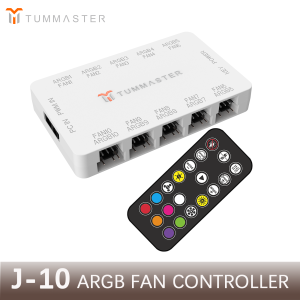
PC Accessories 10Port 4Pin ARGB Fan Hub 5V 3Pin PWM Fan Controller for PC/Computer CaseMagnetic Suction & Remote Control Lights
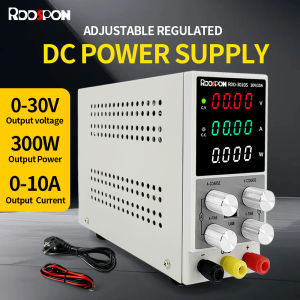
Mini DC Power Supply 3010S Adjustable Digital 30V10A 300W Switch Laboratory 220V 110V Audio Mobile Phone etc Repair Stabilizer
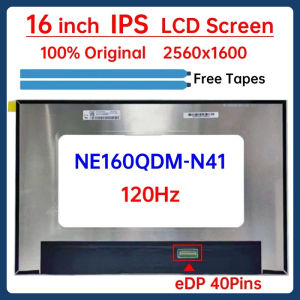
16 Inch 120Hz Laptop LCD Screen NE160QDM N41 NE160QDM-N41 Display Panel Matrix Replacement 2560x1600 IPS 100% sRGB eDP 40 Pins
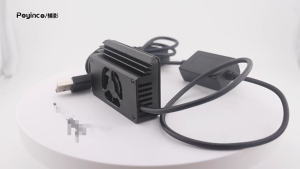
Efficient Cooling Fan Coolings Device For A7M3/A7R3/A7R4A1 Cameras With Minimal Noise And Seamlessly Integration
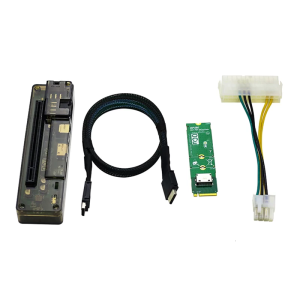
EXP GDC OCuLink GPU Dock GPU Dock EXP GDC PCIe External Independent Video Dock External Discrete Graphics Base
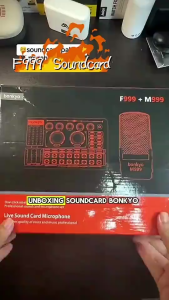
=Bonkyo F999 SoundCard + M999 Mic combination set Bluetooth wireless mixer noise reduction live set.
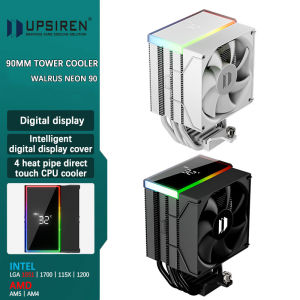
UPSIREN Walrus Neon 90 Digital 4 Heatpipe Direct Touch CPU Air Cooler high-performance fan supports INTEL LGA1851/1700 AMD AM5