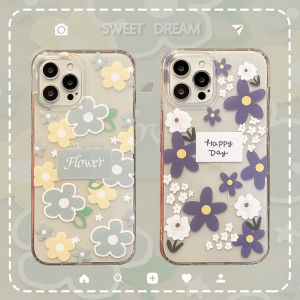
2PCS Privacy Screen Protector for iPhone 15, 14, 11, 12 & 13 Pro
2PCS Privacy Screen Protector for iPhone 15, 14, 11, 12 & 13 Pro
Introduction to Privacy Screen Protectors
Privacy screen protectors are essential accessories for iPhone users who value their privacy and security. These protectors allow only those directly in front of the screen to view its contents, effectively blocking prying eyes from viewing sensitive information. In this article, we will explore the benefits, types, and installation process of privacy screen protectors specifically designed for iPhone models like the iPhone 15, 14, 11, 12, and 13 Pro.
Why Choose a Privacy Screen Protector
Privacy screen protectors offer a simple yet effective way to protect your personal data from being viewed by others. They are particularly useful in public spaces like airports, cafes, and offices, where privacy may be at risk. Additionally, they provide an extra layer of protection against accidental scratches and fingerprints, enhancing the overall appearance of your iPhone's display.
Benefits of Using a Privacy Screen Protector
- Privacy: Protects sensitive information from being viewed by others.
- Scratch Protection: Adds an extra layer of protection against accidental scratches.
- Fingerprint Resistance: Helps keep your screen clean and free from fingerprints.
- Durability: Long-lasting and resistant to wear and tear.
Different Types of Privacy Screen Protectors
There are two main types of privacy screen protectors: polarized and micro-perforated. Polarized privacy screen protectors use a special film that blocks light from entering at certain angles, while micro-perforated privacy screen protectors have tiny holes that allow only those directly in front of the screen to view its contents. Both types offer excellent privacy and security, so choose the one that best suits your needs.
Choosing the Right Privacy Screen Protector
When selecting a privacy screen protector for your iPhone, consider the following factors:
- Compatibility: Ensure the privacy screen protector is compatible with your iPhone model.
- Quality: Look for high-quality materials that provide durability and protection.
- Ease of Installation: Choose a privacy screen protector that is easy to install and remove.
- Price: Compare prices and choose a privacy screen protector that fits your budget.
Comparing Privacy Screen Protectors for iPhone Models
| iPhone Model | Privacy Screen Protector | | --- | --- | | iPhone 15 | 2PCS Privacy Screen Protector for iPhone 15 | | iPhone 14 | 2PCS Privacy Screen Protector for iPhone 14 | | iPhone 11 | 2PCS Privacy Screen Protector for iPhone 11 | | iPhone 12 | 2PCS Privacy Screen Protector for iPhone 12 | | iPhone 13 Pro | 2PCS Privacy Screen Protector for iPhone 13 Pro |
How to Measure Your iPhone Screen
To ensure proper fit, measure your iPhone screen before purchasing a privacy screen protector. Follow these steps:
- Turn off your iPhone and place it face-up on a flat surface.
- Using a ruler or measuring tape, measure the length and width of the screen.
- Compare these measurements to the dimensions provided by the privacy screen protector manufacturer.
Installation and Maintenance Tips
Installing a privacy screen protector is a simple process that can be completed in just a few minutes. Follow these steps to ensure a successful installation:
Preparing Your iPhone for Privacy Screen Protector Installation
- Clean your iPhone screen thoroughly with a microfiber cloth and alcohol wipes.
- Remove any existing screen protectors or film.
- Allow the screen to dry completely before proceeding.
Step-by-Step Guide to Installing a Privacy Screen Protector
- Peel off the backing from the privacy screen protector.
- Align the privacy screen protector with the top of your iPhone screen.
- Slowly lower the privacy screen protector onto the screen, smoothing out any air bubbles as you go.
- Press down firmly on the edges of the privacy screen protector to ensure a secure fit.
Cleaning and Maintaining Your Privacy Screen Protector
To keep your privacy screen protector looking its best, follow these cleaning and maintenance tips:
- Clean your privacy screen protector regularly with a microfiber cloth and alcohol wipes.
- Avoid using abrasive cleaning agents or tools that may damage the privacy screen protector.
- Replace your privacy screen protector if it becomes damaged or worn.
Conclusion
In conclusion, privacy screen protectors offer a simple yet effective way to protect your personal data and enhance the appearance of your iPhone's display. By choosing the right privacy screen protector and following the installation and maintenance tips outlined in this article, you can enjoy peace of mind and a clean, scratch-free screen for years to come.
Recap of Key Points
- Privacy screen protectors are essential accessories for iPhone users who value their privacy and security.
- There are two main types of privacy screen protectors: polarized and micro-perforated.
- When selecting a privacy screen protector, consider compatibility, quality, ease of installation, and price.
- Installing a privacy screen protector is a simple process that can be completed in just a few minutes.
- Regular cleaning and maintenance can help keep your privacy screen protector looking its best.
Final Thoughts on Privacy Screen Protectors for iPhones
Privacy screen protectors are a must-have accessory for iPhone users who want to protect their personal data and enhance the appearance of their device. By choosing the right privacy screen protector and following the installation and maintenance tips outlined in this article, you can enjoy peace of mind and a clean, scratch-free screen for years to come.

TB EL SHOP
Review

You May Also Like
Creality K2 Plus Extruder Kit K2P Extrusion Gear Replacement with Dual Gear Drive for Smooth Feeding Filament Break Sensor
5 pcs Mini USB LED Light Portable Warm Light |Night Lamp Creative Portable | Student Eye Protection LED Atmosphere Light
Leather Wallet Case for Samsung Galaxy: A Comprehensive Guide
2Pcs Retro Sewing Thimble Portable Finger Protector Guard for Embroidery Needlework Hand Quilting Dressmaking Project
Ultra-Thin Protective Phone Case for Vivo Y500Pro Full Lens Coverage Soft Silicone Male Female Suitable Senior Citizens
Pink Frosted Phone Case for iPhone 16/15 Pro Max, Xiaomi 13/14, Huawei Pura 70 & Samsung S24
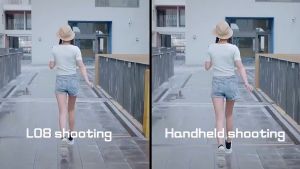
4 in 1 L08 Gimbal Stabilizer Selfie Stick Tripod Smart Stable Tripod Stand Anti - Shake Handheld Tripod
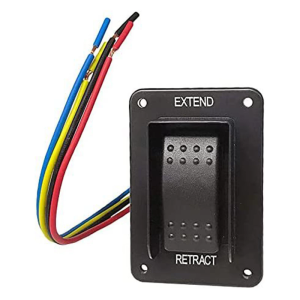
Waterproof Rocker Style Operation Extend Retract Switches Assembly Power Stabilizer Jacks Switches with Harnes 387874
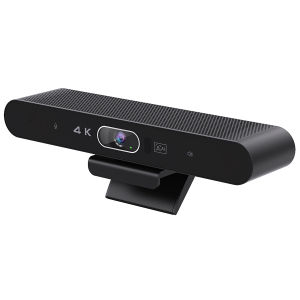
Aibecy 4K Camera USB Webcam: Your Ultimate Guide
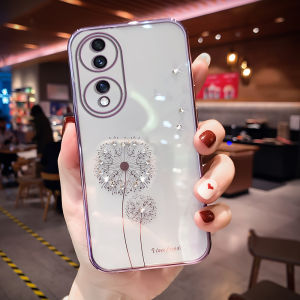
New Luxury Transparent Honor 70 Phone Case Womens Style High End Sensation Suitable for Huawei Honor 70 pro Water Diamond Soft Silicone Full Cover Anti-Fall Curved Screen
Gold Foil Metal Phone Sticker Open Wealth Treasure Add Wealth from Eight Directions Mobile Phone Decal Back Cover Adhesive