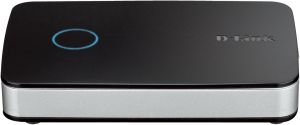
D-Link Camera Video Recorder mydlink-Enabled (DNR-202L)
D-Link Camera Video Recorder mydlink-Enabled (DNR-202L)
Overview
Product Summary
The D-Link Camera Video Recorder mydlink-Enabled (DNR-202L) is a powerful device designed to simultaneously record video and view real-time or playback recorded video from up to four mydlink cameras. With the free mydlink View NVR app, users can easily manage their surveillance system and enjoy remote viewing capabilities. This device allows users to add their own hard drives (up to two) to store their camera video footage, providing ample space for video storage.
Key Features
- Simultaneously record video and view real-time or playback recorded video from up to four mydlink cameras
- Free mydlink View NVR app for managing the surveillance system and remote viewing
- Add up to two hard drives for video storage
- Quick and easy setup with auto camera discovery and mydlink service
- Compatible with Microsoft Windows 10, 8, 7, Vista, or XP SP2, and Mac OS X 10.7 or higher
Setup & Installation
Quick Setup Guide
Setting up the D-Link Camera Video Recorder mydlink-Enabled (DNR-202L) is quick and easy thanks to its auto camera discovery feature and mydlink service integration. Follow these steps to get started:
- Connect the DNR-202L to a power source and a network connection.
- Install the mydlink View NVR app on your mobile device or computer.
- Follow the on-screen instructions to connect the DNR-202L to the mydlink service.
- Add your mydlink cameras to the system using the auto camera discovery feature.
Connecting mydlink Cameras
To connect your mydlink cameras to the DNR-202L, simply follow these steps:
- Install the mydlink View NVR app on your mobile device or computer.
- Connect your mydlink cameras to the network.
- Open the mydlink View NVR app and select "Add Camera".
- Follow the on-screen instructions to add your cameras to the system.
Adding Hard Drives
The DNR-202L supports adding up to two hard drives for video storage. To add a hard drive, follow these steps:
- Turn off the DNR-202L and unplug it from the power source.
- Insert the hard drive into the designated slot on the device.
- Plug the DNR-202L back into the power source and turn it on.
Using the mydlink View NVR App
Real-Time Viewing & Playback
The mydlink View NVR app provides a user-friendly interface for managing your surveillance system. To view real-time footage or playback recorded video, follow these steps:
- Open the mydlink View NVR app on your mobile device or computer.
- Select the camera you want to view.
- Tap the "Live" button to view real-time footage or select a recording to playback.
Remote Viewing & Access
With the mydlink View NVR app, you can easily access your surveillance system from anywhere in the world. To remotely view your cameras, follow these steps:
- Open the mydlink View NVR app on your mobile device or computer.
- Select the camera you want to view.
- Tap the "Remote" button to view footage remotely.
System Requirements & Compatibility
Supported Operating Systems
The D-Link Camera Video Recorder mydlink-Enabled (DNR-202L) is compatible with the following operating systems:
- Microsoft Windows 10, 8, 7, Vista, or XP SP2
- Mac OS X 10.7 or higher
Troubleshooting & Support
If you encounter any issues with your D-Link Camera Video Recorder mydlink-Enabled (DNR-202L), please refer to the user manual or contact customer service for assistance. There could be some deviations due to manual measurement or slight color difference owing to photographing condition. Thank you for your understanding. If you do not understand what you can contact customer service at any time, I wish you a happy shopping.

m0wpzv
Review

You May Also Like
LS VISION 8K Three Lens WIFI CCTV Camera: A Comprehensive Guide
smaller than eyes A9 Cctv camera connect cellphone 1080P no need internet no need wifi with Night Vision Motion Detection HD cctv camera original genuine with 360°panoramic Infrared Security Camera Mini CCTV Camera Hd 1080p spy cam connect to cellphone
Komery 12X Optical Zoom SLR DSLR Camera 4K 64MP HD Digital Cameras For Photography Auto Focus WiFi Video Vlog Webcam Camcorder
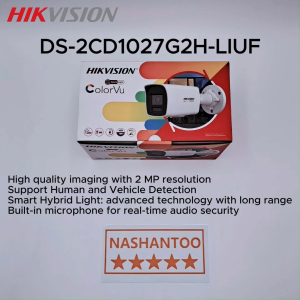
(2025 New) HIKVISION DS-2CD1027G2H-LIUF 2MP Smart Hybrid Light Audio Bullet Network IP Camera Support Human and Vehicle Detection H.265+ 512GB Storage Built-in MIC IP Camera

tp-link Tapo T300 Smart Water Leak Sensor | EJDalanon Enterprise

KIPRUN Adjustable Focus Glasses: Wearable Binoculars & Magnifier Glasses for Fishing, Bird Watching & More
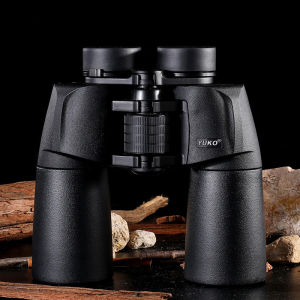
YUKO 15X50 High Power Binoculars: A Comprehensive Guide

V380 PRO CCTV Camera CCTV Connect to Cellphone CCTV with No wifi Needed 8MP Indoor and Outdoor Two-Way Audio Night Vision Full Color Waterproof Smart CCTV
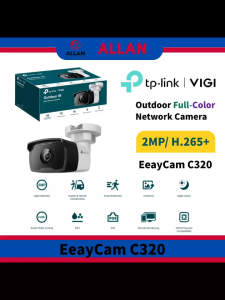
TP-Link VIGI EasyCam C320 4mm 2MP Outdoor Full-Color Bullet Network Camera with 2MP Resolution H.265+ Smart Video Coding & IP67 Rating
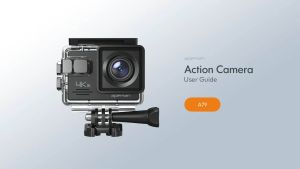
APEMAN A79 Action Camera 4K 20MP WiFi External Microphone Underwater Waterproof 40M with 2 Rechargeable Batteries and Accessories Kits
DJI A18 Max Air 3S - Camera Drones | 1" CMOS Sensor | New Air Aesthetic | Next-Gen Smart RTH | Medium Tele & Wide-Angle Dual Primary Cameras | Omnidirectional Obstacle Sensing