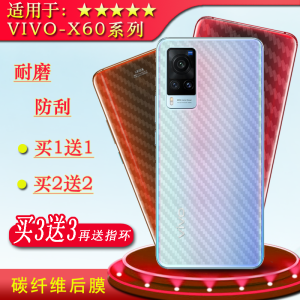
Applicable to Vivo X60 Carbon Fiber Back Cover V2046a Back Soft Film Phone Stickers Paper Mask X60pro Back Cover Back Film V2047a Ultra-Thin Film Glue-Free Non-Curling Edge Air Guide Case Film Dust-Proof
Applicable to Vivo X60 Carbon Fiber Back Cover V2046a Back Soft Film Phone Stickers Paper Mask X60pro Back Cover Back Film V2047a Ultra-Thin Film Glue-Free Non-Curling Edge Air Guide Case Film Dust-Proof
Understanding the Ultra-Thin Film Phone Stickers
Ultra-thin film phone stickers are designed to protect your phone's back cover while adding a personal touch to its appearance. These stickers are made from a thin, flexible material that adheres easily to the back of your phone, providing a seamless and secure fit.
Key Features of Ultra-Thin Film Stickers
- Ultra-thin design for a natural feel
- Easy application process
- High-quality material that resists peeling and bubbling
- Available in various designs and patterns
How to Apply Ultra-Thin Film Stickers
- Clean the back cover of your phone thoroughly using a microfiber cloth.
- Remove the protective film from the sticker.
- Align the sticker with the back cover of your phone and slowly apply it, smoothing out any bubbles or wrinkles.
- Once applied, press firmly to ensure a secure fit.
Benefits of Using Ultra-Thin Film Stickers
- Protection against scratches, dents, and other minor damages
- Customizable appearance to match your personal style
- Easy to remove and replace if desired
Exploring the Dust-Proof Back Film
Dust-proof back films are designed to protect your phone's back cover from dust, dirt, and other debris that can accumulate over time. These films are made from a durable material that adheres securely to the back of your phone, creating a barrier against unwanted particles.
Importance of Dust-Proof Back Films
- Prevents dust and dirt buildup on your phone's back cover
- Maintains the appearance and functionality of your phone
- Easy to clean and maintain
How to Install Dust-Proof Back Films
- Clean the back cover of your phone thoroughly using a microfiber cloth.
- Remove the protective film from the dust-proof back film.
- Align the film with the back cover of your phone and slowly apply it, smoothing out any bubbles or wrinkles.
- Once applied, press firmly to ensure a secure fit.
Advantages of Using Dust-Proof Back Films
- Protection against dust and dirt buildup
- Maintains the appearance and functionality of your phone
- Easy to clean and maintain
Introducing the Glue-Free Back Cover
Glue-free back covers are designed to provide a secure fit for your phone without the use of adhesives. These covers are made from a durable material that adheres securely to the back of your phone, providing a seamless and secure fit.
Advantages of Glue-Free Back Covers
- No adhesive residue left behind
- Easy to install and remove
- Provides a secure fit without the use of adhesives
How to Install Glue-Free Back Covers
- Clean the back cover of your phone thoroughly using a microfiber cloth.
- Align the glue-free back cover with the back of your phone.
- Press firmly to ensure a secure fit.
Compatibility with Vivo X60 Carbon Fiber Back Cover
Glue-free back covers are compatible with the Vivo X60 Carbon Fiber Back Cover, providing a secure fit without the use of adhesives.
Highlighting the Vivo X60 Carbon Fiber Back Cover
The Vivo X60 Carbon Fiber Back Cover is designed to provide a sleek and stylish appearance for your phone. This back cover is made from a durable carbon fiber material that provides a lightweight and strong design.
Design and Aesthetics of Vivo X60 Carbon Fiber Back Cover
- Sleek and stylish design
- Lightweight and strong construction
- Available in various colors and patterns
How to Choose the Right Carbon Fiber Back Cover
When choosing a carbon fiber back cover for your Vivo X60, consider the following factors:
- Compatibility with your phone model
- Desired design and pattern
- Budget
Benefits of Using Vivo X60 Carbon Fiber Back Cover
- Provides a sleek and stylish appearance
- Lightweight and strong construction
- Easy to install and remove
Introducing the Non-Curling Edge Air Guide Case
The non-curling edge air guide case is designed to provide a secure fit for your phone while allowing for proper airflow. This case is made from a durable material that adheres securely to the back of your phone, creating a barrier against dust and debris while allowing for proper airflow.
Key Features of Non-Curling Edge Air Guide Cases
- Non-curling edge design for a secure fit
- Allows for proper airflow
- Easy to install and remove
How to Install Non-Curling Edge Air Guide Cases
- Clean the back cover of your phone thoroughly using a microfiber cloth.
- Align the non-curling edge air guide case with the back of your phone.
- Press firmly to ensure a secure fit.
Advantages of Using Non-Curling Edge Air Guide Cases
- Provides a secure fit without curling edges
- Allows for proper airflow
- Easy to install and remove
In conclusion, these accessories offer various benefits for protecting and enhancing the appearance of your Vivo X60 phone. From ultra-thin film phone stickers to dust-proof back films, glue-free back covers, carbon fiber back covers, and non-curling edge air guide cases, there is a wide range of options available to suit your personal preferences and needs." }

TB EL SHOP
Review

You May Also Like
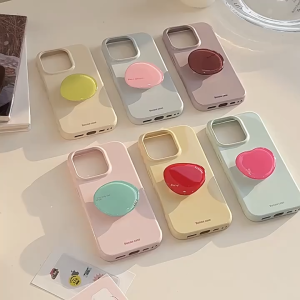
Colorful crystal stand with minimalist soft case for iPhone 12 13 14 15 16 17 Pro Max casing for iPhone 17 case cover
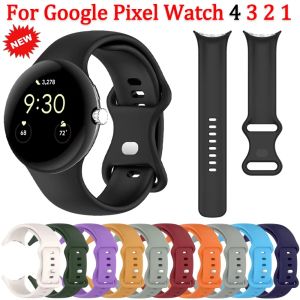
Soft Silicone Strap for Google Pixel Watch 4 3 45mm 41mm Official original replaceable wristband for Google Pixel Watch 3/2 Band
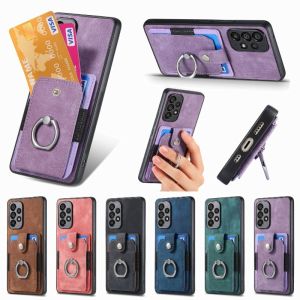
Retro Phone Case for Samsung Galaxy Note 20 & S10: A Comprehensive Guide
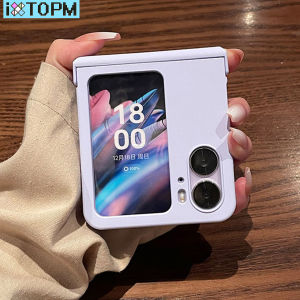
iXTOPM Luxury Fashion Candy Colors Simple Phone Case for OPPO Find N2 FLIP findn2 flip Find N2 Flip Shockproof Solid Back Cover Funda
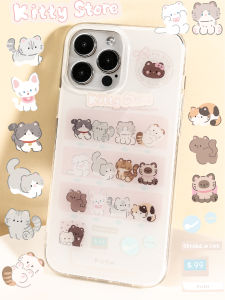
BlueLife Kitty Store Cute Cat Toy Twist Machine Original Double Layer Craft iPhone Protection Case Silicone Anti-Fall Eco-Friendly
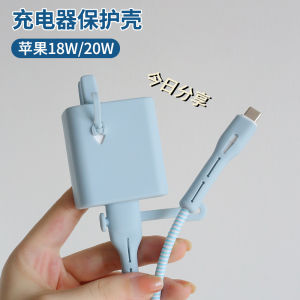
Silicone Apple Charger Protector Case iPhone 15 Data Cable Anti-Break 12Promax Phone Charging Cable 20W 18W Full Coverage 11 Fast Charge Line Charging Head Shell Cat Bite Proof iPadAir5
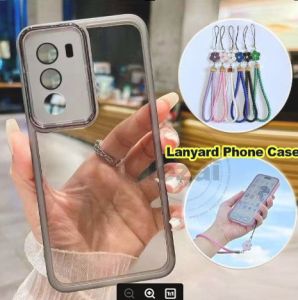
Lanyard Case Vivo Y21d 2025 VivoY21d Y31 5G Y19s Y04 Y29 Phone Case Soft Shockproof Clear Casing
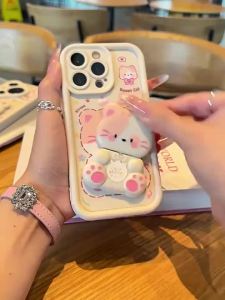
Case for SAMSUNG a12 samsung a22 4g M12 5G phone casing Softcase Silicone shockproof Cover new design aesthetic Cartoon cat with holder for mirror JTMMZJ01
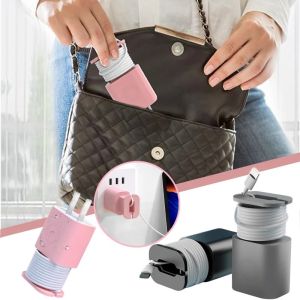
2 In 1 Silicone Charger Protector Case Cable Winder for Apple Charger 18W 20W Adapter Protective Case Cover Cord Wrap Organizer
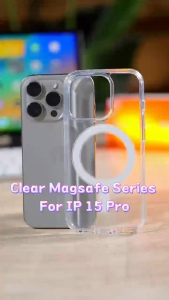
XUNDD CRYSTAL AIRBAG Magnet Shockproof Case IPHONE 13 PRO MAX 12 PRO MAX
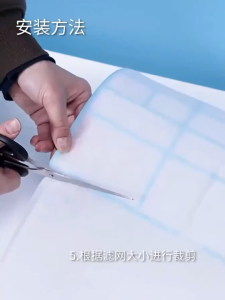
10Pcs Air Conditioner Filter Papers - Cuttable Anti-dust Net - Air Conditioner Dust Filter- Wind Outlet Screen Filter Paper