V380 Pro 5MP WiFi Video Camera: Features & Benefits
V380 Pro 5MP WiFi Video Camera: Features & Benefits
Introduction to V380 Pro 5MP WiFi Video Camera
The V380 Pro 5MP WiFi Video Camera is a cutting-edge security camera designed to provide reliable monitoring and real-time communication. With its advanced features, it caters to a wide range of applications, including baby monitoring, home surveillance, and elderly care. This article will explore the key features, setup process, and benefits of using the V380 Pro 5MP WiFi Video Camera.
Key Features Overview
- 5MP High Resolution Camera: Capture every detail with crystal-clear 5MP resolution, providing a clear view of your surroundings.
- 360/90° Rotation Surveillance: Enjoy complete coverage of your home with horizontal 360° and vertical 110° rotation capabilities.
- V380 PRO Remote APP View: Monitor your home remotely through the V380 PRO Remote APP View, which supports multiple users and real-time notifications.
- Support Bluetooth Connect: Seamlessly connect the camera to your smartphone via Bluetooth for easy setup and control.
- Human Motion Detection & Accurate APP Alarm Push: Receive instant notifications when motion is detected, allowing you to respond quickly to potential threats.
- Two-Way Voice Real-Time Intercom: Communicate with family members or pets through the camera's built-in microphone and speaker.
- TF Card Storage & Cloud Storage: Store recordings locally on a TF card or securely in the cloud, ensuring your footage is always accessible.
Highlighted Features of V380 Pro 5MP WiFi Video Camera
Two-Way Video & Active Call Functionality
The V380 Pro 5MP WiFi Video Camera offers a unique two-way video feature, allowing you to communicate with family members or pets directly from your smartphone. Additionally, the camera can actively call your phone, enabling elderly or children to reach out in case of emergencies.
Motion Detection & Accurate APP Alarm Push
With human motion detection capabilities, the V380 Pro 5MP WiFi Video Camera provides instant notifications when movement is detected within its field of view. This feature ensures that you're always aware of potential threats and can take action promptly.
TF Card Storage & Cloud Storage
The V380 Pro 5MP WiFi Video Camera supports both local storage on a TF card and cloud storage, ensuring that your footage is always accessible and secure. This dual-storage solution allows you to choose the most convenient option for your needs.
Setting Up V380 Pro 5MP WiFi Video Camera
Connecting V380 Pro 5MP WiFi Video Camera to Your Network
To connect the V380 Pro 5MP WiFi Video Camera to your network, follow these steps:
- Power on the camera and connect it to your router using an Ethernet cable.
- Download the V380 PRO Remote APP View from the App Store or Google Play.
- Follow the on-screen instructions to connect the camera to your Wi-Fi network.
Downloading & Configuring the V380 Pro Remote APP View
Once connected, download and configure the V380 PRO Remote APP View to start monitoring your home remotely. The app allows you to set up notifications, adjust settings, and share access with multiple users.
Sharing V380 Pro 5MP WiFi Video Camera Access with Multiple Users
The V380 Pro 5MP WiFi Video Camera supports sharing access with up to six users, allowing family members or caregivers to monitor the camera simultaneously. This feature ensures that everyone can stay connected and informed about their loved ones' safety.
Conclusion & Final Thoughts
The V380 Pro 5MP WiFi Video Camera offers a robust set of features designed to provide reliable monitoring and real-time communication. With its advanced capabilities, including two-way video, motion detection, and cloud storage, it caters to a wide range of applications, making it an ideal choice for home security and baby monitoring." }

GCDL GENERAL MERCHANDISE

Review

You May Also Like

Hikvision's New 2MP/5MP Intelligent Hybrid Light Source & COLORVU Fixed Bullet Camera: An Overview
Dual Lens Endoscope Camera 4.3 Inch IPS Screen Car Inspection Borescope Video 8MM Waterproof 9LEDs USB Probe With Black Tool Bag
Fuers 5MP WiFi Camera Tuya Smart Home Indoor Wireless IP Surveillance Camera AI Detect Automatic Tracking Security Baby Monitor
HD 1080P Pet Cameras Outdoors Wireless Collar Camera No WiFi Needed Video Records for Cats Dogs Birthday Gift Mini Camera
【BUY 1 TAKE 1】V380 Pro Solar CCTV Camera Wifi connect Outdoor IP Security Cameras Color Night Vision Two-Way Audio Waterproof Surveillance
Temperature Control Camera Lens Heater USB Interfaces Condensation Heating Defogging Telescopes Prevention for Camera
4K/1080P Wireless Mini Pet Collar Camera with 32G Card Video Recording
2.0 Inch Portable Digital Children's Mini Thermal Instant Photo Printer: A Multifunctional Gift for Kids
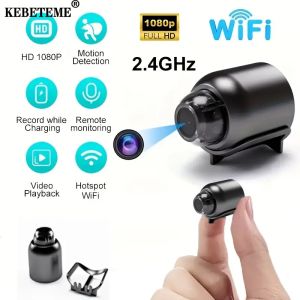
(Local Seller)KEBETEME Mini Camera Wireless WIFI HD 1080P Night Vision Camera Connected Mobile Phone Smart Home Security
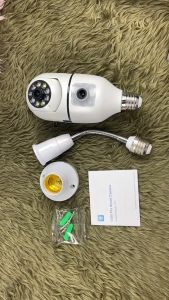
V380 PRO Q19 Plus Dual lens cctv camera connect cellphone 360 wireless camera CCTV Security Cameras led bulb smart cctv camera Full HD night vision human detection indoor baby monitoring camera two way audio and speaker cctv connect cellphone

4K CCD 8X Zoom Digital Camera 48MP Digital Photography Camera 180°Flip Screen Selfile Cameraa