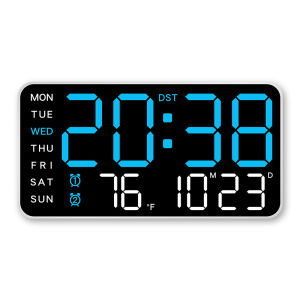
LED Digital Wall Clock: Voice Control & Temperature Display
LED Digital Wall Clock: Voice Control & Temperature Display
Introduction to LED Digital Wall Clocks
What Are LED Digital Wall Clocks?
LED digital wall clocks are modern timepieces that use light-emitting diodes (LEDs) to display the time, date, and other relevant information. These clocks are designed to be energy-efficient, durable, and easy to read from a distance.
Key Features: Voice Control & Temperature Display
One of the most notable features of LED digital wall clocks is their ability to integrate voice control technology, allowing users to interact with the clock using simple voice commands. Additionally, many models come equipped with temperature display capabilities, providing real-time weather updates right on the clock face.
How to Choose the Right LED Digital Wall Clock
Key Considerations: Brightness Adjustable Clock & 12/24H Electronic Clock
When selecting an LED digital wall clock, consider the brightness adjustability and the ability to switch between 12-hour and 24-hour formats. These features can greatly enhance the clock's functionality and usability.
Best Practices for Selecting a Home Decor Clock
To find the perfect LED digital wall clock for your home, consider factors such as size, color, and style. Make sure the clock complements your existing decor and fits seamlessly into your living space.
How to Install & Set Up Your LED Digital Wall Clock
Step-by-Step Guide to Installing Your New Clock
Installing an LED digital wall clock is relatively straightforward. Follow these steps:
- Choose a suitable location for your clock.
- Securely mount the clock on the wall using the provided mounting hardware.
- Connect any necessary power sources, such as batteries or a power adapter.
- Set the time, date, and other settings according to the manufacturer's instructions.
Setting Up Voice Control & Temperature Display
To enable voice control and temperature display features, follow these steps:
- Connect your clock to a compatible smart home hub or device.
- Download and install the necessary app or software.
- Follow the setup instructions provided by the manufacturer to link your clock to the smart home ecosystem.
- Configure the voice control and temperature display settings within the app or software.
Maintaining Your LED Digital Wall Clock
Regular Maintenance Tips
To ensure your LED digital wall clock remains in top condition, follow these maintenance tips:
- Keep the clock clean and free from dust and debris.
- Replace batteries regularly to avoid unexpected power loss.
- Store the clock in a safe place when not in use.
- Follow the manufacturer's recommendations for cleaning and maintenance.
Troubleshooting Common Issues
If you encounter any issues with your LED digital wall clock, try these troubleshooting tips:
- Check the power source and ensure it is properly connected.
- Reset the clock by following the manufacturer's instructions.
- Consult the user manual or contact customer support for further assistance.

Global Merch Park
Review

You May Also Like
Invisible Nail Picture Frame Wall Hanging Nail Art Wedding Photo Special Hook No Punching Required Modern Decorative Painting

Mini Pocket Flower Artificial Rose Soap Flower Bouquet with Gift Bag Mother Valentine Day Brith Gift
Modern LED Wall Light: A Comprehensive Guide

⭐【LazTop Seller】35g Artificial Green Plants Eternal Life Moss DIY Crafts Grass Garden Home Room Decor Mini Landscape Fake Grass ZJJ-Artificial-Moss
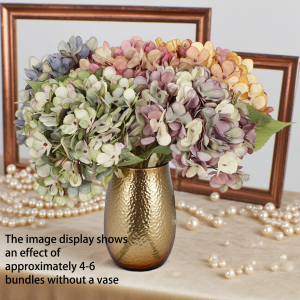
1pcs artificial embroidered ball indoor home decor for spring summer autumn outdoor gardens and various holiday decorations
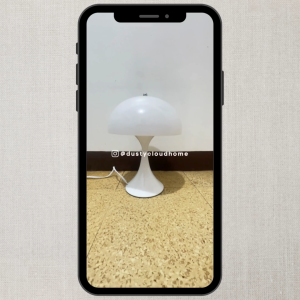
Dusty Cloud Home Verner Panton Panthella Desk Lamp

RUOPOTY Painting By Numbers Modern Simple Oil Paint Cat and Dog Diy Set Arts Crafts Handmade Art Supplies Gift Artwork Wall Art
【BUY 1 TAKE 2】solar flood light 600W outdoor waterproof IP68 original 606LED 680000mAh with solar panel garden lamp room night light bulb for courtyard automatic with remote control christmas decorations 2025 As low as 109 pesos
360° Sensor Night Light Eye Protection Reading Mini Lights Small Night Lighting
LED Student Study Table Lamp: USB Rechargeable Battery Eye Protection Reading Book Desk Lamp Dimming Touch Sensor Light
Cowboy Neon sign Rodeo Neon Signs for Wall DecorWestern Bar Rodeo LED Signs for Party Man Cave Bar Beer Club Pub Bistro Decor