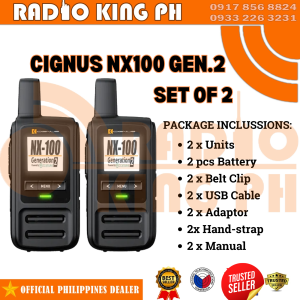
SET OF 2 CIGNUS NX100 GEN. 2 IP/NETWORK RADIO DUAL SIM
SET OF 2 CIGNUS NX100 GEN. 2 IP/NETWORK RADIO DUAL SIM
Introduction to CIGNUS NX100 GEN. 2 IP/Network Radio
The CIGNUS NX100 GEN. 2 IP/Network Radio is a cutting-edge radio communication device designed to meet the diverse needs of professionals and enthusiasts alike. With dual SIM capabilities, this radio offers unparalleled flexibility and reliability in communication. The SET OF 2 CIGNUS NX100 GEN. 2 IP/Network Radio DUAL SIM is the perfect choice for those seeking a powerful and versatile solution for their radio communication needs.
Key Features
- Dual SIM Capabilities: The CIGNUS NX100 GEN. 2 supports two SIM cards, allowing users to switch between different networks seamlessly.
- IP/Network Radio: With built-in IP functionality, this radio enables users to connect to the internet and access various online services.
- Advanced Features: The CIGNUS NX100 GEN. 2 offers a range of advanced features, including GPS tracking, voice recognition, and more.
Dual SIM Capabilities
One of the standout features of the CIGNUS NX100 GEN. 2 is its dual SIM capabilities. This feature allows users to switch between different networks seamlessly, ensuring uninterrupted communication even in challenging environments. With two SIM slots, users can maintain separate work and personal lines, making it easier to manage their communication needs.
Setting Up Your CIGNUS NX100 GEN. 2
Setting up your CIGNUS NX100 GEN. 2 IP/Network Radio is a straightforward process. Follow these steps to get started:
Hardware Installation
- Unpack the radio and familiarize yourself with its components.
- Insert the two SIM cards into their respective slots.
- Connect the antenna and power source.
Software Configuration
- Power on the radio and access the settings menu.
- Configure the network settings, including IP address and DNS server.
- Set up any additional features, such as GPS tracking and voice recognition.
Using Your CIGNUS NX100 GEN. 2 for Radio Communication
Once your CIGNUS NX100 GEN. 2 is set up, you're ready to start using it for radio communication. Here are some basic operations and advanced features to explore:
Basic Operations
- Making Calls: Press the call button and enter the desired number to make a call.
- Sending Text Messages: Access the messaging app and compose a new message.
- Accessing Online Services: Connect to the internet and access various online services, such as email and social media.
Advanced Features
- GPS Tracking: Monitor your location and track your movements in real-time.
- Voice Recognition: Use voice commands to control the radio and perform various functions.
- Customizable Settings: Tailor the settings to suit your specific needs and preferences.
Troubleshooting Common Issues
If you encounter any problems with your CIGNUS NX100 GEN. 2, refer to the following troubleshooting tips:
Connectivity Problems
- Check the network settings and ensure they are configured correctly.
- Verify that the SIM cards are inserted properly and have sufficient credit.
- Reset the radio and try connecting again.
Performance Issues
- Update the firmware to the latest version.
- Clear the cache and temporary files.
- Restart the radio and check if the issue persists.
Conclusion & Final Thoughts
The CIGNUS NX100 GEN. 2 IP/Network Radio is a powerful and versatile communication device that offers a range of advanced features and dual SIM capabilities. Whether you're a professional or an enthusiast, this radio is the perfect choice for meeting your communication needs. With its intuitive design and user-friendly interface, setting up and using the CIGNUS NX100 GEN. 2 is a breeze. So why wait? Order your SET OF 2 CIGNUS NX100 GEN. 2 IP/Network Radio DUAL SIM today and experience the future of radio communication!

Radio King Ph
You May Also Like
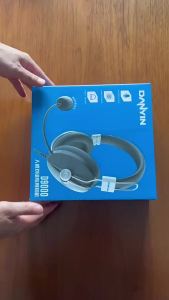
Electronic Sound Source Manufacturer D9000 Wired USB Exam Headphones type-c English Listening and Speaking Learning Headset
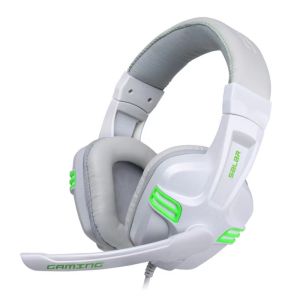
Salar X-Shark KX101/A566 Over-the-Ear Gaming Headset Online Class Headset Noise Cancellation Mic with Built-in Noise Reduction Headphones for PC Laptop
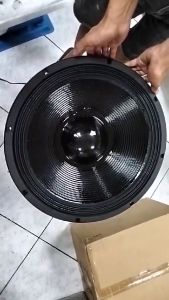
Live Storm Surge 18 at 70K 18inch 7000W RMS 6 inches Voice Coil Triple Magnet Speaker
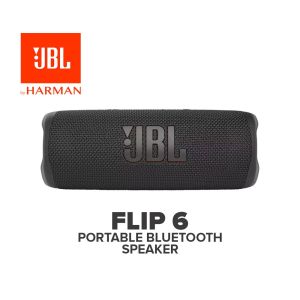
JBL Flip 6 Wireless Bluetooth Portable Waterproof Speaker
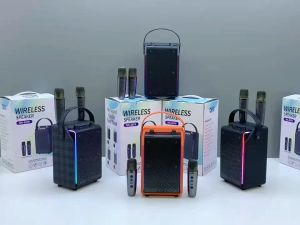
SK-2070 Exquisite Design Super Bass Sound Karaoke Wireless Bluetooth Speaker with Colorful Lights & Wireless Microphone
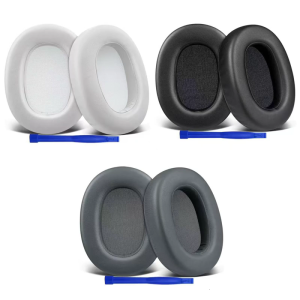
High Density Foam Ear Pad For ULT WEAR/WH ULT900N Headphone Sweatproof Earpads Lightweight Noise Cancelling Earpads
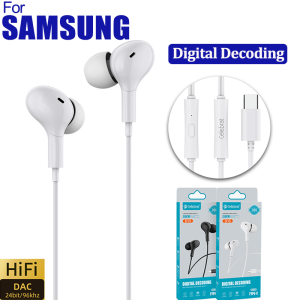
Type C Jack Wired Earbuds Headphones With DAC Microphone DAC HiFi Stereo for Samsung Galaxy S23 S21 S22 A54 A34 A53 A53 Ultra
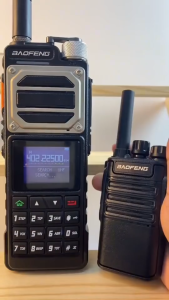
Baofeng UV25L New 10W High Power Two-Way Radio with Type-C Fast Charging Large Color Screen HD Call Quality and One-Click Frequency Binding
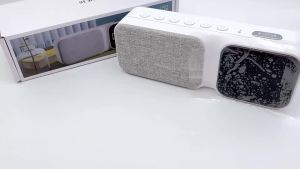
2024 Trending 3-In-1 LED Clock Bluetooth Speaker Sound Bar FM For Home Car Party Sleep

Anti-lost Earphone Earhook Clip Ear Plugs Comppatible with for Plantronics Marque M155/2M165 for Savor Headsets Props
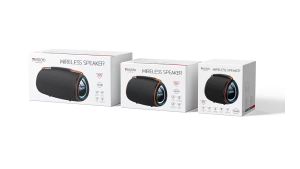
YSW38 Outdoor Party Speakers Professional Bluetooths 30W Bass Sound Powered Portable Subwoofer Wireless LED Light Hifi Speaker