Wireless Camera Monitoring: 360 Degrees Panoramic View & HD Night Vision
Wireless Camera Monitoring: 360 Degrees Panoramic View & HD Night Vision
Introduction to Wireless Camera Monitoring
In today's world, security and peace of mind are top priorities for homeowners and businesses alike. Wireless camera monitoring systems offer a reliable and efficient solution for remote home monitoring. These systems provide real-time surveillance, enabling users to monitor their property from anywhere, at any time. One of the most notable features of wireless camera monitoring is the 360-degree panoramic view, which eliminates blind spots and dead angles, ensuring comprehensive coverage.
Understanding the Benefits of 360-Degree Panoramic View
The 360-degree panoramic view is a game-changer in the world of remote home monitoring. By providing a wide-angle perspective, these cameras capture every detail within the monitored area. This feature is particularly useful for large properties, as it allows users to monitor multiple rooms or areas simultaneously. Additionally, the absence of dead angles ensures that no potential threats go unnoticed.
Advantages of Wireless Camera Monitoring
Wireless camera monitoring systems offer numerous advantages over traditional wired systems. Firstly, they are easy to install and can be set up in minutes, eliminating the need for complicated wiring. Secondly, wireless cameras can be easily moved and repositioned, allowing users to adjust their surveillance coverage as needed. Lastly, wireless systems often come with advanced features such as HD night vision and mobile phone conversation capabilities, making them an ideal choice for remote home monitoring.
Key Features of Remote Home Monitor
Wireless camera monitoring systems come equipped with several key features that make them indispensable for remote home monitoring. In this section, we will explore some of the most important features, including high-quality HD night vision and mobile phone conversation capabilities.
High-Quality HD Night Vision
One of the most crucial aspects of any surveillance system is its ability to provide clear and detailed images, even in low-light conditions. HD night vision cameras use infrared technology to capture high-quality images in complete darkness, ensuring that potential threats are visible at all times. This feature is particularly useful for homeowners who want to monitor their property during the night or in poorly lit areas.
Mobile Phone Conversation Capabilities
Another important feature of wireless camera monitoring systems is their ability to enable mobile phone conversations. With this feature, users can communicate with anyone within the monitored area, even if they are miles away. This is particularly useful for parents who want to check on their children or for business owners who want to communicate with employees remotely.
Installation & Setup Guide
Installing a wireless camera monitoring system is a straightforward process that can be completed in minutes. In this section, we will provide a step-by-step guide to help you set up your system for optimal performance.
How to Install Wireless Camera Monitoring System
- Choose a suitable location for your camera, taking into account factors such as coverage area and potential obstructions.
- Connect the camera to a power source, either through a battery or a power adapter.
- Download and install the accompanying mobile app on your smartphone or tablet.
- Follow the app's on-screen instructions to connect your camera to your Wi-Fi network.
- Once connected, adjust the camera's settings according to your preferences.
Configuring the System for Optimal Performance
To ensure that your wireless camera monitoring system performs at its best, it is essential to configure it correctly. Here are some tips to help you optimize your system:
- Place the camera in a location with minimal obstructions to ensure maximum coverage.
- Adjust the camera's settings to suit your specific needs, such as adjusting the zoom level or enabling motion detection.
- Regularly update the system's firmware to ensure that it is running the latest version.
Troubleshooting Common Issues
Despite their ease of use, wireless camera monitoring systems can sometimes encounter issues. In this section, we will address some common problems and provide solutions to help you resolve them.
Resolving Connectivity Problems
If you are experiencing connectivity issues with your wireless camera monitoring system, try the following steps:
- Restart your router and camera.
- Check that your Wi-Fi network is functioning correctly.
- Ensure that your camera is within range of your Wi-Fi network.
Addressing Video Quality Concerns
If you are experiencing video quality issues with your wireless camera monitoring system, try the following steps:
- Adjust the camera's settings to improve video quality, such as adjusting the resolution or frame rate.
- Check that the camera's lens is clean and free from obstructions.
- Update the system's firmware to ensure that it is running the latest version.
Conclusion & Next Steps
Wireless camera monitoring systems offer a reliable and efficient solution for remote home monitoring. With features such as 360-degree panoramic view, HD night vision, and mobile phone conversation capabilities, these systems provide comprehensive coverage and peace of mind. By following the installation and setup guide, users can easily set up their system for optimal performance. Additionally, by troubleshooting common issues, users can ensure that their system continues to function correctly. Overall, wireless camera monitoring systems are an indispensable tool for anyone looking to enhance their home security.
Exploring Additional Features & Customization Options
In addition to the features mentioned above, wireless camera monitoring systems offer numerous customization options to suit individual needs. Some popular options include:
- Motion detection: Automatically record footage when motion is detected within the monitored area.
- Two-way audio: Enable two-way communication between the camera and the monitored area.
- Cloud storage: Store footage securely in the cloud for easy access and backup.
By exploring these additional features, users can tailor their wireless camera monitoring system to meet their specific requirements and enhance their home security.

TAO Home Tools
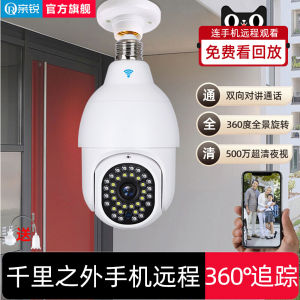
Review

You May Also Like

MS YOOSE Outdoor HD 1080p Wi-Fi Wireless IP CCTV Camera Weatherproof Night Vision Video
GEEBON Binocular escope FoldingSakura Night Vision Long Range 126m/1000m
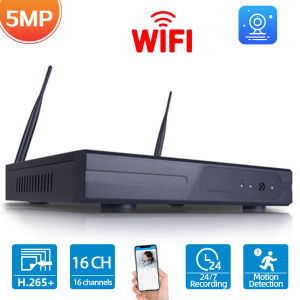
16CH H.265 5MP Wireless NVR Recorder Wifi CCTV Camera System P2P IP Camera Network Video Recorder NVR For ESeeCloud APP 8CH

V380 Dual Lens 2K 1080P Ultra HD CCTV PTZ Camera Motion Detect 360 Degree Rotation Infrared Night Vision Two-Way Voice Audio Surveillance Monitoring Security Color Camera Video WIFI Wireless Connection Phone Indoor Outdoor

YASHICA Mini Digital Camera (Hello Kitty)

7Artisans 4mm F/2.8 APS-C Format Sony E Mount Circular Fisheye Prime Lens MF Manual Focus for Mirrorless Cameras | JG Superstore
Dahua CCTV DVR DH-XVR1B08-I 8 Channels Penta-brid 1080N/720P Face Detection Motion Detection Smart H.265+/H.265 WizSense Digital Video Recorder For CCTV Camera
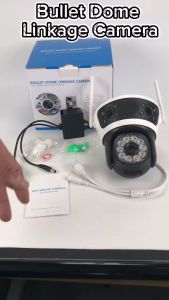
Techvortex 12MP CCTV Camera Wireless WiFi Camera 3-Lens 3-Screen IP Camera Automatic Tracking Alarm 360 Intelligent Night Vision Bidirectional Communication 10x Zoom Outdoor CCTV WiFi Security Camera IPC 360 HOME

4k Digital Camera Retro CCD Portable Camera 50 Million Pixels Auto Focus Camera Dual Camera Flash

5 in Car LCD Monitor Waterproof LED IR Night Vision Reverse Reverse Parking Backup-Camera Rear View Kit High Definition
【Shipping From Philippines/COD】100% Original 551 Tactical Collimator Scope Sight Cross Scope Red Dot Optic Scope for 20mm Rail Mount