Portable Touch Screen Display: A Comprehensive Guide
Portable Touch Screen Display: A Comprehensive Guide
Portable touch screen displays have become increasingly popular among professionals and consumers alike due to their versatility and convenience. This comprehensive guide will help you understand what a portable touch screen display is, how to choose the right one, and how to maximize its productivity.
What is a Portable Touch Screen Display?
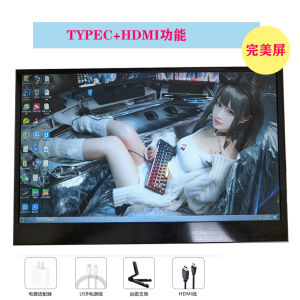
A portable touch screen display is a small screen auxiliary display that can be connected to a computer or mobile device. It features a built-in battery charging system and comes in various sizes, including 10-inch, 12-inch, and 13-inch displays. These displays are designed to enhance work efficiency, collaboration, and content creation.
Key Features & Benefits
- Built-in Battery Charging: The built-in battery charging system ensures that the display remains powered during long working hours.
- 2K High Definition Computer Compatibility: These displays support 2K high definition resolution, providing a clear and crisp viewing experience.
- Versatile Size Options: With 10-inch, 12-inch, and 13-inch display options, users can choose the size that best suits their needs.
Common Applications & Use Cases
Portable touch screen displays are ideal for a wide range of applications, including:
- Work Efficiency & Collaboration: By connecting the display to a computer, users can increase their productivity by viewing multiple windows or applications simultaneously. This is particularly useful for remote workers who need to collaborate with team members.
- Content Creation & Editing: The high-definition display makes it easy to edit photos, videos, and other content. Users can zoom in and out to make precise adjustments, ensuring that their final product looks professional.
How to Choose the Right Portable Touch Screen Display
When selecting a portable touch screen display, consider the following factors:
Size Considerations: 10/12/13 Inch Display Options
The size of the display will depend on your specific needs. A smaller display, such as a 10-inch screen, is ideal for users who require portability and convenience. Larger displays, such as 12-inch and 13-inch screens, offer more viewing space and are better suited for content creation and editing.
Battery Life & Charging Capabilities
A portable touch screen display with a long battery life and fast charging capabilities is essential for users who need to work on-the-go. Look for displays that offer at least 6 hours of battery life and support fast charging.
Setting Up Your Portable Touch Screen Display
Once you've chosen the right portable touch screen display, it's time to set it up. Here's how:
Connecting to a 2K High Definition Computer
To connect your display to a 2K high definition computer, use a USB-C cable or HDMI cable. Follow the manufacturer's instructions to ensure a successful connection.
Configuring Display Settings & Customization
After connecting your display, configure the display settings to suit your preferences. You can adjust the brightness, contrast, and color temperature to create a comfortable viewing experience. Additionally, customize the display settings to suit your specific needs, such as adjusting the resolution or enabling touch functionality.
Maximizing Productivity with Your Portable Touch Screen Display
Now that your portable touch screen display is set up, it's time to maximize its productivity. Here are some tips:
Enhancing Work Efficiency & Collaboration
- View Multiple Windows or Applications: By connecting the display to a computer, users can view multiple windows or applications simultaneously, increasing their productivity.
- Collaborate with Team Members: Remote workers can collaborate with team members by sharing their screens or using collaboration tools.
Streamlining Content Creation & Editing
- Zoom In and Out: The high-definition display makes it easy to zoom in and out to make precise adjustments.
- Edit Photos, Videos, and Other Content: Users can edit photos, videos, and other content on the display, ensuring that their final product looks professional.
In conclusion, a portable touch screen display is an excellent investment for professionals and consumers who want to enhance their work efficiency, collaboration, and content creation. By choosing the right display and setting it up correctly, users can maximize its productivity and enjoy a better working experience.

TB EL SHOP
Review

You May Also Like
Braided SATA Cable 3.0 III SATA3 6Gb/s SSD Cables HDD Hard Disk Data
XUANFENG Efficient Computer CPU Cooler Air-cooled 120mm Fan 4/6 Heat pipe 3pin/4pin Compatible LGA1200 2011-3 2066 1700 115x am4
RTX 3060 Colorful iGame New Battle-Ax Graphics Card | 12GB Nvidia GeForce Videocard | High Cooling Dual and Triple Fans | For AMD Ryzen and Intel Desktop PC | For Gaming Work Streaming Editing Office | Collinx Computer - Lazada

AMD Ryzen 3 2200G R3 2200G 3.5GHz Quad-Core Quad-Thread CPU Processor L2 = 2m L3 = 4m 65W APU Socket AM4 No Fan
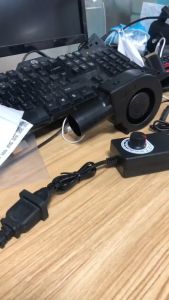
Original 97mm x 33mm DC Blower 110V 220V AC Powered Fan 9733 with Variable Speed Controller
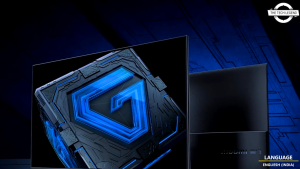
Xiaomi G27i Gaming Monitor 2026 27-inch 200Hz Refresh Rate 1ms Response Fast IPS LCD【3 Year Warranty】
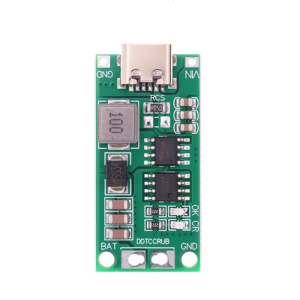
4s Charging Board Steps Up Charging Conversion Module Double Protections Mechanisms For Reliable Operations
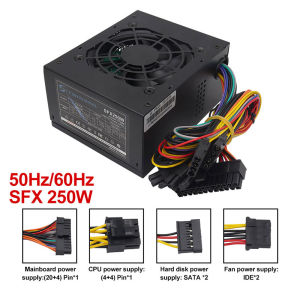
Micro SFX 250W 300W Small Form Factor SFX PC Power Supply for POS System Small Computer for Case
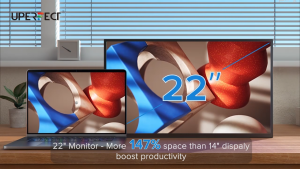
UPERFECT 22 inch 2K portable monitor 100% sRGB 178° full viewing angle IPS screen Daily travel office gaming Use at any time Multimedia display device
ASUS PRIME H610M-K D4 LGA1700 USB 3.2 GEN1 M.2 MATX I 5X PROTECTION III I ULTRA FAST CONNECTIVITY
Efficient Power Converter Module AC220V To DC5V 3A Output High-Efficiency Conversion Circuit Stable Output